


AI Generated Fraud Is Getting Lazy in Familiar Ways
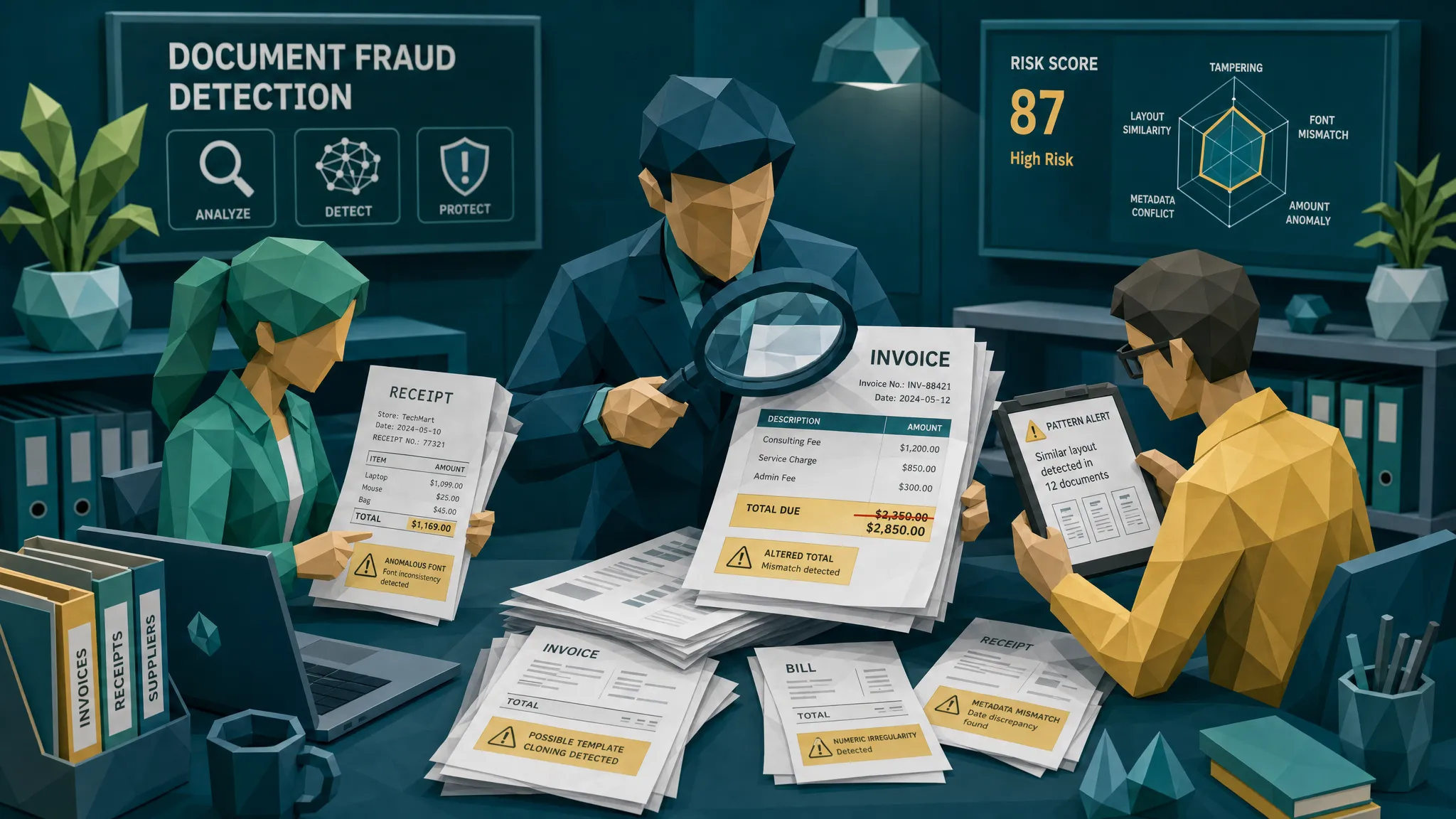

AI generated fraud has a strange little habit: the better the tools get, the more the fraud starts to rhyme.
That is my hot take after a decade of looking at suspicious invoices, receipts, claim documents, and the occasional “surely nobody thought this would work” masterpiece. The scary part is not that fake documents are becoming prettier. They are. The useful part, for fraud teams, is that the people using these tools still cut corners in the same old places.
Fraudsters do not wake up hoping to create art. They want speed, scale, and payout. That means templates, recycled stories, copied payment details, weak math, and rushed submissions. AI makes the forgery faster, but laziness still leaves fingerprints.
My hot take: AI made fraud faster, not more original
When I started reviewing document fraud, one of the classic tricks was embarrassingly simple: take a real receipt, change the total, blur the image just enough to hide the edit, and hope the reviewer was on their third coffee and sixth claims queue of the morning.
Today, the same trick wears a nicer jacket. A fake receipt can be generated in seconds. A claim photo can be altered without opening Photoshop. A supplier invoice can be made to look like it came from a real vendor, with a logo, terms, tax line, and all the other comforting little details that make finance teams exhale.
But the weakness has not changed. The document has to live in the real world. It has to match the payment trail, the vendor history, the claim story, the timing, the math, the file history, and the behavior around the submission. That is where AI generated fraud gets lazy.
This matters because the stakes are no longer theoretical. The FBI notes that insurance fraud costs U.S. families hundreds of dollars a year in higher premiums. In the UK, the BBC reported that Admiral saw a sharp rise in fraudulent claims linked partly to AI-generated images. In payments, the Association for Financial Professionals has repeatedly shown how common payment fraud attempts are for organizations.
So yes, the tools are newer. The economics are nastier. But the fraudster’s bad habits are still our best entry point.
The first lazy habit: the payment story does not add up
If I could give one piece of advice to claims, AP, and expense teams, it would be this: stop treating the document as the whole story.
A fake receipt may look clean. A synthetic invoice may pass a casual glance. But fraud often collapses when you ask basic payment questions.
Did the claimant actually pay this vendor? Does the bank reference match the invoice number? Has this employee claimed from the same merchant before in a believable pattern? Did the supplier suddenly change remittance details after years of normal payments? Does the repair invoice ask payment to go somewhere that has nothing to do with the business supposedly doing the work?
One case I remember involved a perfectly normal-looking home repair invoice. The layout was fine, the logo looked fine, and the amounts were not cartoonishly inflated. The lazy part was the bank account. It had appeared three weeks earlier on an unrelated claim under a different vendor name. On the page, the invoice was polite. In the payment context, it was wearing a fake mustache.
This is why document checks are more powerful when paired with payment information. A “real or fake image” check can help, but it is not enough. The question is whether the document fits the money movement.
The second lazy habit: everything looks too clean
Real business documents are rarely perfect. They have scanner noise, slight alignment differences, aging templates, inconsistent cropping, coffee-adjacent chaos, and the general personality of whatever printer was cheapest in 2017.
AI-generated documents often overcorrect. They look oddly pristine. The logo is sharp, the layout is symmetrical, the text is evenly spaced, and the receipt photo somehow has the emotional range of a product mockup.
That does not prove fraud by itself. A modern invoice PDF from a legitimate vendor can also be clean. But “too clean” becomes interesting when combined with other signals: missing metadata, no believable payment trail, a vendor with no footprint, or a file that appears only at the exact moment a claim needs evidence.
The mistake many reviewers make is looking for obvious defects, like a crooked logo or a ridiculous typo. Modern AI generated fraud does not always give you the comedy version. More often, it gives you a document that is almost boring. Boring is fine. Boring plus contradictions is where I start paying attention.
The third lazy habit: the math is almost right
Fraudsters love changing totals. They hate reconciling everything that total touches.
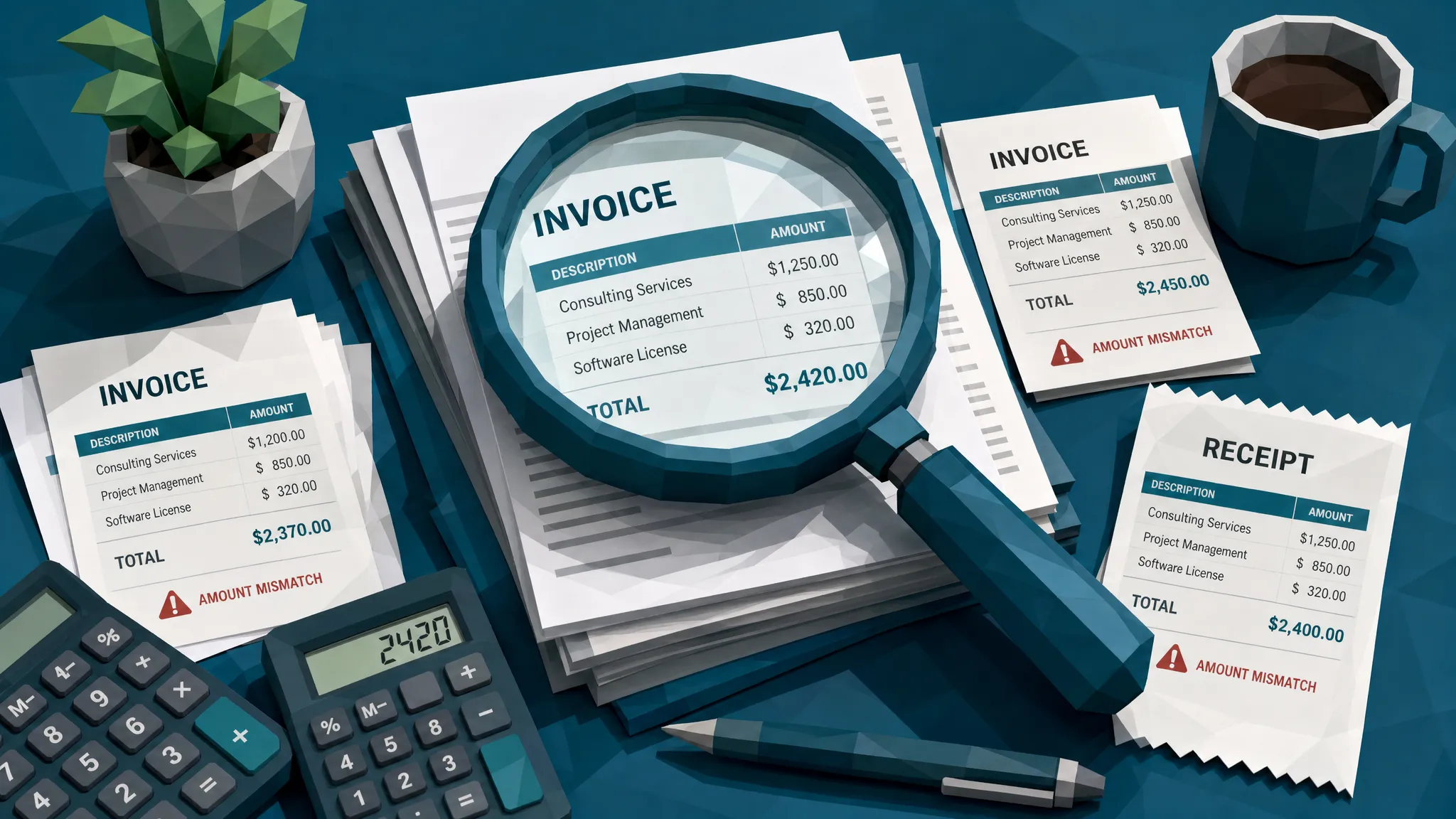
That is why tax, discounts, subtotal lines, tips, VAT, service charges, item quantities, and rounding are still useful. AI tools can produce plausible arithmetic, but rushed fraud still creates near-right numbers. A meal receipt has a total that does not match the tip and tax. A repair invoice has line items that sum to one amount, while the “amount due” says another. A hotel folio has room nights that do not match the dates.
I once saw an expense receipt where the total had clearly been changed, but the loyalty points earned at the bottom were still based on the original amount. It was a tiny detail, but it told the whole story. Fraud is often undone by the boring fields nobody wants to edit.
The best fraud controls do not just read numbers. They ask whether the numbers agree with each other.
The fourth lazy habit: templates repeat
Here is the uncomfortable truth: a lot of AI fraud is not bespoke. It is mass production.
The same prompt, the same layout, the same vendor name pattern, the same item descriptions, the same image degradation trick, the same “sent from my phone” excuse. At volume, fraudsters reuse what works. That means duplicate and near-duplicate detection still matters a great deal.
This is especially relevant for employee expenses and insurance claims. A receipt might not be an exact duplicate. The date changes. The total changes. The crop changes. The background changes. But the underlying document structure, merchant text, spacing, and image artifacts may be suspiciously familiar.
That is where lazy fraud gives defenders a gift. Repetition is easier to spot than genius.
The fifth lazy habit: metadata is treated like a nuisance
Metadata is not always present, and it is not always reliable. Phones strip it. Apps rewrite it. Portals compress files. People screenshot everything because apparently that is how civilization works now.
Still, metadata can be useful because fraudsters often ignore it or over-sanitize it.
A receipt allegedly photographed at a shop may have file history showing it was exported from editing software. A claim image may have a timestamp that conflicts with the loss date. An invoice may be created after the approval email that supposedly attached it. A PDF may carry software fingerprints inconsistent with the vendor’s normal documents.
None of this should be used as a lone conviction machine. Please do not become the person who denies a claim because a phone stripped GPS data. But as part of an evidence bundle, metadata is one of the most practical ways to separate “messy but honest” from “messy because someone is hiding the scissors.”
The sixth lazy habit: the behavior is still classic fraud behavior
Documents do not submit themselves. There is always a person, vendor, claimant, employee, or compromised inbox around the evidence.
That is where old-school fraud instincts still pay rent. Watch the behavior around the document. Late submissions. Pressure to pay quickly. Channel switching. Sudden bank-detail changes. Evasive answers to simple clarification requests. A claimant who has every receipt except the one that matters, then magically finds it as a low-quality screenshot.
For AP and claims teams testing intake controls, it can also be useful to simulate how suspicious submissions enter your systems. Developer teams sometimes use tools like programmable disposable inboxes for QA and verification flows to safely test email-based workflows, routing, and verification without polluting real inboxes. That kind of controlled testing helps teams understand where weak intake processes can be abused.
Fraud prevention is not just about catching the final fake document. It is about understanding the path it took to reach your queue.
Why manual review keeps losing this game
Manual reviewers are better than most systems at spotting context, but they are also human. Humans get tired. Humans trust familiar vendors. Humans skim documents that look routine. Humans assume the last approver checked the important part.
And frankly, fraudsters know this.
The lazy strategy is to hide inside volume. Submit something ordinary. Keep the amount under a threshold. Use a real vendor name. Make the image slightly degraded so nobody asks too many questions. If challenged, provide a second document that looks similar but not identical.
Traditional OCR does not solve this. OCR is useful for extracting fields, but it can flatten the evidence. Once a document becomes vendor name, date, invoice number, and amount, many of the forensic clues are gone. The pixel-level signs, metadata trail, file history, and visual inconsistencies are often where the good evidence lives.
That is why teams need a document-integrity step before payout, reimbursement, or invoice payment. Not a dramatic investigation for every document. Just a calm, consistent screen that asks: does this file behave like a real document, and does it agree with the payment story?
A practical way to catch lazy AI generated fraud
If you manage claims, AP, employee expenses, or warranty reimbursements, I would not start by trying to “spot AI” with the naked eye. That is a losing office party game.
Start with a simple evidence sequence:
- Preserve the original file whenever possible, not just the OCR output or a compressed preview.
- Check whether the document agrees with the payment context, claimant history, vendor record, and approval path.
- Look for visual tampering, repeated templates, odd compression, inconsistent fonts, and manipulated totals.
- Validate the math across line items, tax, discounts, tips, fees, and final amount due.
- Use metadata and file-history clues carefully, as supporting evidence rather than standalone proof.
- Route exceptions with specific evidence, not vague “high risk” labels.
That last point matters. Reviewers do not need another mysterious score dropped into their queue like a fortune cookie from the compliance department. They need clear reasons: “bank details do not match vendor history,” “total does not reconcile to line items,” “near-duplicate found in prior claim,” “file shows editing history inconsistent with source.”
Specific evidence makes reviews faster, fairer, and easier to defend.
Where Docklands AI fits
At Docklands AI, we focus on invoices and receipts because that is where a lot of financial leakage starts. Insurance claims, accounts payable, employee expenses, warranty claims, the pattern is familiar: a document arrives, looks plausible, gets converted into data, and money moves.
Docklands AI is built to catch manipulated, photoshopped, physically altered, and AI-generated documents before that happens. The platform checks the document itself, including visual tampering, metadata, mathematical irregularities, physical manipulation, and signs of synthetic generation. It also uses the payment information around a claim, expense, or payment to build a deeper fraud picture than a simple “does this image look real?” check.
That payment context is important. In my experience, the fraud is often not fully visible inside the four corners of the invoice. It shows up when the receipt, claimant, vendor, bank details, timing, and document history all have to sit at the same table and tell the same story.
Docklands AI can integrate through API and webhooks, with reporting, analytics, dashboards, multiple users and projects, and security controls such as 2FA. The goal is not to slow down every legitimate claim or invoice. The goal is to let clean documents keep moving while suspicious ones get routed with evidence.
Frequently Asked Questions
What is AI generated fraud? AI generated fraud is the use of AI tools to create or alter false evidence, such as fake receipts, synthetic invoices, edited claim photos, or manipulated payment documents. The goal is usually to obtain reimbursement, claim payout, or invoice payment using evidence that looks legitimate.
Why do AI-generated invoices and receipts still contain mistakes? Fraudsters optimize for speed and volume. They often reuse templates, rush edits, overlook math, ignore metadata, or fail to align the document with payment history. The document may look convincing, but the surrounding evidence often exposes lazy shortcuts.
Can manual reviewers detect AI generated fraud? Sometimes, but manual review alone struggles at scale. The most reliable approach combines human judgment with automated checks for visual tampering, metadata issues, math inconsistencies, duplicate patterns, and payment-context mismatches.
Should fraud teams reject a document just because metadata is missing? No. Missing metadata can be normal, especially after screenshots, uploads, or file conversions. Treat metadata as one signal among many. Strong decisions usually come from several pieces of evidence pointing in the same direction.
Where should document fraud screening happen? The best place is before money moves. For claims, that means intake and pre-payout review. For AP, it means before approval or payment runs. For employee expenses, it means before reimbursement.
The lazy fraud is still catchable
AI generated fraud will keep improving. I am not betting against the tools. But I am very comfortable betting against fraudsters being patient, consistent, and detail-oriented at scale.
They will keep reusing templates. They will keep forgetting the math. They will keep submitting documents that do not match the payment trail. They will keep rushing because the whole business model depends on speed.
If your team wants to catch those patterns before they become paid losses, Docklands AI helps screen invoices and receipts for tampering, synthetic generation, metadata issues, math problems, and payment-context mismatches. The documents are getting prettier. The laziness, thankfully, is still familiar.
Request a Demo Today!
Book your demo below.


