


Can Anti Fraud AI Really Catch Doctored Documents?
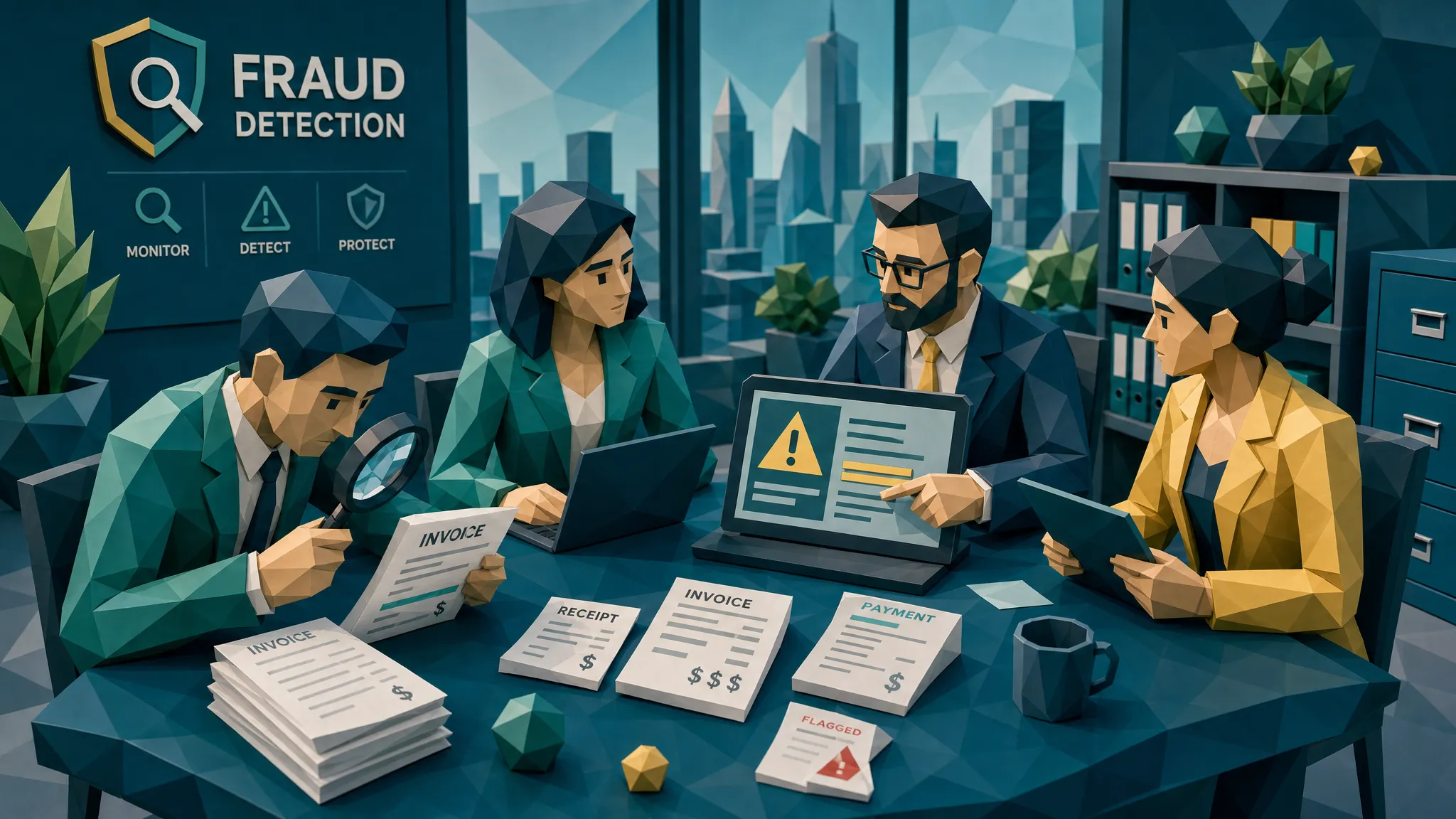

Short answer: yes. Better answer: yes, if the system is allowed to inspect the original file, the document image, the math, the history, and the payment context.
If you only ask software to read the fields on an invoice or receipt, you are asking it to do clerical work. Helpful, sure. Fraud detection, not really. A doctored document can have perfectly readable vendor names, dates, totals, and bank details. That is the whole point of the doctoring.
After a decade around claims, payables, and expense reviews, my hot take is simple: the best anti fraud AI does not win because it shouts fake faster than everyone else. It wins because it gives a human reviewer a clear, boring, defensible reason to pause payment.
And boring is where the money is.
One of the first doctored invoices I remember was almost offensively dull. A repair invoice came in under an approval threshold, the logo looked right, the line items were plausible, and the PDF opened without drama. Nobody in the room got a cinematic fraud moment. The tell was a tax line that no longer tied to the subtotal, plus a file history that suggested the invoice had been edited after the claim was submitted. It was not clever detective work. It was basic evidence handled before the money moved.
That is the real question behind doctored documents: can we catch the inconsistency while there is still something to do about it?
Why doctored documents are harder to spot in 2026
The old picture of document fraud was a badly altered receipt with a crooked total and a font that looked like it came from a school newsletter. Those still exist. Bless them, honestly. But they are no longer the main problem.
Today, a fraudster can start with a genuine invoice, change only the remit-to details, export it as a fresh PDF, and submit it through a perfectly normal channel. An employee can reuse a hotel folio from a real trip, adjust the dates, and crop away the awkward bits. A claimant can use generative tools to create supporting documents that look clean enough for a rushed review queue.
The pressure on teams is also worse. Claims adjusters want to close files. AP wants to avoid late fees. Expense managers want to avoid becoming the office parking ticket police. Fraudsters know this. They do not need every document to be brilliant. They need one plausible document to arrive at the busiest moment of the week.
The numbers explain why this matters. The FBI notes that non-health insurance fraud costs more than $40 billion per year, adding an estimated $400 to $700 to the average U.S. family’s premiums annually. In 2025, the BBC reported that Admiral saw a 71 percent rise in fraudulent claims, with AI-generated images and deepfake-style evidence playing a role. On the finance side, the Association for Financial Professionals continues to document how widespread payments fraud remains for organizations.
So yes, doctored documents are more convincing. But they also leave more trails than people think.
What anti fraud AI can realistically catch
Let’s get practical. A good system should not stare at a document and make a mystical judgment. It should inspect the file like a skeptical reviewer with endless patience and no lunch break.
Visual tampering that humans miss
Digital edits often disturb the texture of a document. The altered amount may have different compression artifacts than the surrounding text. A pasted bank account block may have slightly different sharpness. A vendor name may align half a millimeter differently from nearby fields.
Humans are bad at catching these signals at scale because humans get tired, distracted, and weirdly trusting when a document has a neat logo. Software can compare pixel-level patterns across the page and flag areas that do not behave like the rest of the document.
This is especially useful for photoshopped invoices, altered receipts, and screenshots of banking confirmations. If a claimant or employee has changed the date, total, account number, or merchant name, the document often carries visual scars.
Metadata and file history clues
Metadata is not a magic truth serum. Plenty of legitimate workflows strip metadata, compress files, or route PDFs through systems that rewrite file properties. I have seen honest invoices look suspicious because someone printed, scanned, merged, renamed, and emailed them three times before breakfast.
But when metadata is available, it is useful. Creation time, modification time, editing software, device data, and file history can contradict the story around the document. A receipt supposedly created at the point of sale might show signs of later editing. A repair estimate allegedly issued before work began might have been generated after the claim date. A batch of invoices from different vendors might share the same suspicious creation pattern.
The key is not to treat metadata as guilt. Treat it as context.
Math that almost works
Fraudsters often focus on the big number. They change the total, the mileage, the room rate, the quantity, or the deductible amount. Then they forget the boring parts: tax, discount, subtotal, service fee, currency conversion, or unit rate.
I once saw an expense receipt where the meal total had been lifted by less than $30. Not exactly Ocean’s Eleven. The problem was that the tax percentage became impossible for that city, and the tip line no longer reconciled with the final charge. The employee probably assumed nobody would do the math. Most days, nobody did.
This is where automated checks earn their keep. They can re-run arithmetic, compare line items to totals, check tax logic, and flag amounts that are convenient enough to feel engineered.
Duplicate and near-duplicate submissions
Exact duplicate detection is useful, but fraud rarely stays that polite. A receipt may be cropped, rotated, photographed again, brightened, converted to PDF, or submitted by a different claimant or employee.
Near-duplicate detection looks for underlying similarity even when the file has changed. This matters for employee expenses, warranty claims, and AP invoices where the same underlying proof can be recycled with a new date, new total, or new submitter.
The best clue is often not that a document is fake. It is that the same document has had a busy little career.
Payment context that changes the whole picture
Here is where I get opinionated. A tool that only asks whether an image looks real is doing half the job.
A doctored invoice with a changed bank account is more serious when the vendor has never used that account before. A receipt with a clean layout is more suspicious when the payment method does not match the employee’s card trail. A claim invoice matters more when the repair vendor, payee, amount, and timing conflict with the claim story.
This is why payment information matters. It turns a document check into a fraud picture. The same invoice might be low risk in one context and high risk in another.
Where anti fraud AI still struggles
I would not trust any vendor who says their system catches everything. Fraud detection is not a carnival strength test where the bell rings and everyone claps.
Low-quality scans can hide both legitimate details and tampering signals. Screenshots can be stripped of useful file history. Some businesses legitimately edit PDFs to add purchase order numbers or internal references. Mobile cameras create shadows, blur, and compression artifacts that can look suspicious. Large enterprises also have messy document journeys, especially after mergers, system migrations, or shared-service center rollouts.
That means the output should be evidence-led, not accusation-led. A good alert says something like: this total may have been altered, this file appears edited after submission, this bank detail conflicts with prior payments, or this receipt resembles one submitted in another claim.
A bad alert says: fraud score 92, good luck.
That kind of mystery score creates arguments, not decisions.
The real operating model: fast lanes and evidence lanes
The goal is not to turn every invoice, receipt, or claim document into a courtroom drama. Most documents are boring because they are legitimate. We want those to move quickly.
The better operating model is to create two lanes. Clean documents continue through the normal workflow. Suspicious documents move into an evidence lane where a reviewer sees the specific reasons for the pause.
For insurance claims, that means adjusters can keep handling legitimate claims while SIU receives cleaner referrals. The referral should show the suspicious document region, the metadata issue, the math mismatch, the duplication clue, or the payment-context conflict. Nobody wants a vague handoff that says the computer felt uneasy.
For accounts payable, the biggest wins often happen before approval and again before payment runs. Vendor-bank changes, unusual invoice channels, edited remittance fields, and near-duplicates should be checked before funds leave. If you operate across construction projects, job sites, legal entities, or regional offices, governance matters as much as detection. That is why construction companies working on operating model and document control with construction enterprise transformation partners should also look hard at invoice authenticity gates, especially where subcontractor invoices and change orders move quickly.
For employee expenses, the trick is to avoid making honest employees feel like suspects. Flag the documents that deserve attention, preserve the evidence, and ask for clarification when needed. The ACFE Report to the Nations has long estimated that organizations lose around 5 percent of revenue to fraud, which is a useful reminder that small abuses add up. Expense fraud rarely introduces itself with a marching band. It arrives as a $47.80 receipt that looks normal.
What a useful alert should show
If I were buying anti fraud AI for claims, AP, or expenses, I would care less about the dashboard gloss and more about the review packet.
A useful alert should show:
- The exact part of the document that triggered concern.
- The reason for the concern, such as visual tampering, metadata conflict, math irregularity, duplicate pattern, or payment mismatch.
- The confidence level and any uncertainty.
- The related context, such as prior vendor payments, claim timeline, employee history, or submitted duplicates.
- The recommended next action, such as approve, request clarification, verify vendor details, or route to investigation.
That last part matters. Fraud teams do not need more noise. They need fewer weak alerts and stronger evidence.
My three-rule test for vendors
When someone shows me a fraud detection tool, I mentally run three tests.
First, does it preserve the original document? If the system converts everything into extracted text and throws away the file evidence, it has already lost important clues.
Second, does it explain itself in plain language? A reviewer should not need a data science degree to understand why a document was flagged. If the alert cannot be explained to an adjuster, AP manager, or auditor, it will not survive real operations.
Third, does it connect the document to payment context? This is the difference between spotting odd pixels and spotting payment risk. The document may look fine, but if the payee, bank details, timing, or prior submissions do not line up, the risk changes.
That is also where many generic document-authenticity tools fall short. They answer a narrow question about whether a file appears manipulated. Fraud teams need a wider answer: should we pay this, reimburse this, or escalate this?
How Docklands AI approaches doctored documents
Docklands AI is built for organizations that need to detect manipulated, photoshopped, and AI-generated invoices and receipts before they become paid losses.
The platform checks for AI-generated documents, Photoshop and tampering signals, metadata issues, mathematical irregularities, and signs of physical manipulation. It also uses payment information from a claim, expense, or payment workflow to build a deeper fraud picture than a simple document-realness check can provide.
That payment context is the part I like. In the real world, a doctored document is rarely the whole case. It sits inside a claim story, an AP process, an expense policy, a vendor relationship, and a payment decision. Looking at those pieces together helps reduce the two things every fraud team hates: missed fraud and pointless false alarms.
Docklands AI also supports API and webhook integration, real-time reporting and analytics, executive dashboards, 2FA security, and multiple users and projects. In plain English, that means the fraud check can sit inside the workflows teams already use, rather than forcing reviewers into yet another place to click around and mutter.
How to roll it out without annoying everyone
Start where payment leakage hurts most. For insurers, that may be repair invoices, medical-adjacent bills, warranty documents, or high-frequency claimant-submitted receipts. For AP teams, it may be non-PO invoices, construction invoices, vendor-bank changes, or entities with weak purchase-order discipline. For expenses, it may be hotel folios, meals, mileage, and receipts just under approval thresholds.
Run the system quietly at first if you can. Compare flagged documents against historical outcomes, reviewer judgment, chargebacks, vendor disputes, and known fraud cases. You are looking for two things: what the system catches that humans miss, and what it flags that humans should ignore.
Then tune the workflow. Low-risk documents should keep moving. Medium-risk documents may need clarification. High-risk documents should pause until someone verifies the evidence.
One finance lead once told me, with the weary calm of a person who had seen too many month-end surprises, that their team did not need another tool to make them feel guilty. They needed one that stopped the five bad payments they would otherwise never see. That is the right attitude. Fraud controls should protect the business without turning everyday operations into airport security.
Frequently Asked Questions
Can anti fraud AI prove that a document is fraudulent? No. It can identify evidence that a document may be manipulated, synthetic, duplicated, or inconsistent with payment context. The final decision should involve human review, policy, and investigation where appropriate.
Can doctored invoices and receipts look completely real? Yes, at least to a busy reviewer. Many altered documents pass a normal visual review because the fraudster changes only one or two fields. Detection improves when the original file, math, metadata, duplicates, and payment context are checked together.
Is OCR enough to catch doctored documents? No. OCR reads text from a document. It does not reliably prove whether the document has been altered, generated, reused, or paired with suspicious payment information.
What if metadata has been stripped from the file? Missing metadata is not proof of fraud. It is one signal among many. A good review still checks visual consistency, math, duplicate patterns, document history, and payment context.
Where should document fraud screening happen? The best places are at intake and before payment. Early screening helps route suspicious cases before work piles up, while pre-payment screening catches late changes to bank details, payees, invoices, or supporting receipts.
A practical next step
Yes, anti fraud AI can catch doctored documents. But the useful version is not a magic fake detector. It is an evidence engine that helps your team decide what deserves a pause before money leaves.
If your claims, AP, or expense process still relies on manual review, OCR, or spot checks to catch doctored invoices and receipts, now is a good time to tighten the gate. Docklands AI helps teams detect manipulated, photoshopped, and AI-generated documents, then connect those findings to payment context so reviewers can act with confidence.
Request a Demo Today!
Book your demo below.


