


Fraud in Claims Often Starts With Document Manipulation


Claims teams rarely set out to “trust documents.” They set out to settle quickly, keep customers happy, and pay only what the policy owes. That is exactly why fraud in claims often starts with document manipulation: when a decision depends on a receipt, an invoice, or a repair estimate, changing the document can change the outcome.
As invoices and receipts move through email, portals, mobile uploads, and messaging apps, they lose context and gain opportunities for edits. With modern image tools and generative AI, the barrier to producing convincing “proof” is low. The fastest way to reduce payment leakage is to treat documents as evidence that must be validated, not as a static attachment.
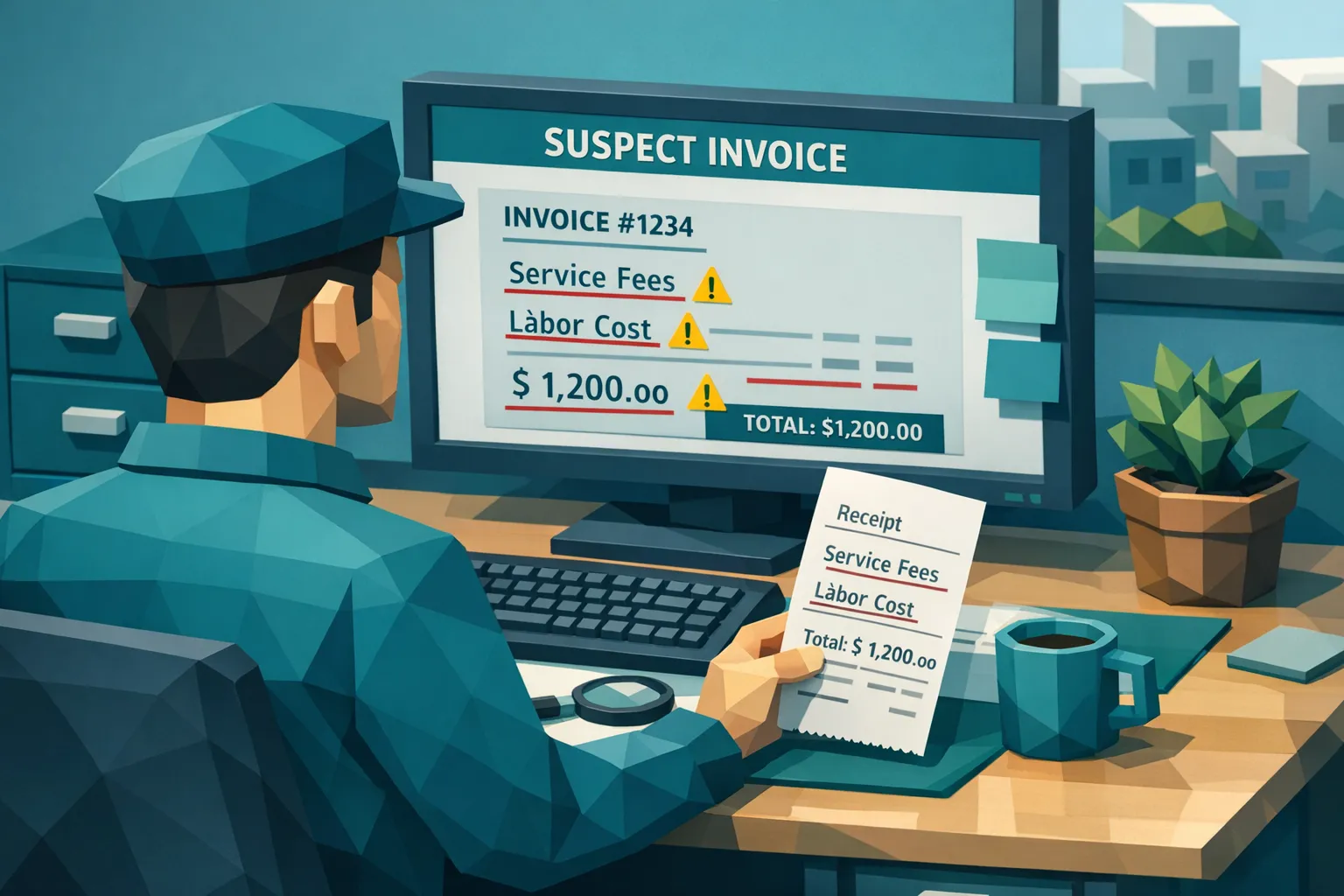
Why document manipulation is the first move in many claim fraud attempts
Most claim fraud strategies need one thing to succeed: supporting evidence that matches the story. Adjusters and claim ops rely on documents to confirm loss-related expenses, validate timelines, and justify settlement amounts. If the document looks legitimate, downstream controls often assume the transaction is legitimate too.
Document manipulation is attractive to fraudsters because it can be:
- Low effort: editing a number or date is faster than staging an entire incident.
- Low risk at intake: many workflows validate fields, not authenticity.
- High leverage: a small edit to labor hours, parts, or unit pricing can materially change the payout.
In insurance specifically, industry estimates commonly cited in claims operations put fraudulent activity in the high single digits of total claims, and the resulting losses can be massive at scale. Even when the fraud is “only” an inflated invoice, the aggregate impact across high-volume lines can be severe.
What fraudsters change, and what they are trying to accomplish
Document manipulation in claims is usually not random. The edits typically aim to get the claim approved, increase the payout, or redirect funds.
1) Inflate the payable amount without changing the narrative
This is the classic play: the incident is real, but the reimbursement is padded.
Common tactics include:
- Increasing line item quantities or hours
- Swapping unit prices
- Adding plausible add-ons (diagnostic fees, disposal fees, rush service)
- Editing subtotals or taxes to match a new total
2) Make the document fit the policy timeline
Dates drive coverage decisions. Fraudsters often adjust the document to align with:
- Policy effective dates
- Deductible periods
- Waiting periods
- Reporting windows
Backdating and forward-dating are especially common when receipts are accepted as photos rather than verified originals.
3) Make a vendor look real (or look like a different vendor)
Fraud schemes frequently involve vendor impersonation or vendor laundering.
Examples:
- Replacing a vendor name or logo with a recognizable brand
- Changing addresses, phone numbers, or tax IDs
- Copying a legitimate invoice template and “re-skinning” it
4) Reuse documents across claims (duplicates and near-duplicates)
Duplicate submission is a quiet source of leakage. Fraudsters may submit the same receipt:
- Across multiple claims
- Across multiple policies
- With minor edits so it passes simple duplicate checks
5) Redirect payment
In some claim workflows, document edits are used to support a payment instruction change.
This can include:
- Altered bank details on an invoice
- Different payee information between the invoice and the claim file
- A vendor that exists, but with new remittance details
Why traditional claims controls miss manipulated documents
Many claims stacks were built to process information, not to validate evidence integrity.
OCR and field rules are not authenticity checks
OCR is great at extracting totals and dates. It is not designed to answer “was this altered?” A forged invoice can have perfectly parsable fields.
Rules-based validation often stops at:
- “Does the total equal the sum of line items?”
- “Is the date in a valid range?”
- “Is the vendor in our list?”
A manipulated document can be internally consistent and still be fake.
Manual review does not scale, and it is easy to spoof
Even experienced reviewers struggle when:
- Images are compressed by messaging apps
- Receipts are photographed at angles or under glare
- Fraudsters use high-quality templates
- GenAI produces natural-looking artifacts and typography
Under workload pressure, reviewers tend to focus on claim handling decisions, not pixel-level inconsistencies.
Sampling creates blind spots
If only a subset of invoices are checked deeply, fraud will concentrate in the unreviewed lane. Fraudsters learn thresholds quickly.
The document-level signals that often reveal manipulation
A strong defense uses multiple types of evidence, because any single signal can be missing or intentionally hidden.
Visual and layout anomalies
These are the “looks off” cues, but you want them captured consistently and defensibly:
- Mixed fonts or inconsistent kerning within the same field
- Misaligned baselines or uneven spacing around edited numbers
- Edge halos, blur differences, or compression seams near totals and dates
- Logo artifacts, warped letterforms, or inconsistent resolution
Metadata and provenance anomalies
When the original file is preserved, metadata can add important context:
- Evidence of editing software
- Timestamps that conflict with the claimed timeline
- Missing metadata where it is normally present (not conclusive, but useful)
- Device and file history inconsistencies
Metadata is imperfect because many systems strip it. That is why it should be one layer, not the only layer.
Mathematical irregularities beyond simple summation
Fraudsters sometimes adjust totals first, then “repair” the math. Common issues include:
- Tax rates that do not match the jurisdiction or invoice type
- Rounding patterns inconsistent with the vendor’s typical invoices
- Line item arithmetic that is technically correct but economically improbable
Physical-photo manipulation cues
When receipts are captured by camera:
- Shadows or lighting that change abruptly around an edited region
- Perspective distortions that do not apply uniformly
- Paper texture inconsistencies, especially near handwritten edits
Why context matters: connect document integrity to payment reality
A key operational mistake is treating document checks as a standalone “is this image real?” problem. In claims, the payout decision depends on context.
High-signal context checks include:
- Whether the payable amount aligns with loss severity and expected repair scope
- Whether the vendor, bank details, and payee behavior match historical patterns
- Whether the same vendor appears unusually often for the same claimant or address
- Whether the invoice timing aligns with inspection, authorization, and service timelines
This is where Docklands AI’s approach is designed to be stronger than generic authenticity tools: it can evaluate manipulated, photoshopped, and AI-generated documents, and it can also use payment information associated with the claim to build a deeper fraud picture than a document-only check.
A practical workflow for catching manipulation early (without slowing clean claims)
The goal is not to turn every claim into an investigation. The goal is to create a lightweight gate that screens documents early, routes only the risky ones, and preserves evidence.
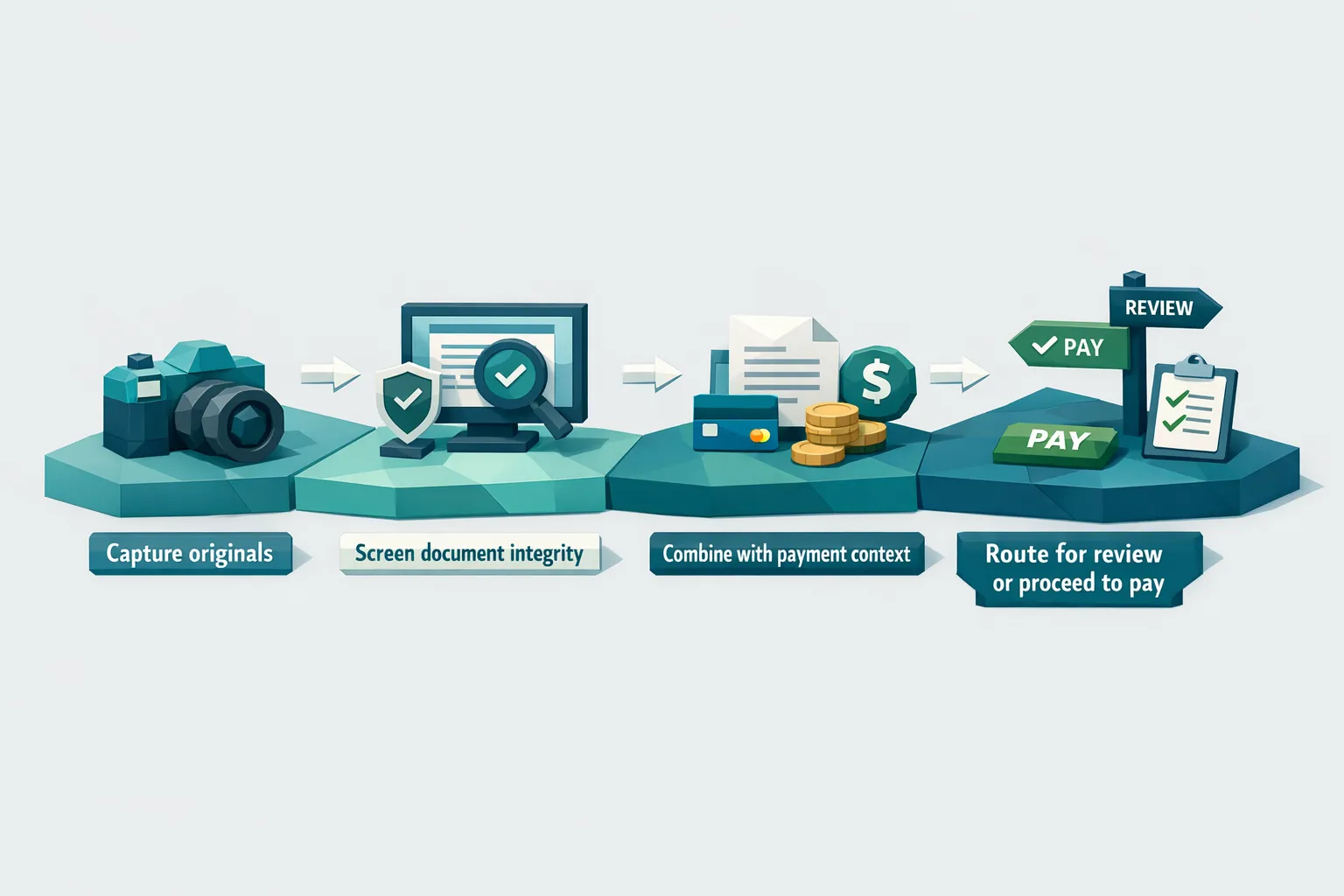
Step 1: Capture and preserve originals at intake
If documents arrive through multiple channels (portal, email, mobile), standardize how you store them.
Best practices:
- Store the original file, not only a screenshot or converted PDF
- Avoid “print to PDF” transformations unless necessary
- Record source channel and timestamp
Step 2: Screen every invoice and receipt for integrity signals
Full coverage matters because manipulation is cheap and scalable.
A robust screening layer looks for:
- Digital tampering and Photoshop-style edits
- AI-generated document traits
- Metadata anomalies
- Math and consistency issues
- Physical manipulation signals for photos
Step 3: Fuse integrity results with claim and payment context
This is where you reduce false positives and raise true positives.
Examples of good routing logic:
- Moderate document anomalies plus high payout amount equals escalate
- Strong tamper signals plus payee change request equals escalate
- Weak anomalies plus consistent vendor history equals monitor
Step 4: Route with evidence, not just a score
When you send a claim to SIU or a senior handler, the package should be review-ready:
- What was detected (type of anomaly)
- Where it was detected (region of the document, field-level pointers)
- What context increased risk (payee mismatch, unusual amount, duplicate similarity)
Evidence-backed alerts improve decision quality and reduce time spent arguing over subjective impressions.
Step 5: Close the loop with outcomes
To keep the program credible:
- Track outcomes (confirmed fraud, denied, paid, vendor corrected)
- Feed outcomes back into your triage rules
- Monitor drift (new invoice templates, new AI generation patterns)
Where teams get the biggest wins first
If you need a starting point, focus on the claim segments where document manipulation is both common and costly:
- High-volume claims with invoice/receipt attachments
- Claims with outsourced repairs and variable vendor ecosystems
- Warranty or service reimbursement programs with weak purchase order controls
- Any workflow that accepts photos of documents from mobile
A common pattern is that a small number of claim types generate a large share of questionable documents. Screening gives you visibility fast.
Implementation notes for claims ops and fraud leaders
Integrate where documents enter the workflow
You get the best coverage when screening runs:
- At upload in the claimant portal
- At email ingestion into the claim file
- Before payment authorization
Docklands AI supports API and webhook integration, which is typically the most practical way to add screening without replacing your claims platform.
Keep cycle time intact with risk-based routing
Claims organizations succeed when clean claims stay fast. Use screening to:
- Auto-clear low-risk documents
- Queue only high-risk items for review
- Provide analytics to tune thresholds
Plan for change management
If you are updating workflows, training investigators, or building custom automations around your existing claims stack, it can help to start with an audit of where AI can add value, where it can add risk, and what data you need. A partner that offers AI audits and custom solutions can be useful when you need to connect multiple systems, define governance, and train teams on new decision support processes.
Frequently Asked Questions
What is the most common type of document manipulation in insurance claims? The most common patterns are inflated totals (edited line items, labor hours, or taxes), date changes to fit coverage windows, and vendor impersonation using copied templates.
Why does OCR fail to catch manipulated invoices and receipts? OCR extracts text and numbers. It does not verify whether pixels were altered, whether the file was generated by AI, or whether metadata and layout cues suggest tampering.
How do you reduce false positives when screening claim documents? Combine document integrity signals with payment and claim context (amount, vendor history, payee changes, timing). Context helps distinguish a formatting oddity from a high-risk manipulation.
Should claims teams screen 100% of invoices and receipts? If document manipulation is a meaningful loss driver, full coverage is usually more effective than sampling. Risk-based routing can keep cycle time stable by escalating only a small subset.
What evidence should SIU receive when a document is flagged? SIU reviews move faster when alerts include the anomaly type, where it appears on the document, and the contextual factors that raised risk (duplicates, payee mismatch, unusual amount).
Add document integrity screening before manipulated claims get paid
If your organization is seeing more altered invoices, recycled receipts, or AI-generated documentation, the fastest operational improvement is adding a dedicated document screening layer that runs before payment.
Docklands AI detects photoshopped, manipulated, and AI-generated invoices and receipts using document forensics (visual analysis, metadata inspection, mathematical irregularity checks, and physical manipulation detection). It also uses associated payment information to build a deeper fraud picture than basic “is this image real” checks. With API and webhook integration, you can screen documents inside your existing claims workflow and route only high-risk cases for review.
Learn more at Docklands AI.
Request a Demo Today!
Book your demo below.


