


How AP Automation Tools Miss Edited Invoices
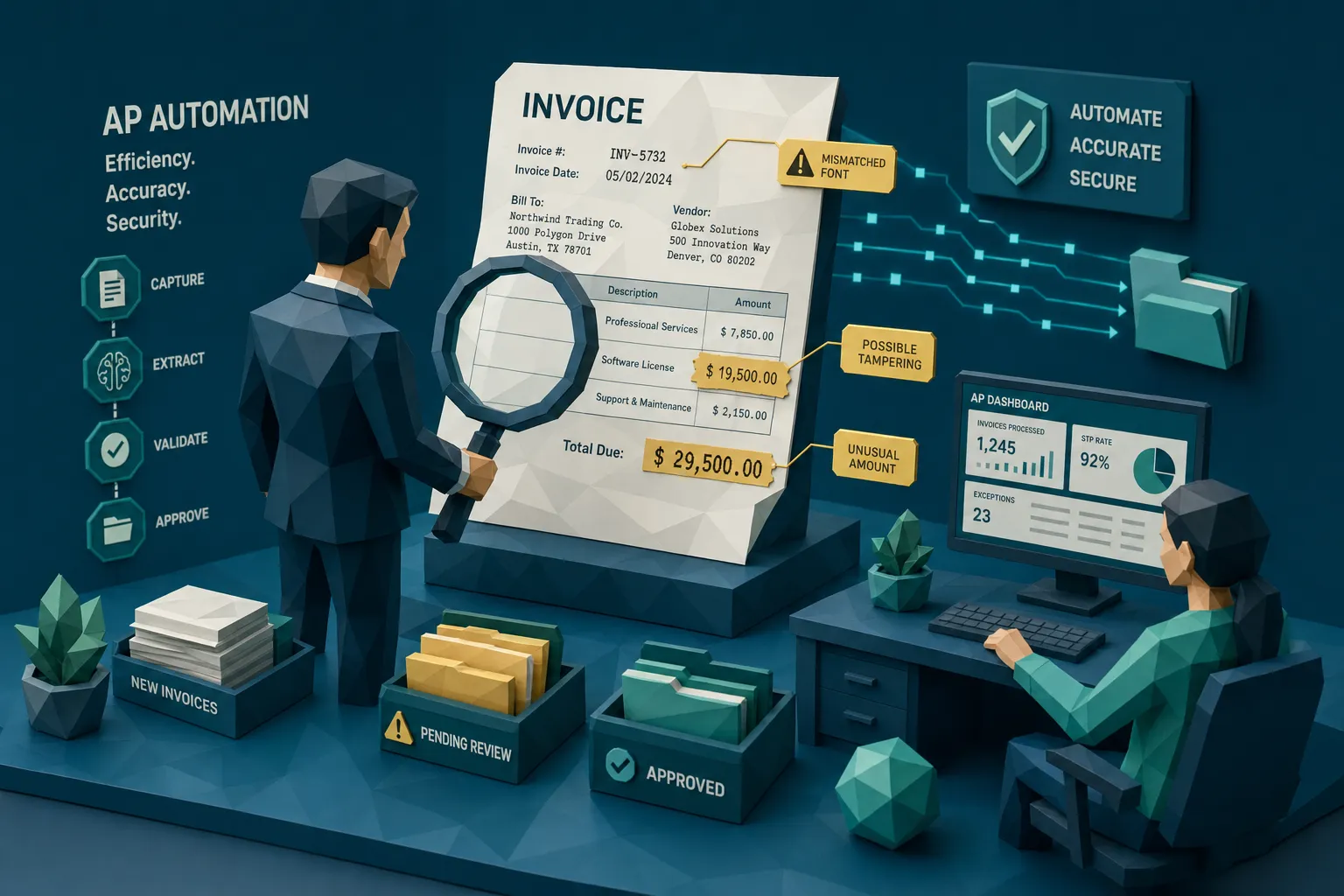

AP automation tools are excellent at reading invoices. They are often much less impressive at deciding whether an invoice deserves to be believed.
That distinction matters more than most finance teams want to admit. I’ve spent enough time around fraud reviews to know the awkward truth: the invoice that causes the damage usually does not look like a ransom note assembled from magazine clippings. It looks boring. Clean vendor logo. Plausible PO number. Sensible line items. Maybe one field has been edited, a total, a date, a bank detail, a tax amount. The OCR reads it beautifully. The workflow approves it efficiently. The payment run does the rest.
Here’s my hot take: many AP automation tools miss edited invoices because they were built to remove friction, and fraud is very good at looking frictionless.
AP automation solves a real problem, just not this one
I like AP automation. Really. Nobody should be manually keying invoice numbers from PDFs in 2026 unless they enjoy eye strain and mild despair. Good AP automation tools can capture data, route approvals, reduce duplicate entry, support matching, and help finance teams close faster.
But those tools were mostly designed around process efficiency. They answer questions like: “Can we extract the supplier name?” “Does this match a PO?” “Who needs to approve it?” “Is the GL code correct?”
Edited invoice fraud asks a different question: “Has this document been altered?”
That is where the gap opens. According to the Association for Financial Professionals, a large majority of organizations continue to face payments fraud attempts. The FBI’s 2023 IC3 report also put business email compromise losses at $2.9 billion, much of it aimed at payment processes. Fraudsters are not guessing. They know AP is optimized for throughput.
In plain English: if the system is rewarded for moving clean-looking invoices quickly, the fraudster’s job is to make the fake look clean.
What counts as an edited invoice?
An edited invoice is not always a fully fake invoice. In fact, the nastiest ones often start with something legitimate.
A real contractor invoice gets its payment instructions changed. A genuine supplier PDF has the total lifted by 15 percent. A prior invoice is reused with a new date and invoice number. A receipt image is physically altered, photographed, and submitted as if nothing happened. A vendor email is compromised, then an invoice attachment is “updated” before it reaches AP.
The common edits I see fall into a few familiar buckets:
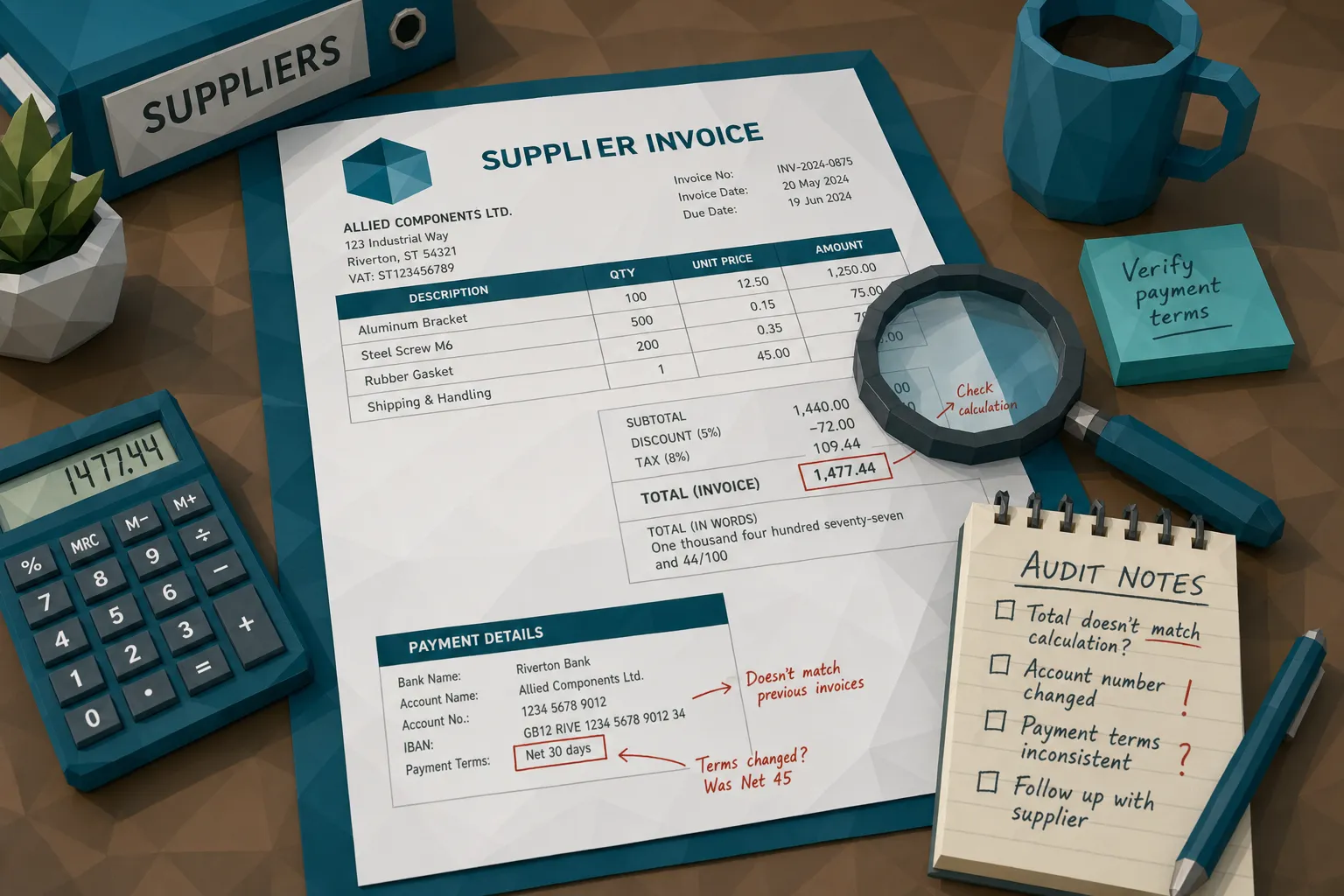
- Changed totals, subtotals, tax, discounts, or quantities
- Altered bank details, remit-to addresses, payment terms, or payee names
- Edited invoice dates, PO numbers, service periods, or project descriptions
- Reused invoices with small changes to invoice numbers or line items
- Pasted logos, vendor details, or registration numbers from real documents
- Physical markups that are photographed or scanned back into the workflow
None of these needs to be Hollywood-grade forgery. One of the first edited invoices I ever saw caught by a reviewer was embarrassingly simple. A single digit in the total had a slightly softer edge than the others. At normal zoom, it was invisible. At 400 percent, it looked like the number had been dropped in from another document. The AP system had no opinion about it. It read the amount correctly, which was precisely the problem.
Why AP automation tools miss edited invoices
OCR reads the lie perfectly
OCR is a reader. It is not a fraud investigator.
If someone edits an invoice total from $4,800 to $14,800 and the result is visually convincing enough, OCR may extract “14,800” without complaint. From the tool’s perspective, it did its job. It captured the data.
The trouble is that OCR usually converts a document into structured fields, then the workflow starts treating those fields as the truth. The original file may remain attached somewhere, but the operational focus shifts to the extracted data. Vendor name. Invoice number. Amount. Due date. PO number.
That conversion can strip away the most useful fraud signals: inconsistent compression, pasted regions, font drift, altered spacing, metadata clues, and other signs that the document has been tampered with.
When AP teams say, “But our tool scanned it,” I usually ask, “Scanned it for what?” Reading and verifying are not the same sport.
Matching confirms the business event, not the document
Three-way matching is a strong control. I am not here to bully it. If you can match invoice, PO, and receiving record, you are already in better shape than many teams.
But matching has limits. It confirms that a business event probably happened. It does not always confirm that the invoice image is authentic.
Picture a facilities contractor replacing HVAC units across ten locations. The work happened. The PO exists. The site manager confirms the job. Then a revised invoice arrives with slightly altered payment details. The approval chain focuses on whether the work was done, not whether the PDF was edited.
I once saw a case where the approver’s exact logic was, “I approved it because the repair was real.” Fair enough. But fraud does not need the repair to be fake. Sometimes it only needs the remittance block to be fake.
This is especially painful in PO-light environments: construction, field services, healthcare operations, multi-site retail, care homes, veterinary groups, and fast-growing companies where vendors, sites, and approvers multiply faster than controls.
Approval workflows create a halo effect
Approval workflows are great at answering, “Is this person authorized to approve this spend?” They are weaker at answering, “Did this person inspect the document like a forensic examiner?”
Most approvers are not trained to look for edited pixels, metadata anomalies, or layout inconsistencies. They are busy operators. They know the vendor. They know the job. They know the amount is in the right neighborhood.
So the invoice gets a trust halo.
Once a known vendor, valid project, or senior approver is attached to the invoice, the document feels safer than it is. AP automation tools can accidentally reinforce that feeling by showing neatly extracted fields in a clean approval screen. The messiness of the original document disappears behind a tidy interface.
That tidy interface is useful. It can also be a lovely red carpet for a manipulated invoice.
Duplicate detection is often too literal
Many AP systems can catch exact duplicates. Same invoice number, same vendor, same amount. Good.
Fraudsters know this. They change one or two fields.
A reused invoice might have a new invoice number, a slightly different date, a rounded total, or a modified description. A near-duplicate can be visually almost identical while passing a literal duplicate check. If your control relies on exact field matching, the fraudster only needs to avoid being exact.
This is where edited invoices thrive. They are close enough to seem normal, different enough to dodge simple duplicate rules.
Metadata gets ignored, stripped, or overwritten
Invoice metadata can be very useful. Timestamps, software traces, file creation dates, edit histories, device information, and conversion paths can all tell a story.
The problem is that many AP automation workflows do not preserve or inspect metadata deeply. Files are emailed, downloaded, renamed, converted, compressed, merged, rescanned, or uploaded through portals. By the time the invoice lands in review, the original context may be gone.
Sometimes that loss is innocent. Sometimes it is convenient for the fraudster.
A PDF that claims to be a vendor invoice but shows editing software in its history should at least make someone raise an eyebrow. A receipt photo taken after the claim date deserves a second look. A document with missing metadata is not automatically fraudulent, but it should not be treated the same as a clean original with consistent provenance.
Exception handling trains teams to solve mismatches, not authenticity
AP exception teams are usually trained to resolve business issues: missing PO, quantity mismatch, tax discrepancy, approval delay, wrong entity, incomplete vendor record.
Edited invoices create a different kind of exception. The fields may be consistent. The invoice may match tolerance. The approver may be valid. The fraud signal is buried in the document itself.
That means the invoice never becomes an exception in the first place.
The better your straight-through processing rate, the more important this becomes. High automation rates are a badge of honor, but they can also mean fewer human eyes on documents. If your fraud control depends on a person noticing something odd, but your automation goal is fewer people seeing invoices, you have a math problem.
The edited invoice patterns I worry about most
The remittance swap
This is the classic headache. The invoice is mostly genuine, but the bank details or remit-to information have changed. Sometimes the change comes through a compromised email thread. Sometimes it appears in a revised PDF. Sometimes the vendor master has also been attacked, making the invoice look even more legitimate.
AP automation may validate the vendor name and invoice amount while missing that the payment destination is the real risk.
The fix is not to throw away automation. The fix is to compare the document’s payment instructions against trusted vendor records, recent changes, prior invoice patterns, and the payment being prepared. An invoice is not a standalone object. It is a payment request wearing a document costume.
The inflated total
This one is beautifully boring. A subtotal changes. A tax amount is adjusted. A discount disappears. A quantity increases. The math may still add up if the fraudster is careful.
Traditional checks may only ask whether the extracted total equals the invoice total. That misses the deeper issue: does the edited area look consistent with the rest of the document? Do the line items align? Does the tax treatment make sense for this vendor and location? Does this amount fit the vendor’s previous billing pattern?
The number can be internally consistent and still be fraudulent.
The near-duplicate invoice
Near-duplicates are the cockroaches of invoice fraud. Sorry, but it’s true. You find one, and there are usually more hiding behind the fridge.
A supplier invoice from last quarter gets reused with a new invoice number. A contractor resubmits a slightly modified PDF through a different site. An employee or vendor changes the date and amount just enough to avoid exact matching.
To catch this, AP teams need document-level comparison, not just field-level duplicate checks. The question is not only “Have we seen this invoice number before?” It is also “Have we seen a document that looks almost exactly like this before?”
The control AP teams actually need: document integrity before payment
If I could change one thing in many AP stacks, I would add a document integrity checkpoint before invoices become payable.
Not after audit. Not after funds leave. Before approval or at least before payment release.
This checkpoint should inspect the invoice as evidence, not merely as a data source. It should look at the visual structure, the metadata, the calculations, the similarity to prior documents, and the payment context.
That last part matters. A generic “is this file real?” check is useful, but AP fraud is rarely only about the file. Payment details, vendor history, claim or expense context, approval behavior, and prior submissions all help separate suspicious from merely messy.
Finance teams already understand the value of using the right tool for the right job. We do not ask a project board to run payroll, and we do not ask an ERP to manage every team task. Plenty of organizations use dedicated systems for collaboration, including Google Workspace project management software like Kanbanchi, because specialist workflows deserve specialist tools. Invoice authenticity deserves the same treatment.
Your AP automation tool should keep doing what it does well: capture, route, match, approve, and post. A fraud-screening layer should challenge the document before the money moves.
Questions to ask before trusting your AP automation tools
If you are reviewing your current AP setup, I would ask vendors and internal owners some uncomfortable questions. Uncomfortable questions are cheaper than recovery letters.
- Does the tool analyze the original invoice file, or only extracted OCR fields?
- Can it detect signs of Photoshop edits, copy-paste manipulation, and altered document regions?
- Does it inspect metadata, edit history, timestamps, and file provenance?
- Can it identify near-duplicate invoices when invoice numbers or dates have been changed?
- Does it validate mathematical consistency beyond simply reading the final total?
- Does it compare payment information in the invoice against vendor and payment context?
- Are suspicious invoices routed with clear evidence, or just a vague risk label?
- Can the check run through API or webhook integrations without forcing AP to rebuild the whole process?
If the answers are fuzzy, assume the tool is built for processing, not fraud detection. That is not a moral failing. It just means you need another layer.
How Docklands AI fits into the AP stack
Docklands AI is built for the problem AP automation tools often leave behind: detecting manipulated, photoshopped, physically altered, and AI-generated invoices and receipts before they cause financial loss.
The platform checks documents at a forensic level, including visual tampering, metadata signals, mathematical irregularities, physical manipulation indicators, and suspicious document patterns. It also uses payment information tied to a claim, expense, or payment to build a richer fraud picture than a simple “does this image look real?” check.
For AP teams, that means Docklands AI can sit alongside existing invoice capture, ERP, and workflow systems. The goal is not to replace AP automation. The goal is to stop edited invoices from gliding through a process that was never designed to interrogate pixels, provenance, and payment context.
With API and webhook integration, reporting, analytics, multiple user and project support, and security controls such as 2FA, Docklands AI is designed for teams that need fraud detection without turning AP into a manual inspection queue.
Frequently Asked Questions
Do AP automation tools detect edited invoices? Some can catch basic duplicates or obvious field mismatches, but many AP automation tools focus on OCR, matching, and workflow. Edited invoices often require document forensics, metadata checks, and payment-context analysis.
Why does OCR miss invoice manipulation? OCR reads text and numbers. If an edited amount or bank detail is visually convincing, OCR may extract it accurately while missing signs that the surrounding document was altered.
Can three-way matching catch edited invoices? Three-way matching can confirm that a PO, receipt, and invoice align. It does not always prove the invoice file is authentic, especially when payment details, dates, totals, or document images have been manipulated.
Where should invoice fraud screening happen? Ideally, screening should happen at intake and again before payment release for higher-risk invoices. The earlier you catch manipulation, the easier it is to preserve evidence and avoid payment leakage.
Does fraud screening replace AP automation? No. AP automation and fraud screening solve different problems. Automation moves invoices efficiently. Fraud screening challenges whether the invoice document and payment request can be trusted.
Stop letting edited invoices enjoy the fast lane
AP automation tools made finance faster. That is a win. But speed without document integrity checks can turn a manipulated invoice into a paid invoice with impressive efficiency.
If your team is relying on OCR, matching, and approvals to catch edited invoices, you may be asking the wrong controls to do forensic work.
Docklands AI helps AP, claims, and expense teams detect manipulated invoices and receipts before payment. If you want to see where edited invoices may be slipping through your current process, visit Docklands AI and take a closer look at document-level fraud detection.
Request a Demo Today!
Book your demo below.


