


How Fake Receipt Maker Tools Leave Telltale Clues
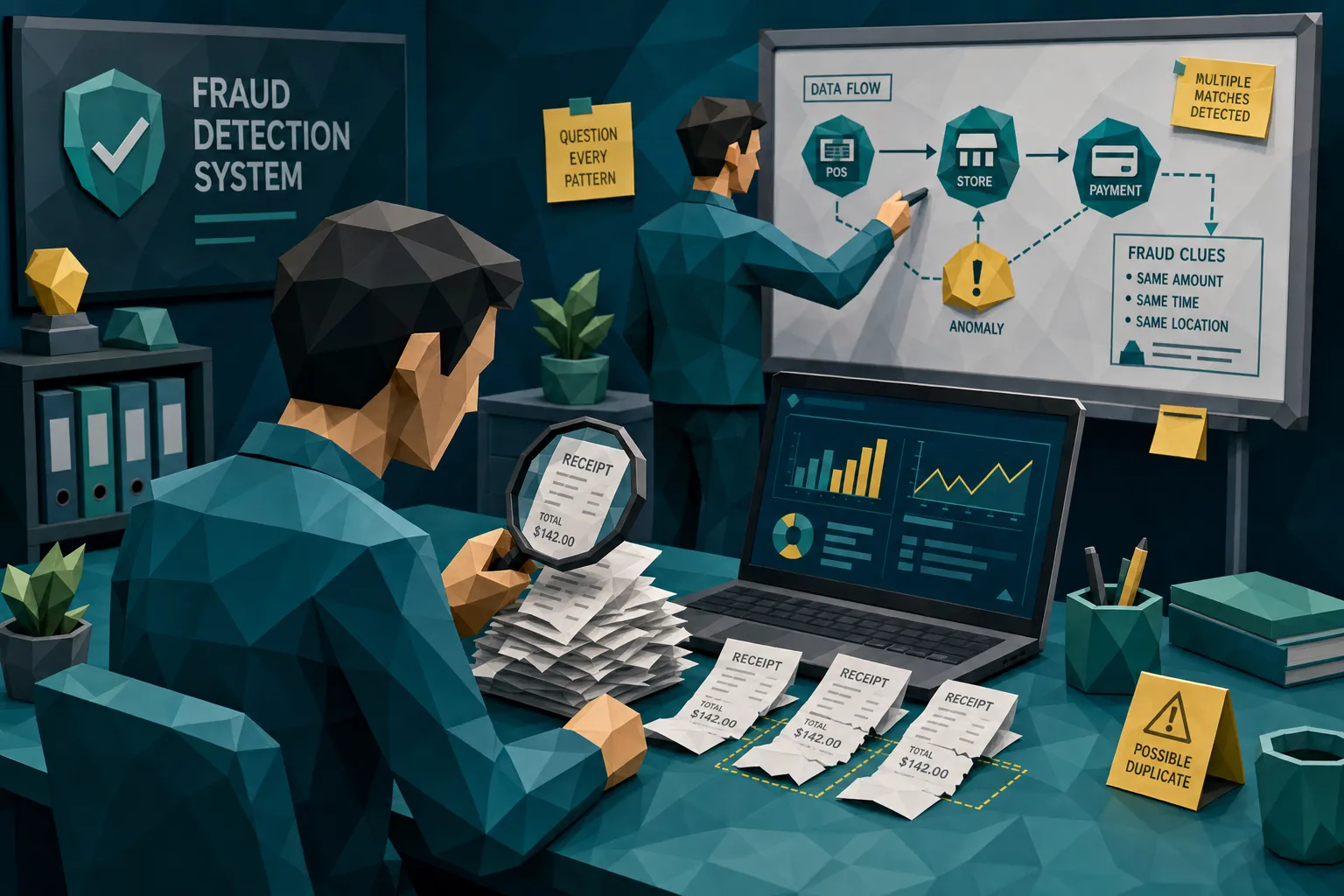

Give someone a fake receipt maker and five minutes, and you can get a receipt that looks respectable at a glance. Give a fraud team the original file, the payment context, and a few forensic checks, and that same receipt often starts sweating.
I have spent enough years looking at suspicious receipts to have a slightly unpopular opinion: the best fake receipts are rarely caught because the logo looks wrong. They are caught because they fail to agree with the world around them. The math is a little too convenient. The file history is odd. The same paper crease appears on three different trips. The card payment never happened. Fraud leaves crumbs. It always does.
One expense case still makes me smile, mostly because it was so human. Three restaurant receipts came in from different months, all from the same employee. Different totals, different dates, different client names. At first glance, clean. But the bottom-left corner of the paper had the exact same torn edge in every image. Same tiny shadow, same angle, same fold. The paper tear was, let’s say, unusually loyal.
Why fake receipt maker tools are a bigger problem now
Receipt fraud is not new. People were altering paper receipts with pens and scanners long before modern software made it easy. What has changed is the speed, polish, and confidence of the fraud attempt.
A basic fake receipt maker can create a plausible-looking restaurant, hotel, fuel, pharmacy, repair, or retail receipt in seconds. Some tools mimic thermal printer layouts. Others generate digital PDFs with vendor names, tax lines, and itemized charges. The result is good enough to pass a rushed manager, a busy claims adjuster, or an expense tool that only reads fields through OCR.
That matters because the losses are real. The FBI estimates insurance fraud costs the U.S. more than $300 billion each year, adding hundreds of dollars to household premiums. In 2025, the BBC reported a sharp rise in fraudulent insurance claims, with AI-generated and digitally manipulated evidence playing a growing role. On the finance side, payment fraud keeps hammering businesses, and the Association for Financial Professionals has reported that most organizations face payment fraud attempts.
To be clear, software that helps people generate documents is not the villain. Plenty of tools save time in perfectly legitimate ways. I have no issue with someone using an AI letter generator to draft a polished complaint letter or resignation letter. That is admin work. A receipt submitted for reimbursement, an insurance claim, or supplier support is financial evidence. Once money can move because of the document, the control standard has to be higher.
My hot take: fake receipts are usually too lonely
Most organizations review receipts as isolated objects. A reviewer asks, “Does this receipt look real?” That is understandable, but it is the wrong first question.
A real receipt belongs to a chain of events. There was a purchase, a payment method, a merchant system, a location, a timestamp, a submission, a claimant or employee, and often a broader business reason. A fake receipt maker can create the object. It cannot easily recreate the entire chain.
That is where good fraud detection wins. The document has to agree with the file, the math, the merchant, the payment trail, the claim story, and the submitter’s pattern. When it does not, you have a clue worth investigating.
The visual clues fake receipt maker tools often leave behind
Typography that behaves strangely
Thermal receipts have a boring visual rhythm. That is a gift to fraud teams. Merchant names, item rows, tax labels, totals, timestamps, and card lines usually follow predictable spacing and printer behavior. When a receipt has been edited or generated from a template, small inconsistencies appear.
I look for characters that do not quite match their neighbors, decimal points that sit a fraction too high, totals that are sharper than the rest of the receipt, or item rows that drift out of alignment. A human reviewer might feel that something is off but struggle to explain it. Pixel-level analysis can turn that hunch into evidence.
A common pattern is the “clean total, messy document” problem. The body of the receipt has blur, compression, wrinkles, and imperfect lighting. The edited amount looks crisp, flat, and newly placed. Fraudsters often focus on the number they need to change. They forget the surrounding texture.
Image physics that refuse to cooperate
Paper is annoying, which is wonderful for investigators. It bends. It reflects light. It casts shadows. It picks up creases. If someone photographs a real receipt, the text, paper, shadows, and background should share the same physical environment.
Fake or manipulated receipts often have small conflicts. A patched area may have different blur. A changed line may not follow the paper curve. A vendor logo may sit too cleanly on a wrinkled receipt. A photographed receipt may contain lighting that makes sense everywhere except around the total.
This is where I tell teams not to become art critics. You do not need every claims adjuster or AP analyst squinting at shadows like a Renaissance painter. You need a screening layer that detects these irregularities consistently and gives reviewers a clear reason for escalation.
Receipts that look suspiciously perfect
Fraud managers will know this feeling. The ugliest receipt in the batch is often legitimate. The suspicious one is sometimes the perfect PDF with crisp lines, symmetrical spacing, and no sign of normal merchant mess.
Real receipts are produced by imperfect systems: aging printers, rushed cashiers, odd POS layouts, cropped phone photos, and customers who fold paper into their pockets. A generated receipt may be too generic, too evenly spaced, or too free of real-world wear. Clean design is not proof of fraud, but in high-risk contexts it deserves a closer look.
This is especially true in insurance claims where receipts are submitted after a loss. A pristine receipt for emergency repairs, submitted days after a water damage claim, may be legitimate. But if the timestamp, vendor, payment details, and claim story do not line up, the “perfect” document becomes part of the risk picture.
The mathematical clues are often better than the visual ones
Fake receipt makers can do basic addition. That does not mean they understand how real merchant systems behave.
In expense reviews, I often see totals that fall just under approval thresholds. In insurance claims, I see repair or replacement receipts where the item prices feel plausible but the tax treatment is wrong for the category. In AP support documents, material receipts can line up neatly with an invoice total in a way that feels a little too convenient.
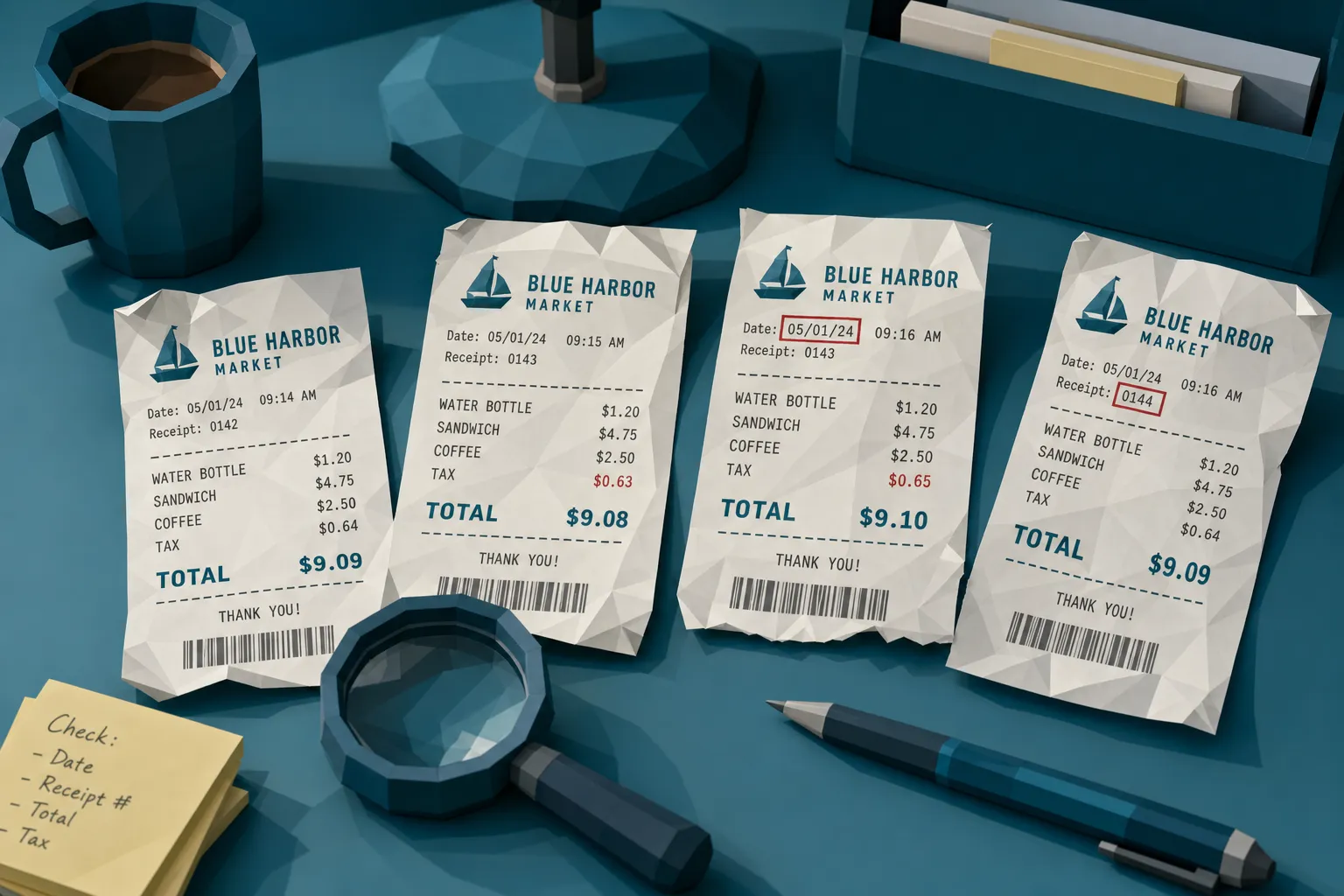
Mathematical irregularity checks should look beyond whether subtotal plus tax equals total. They should ask whether discounts, taxes, tips, service charges, item quantities, currency, rounding, and merchant category make sense together.
Here is a simple example. A meal receipt may show food, alcohol, tax, tip, and total. The total adds up. Fine. But the tax line applies to the whole amount in a jurisdiction where certain items are treated differently, or the tip percentage is calculated from the post-tax amount when the merchant’s receipts usually show pre-tax behavior. That is not a conviction. It is a lead.
Fraud detection is often about stacking leads until the story becomes hard to believe.
Metadata can expose the receipt’s secret life
Metadata is the file’s quiet diary. It can reveal when a file was created, what device or software touched it, whether it was modified, and sometimes where it came from. When fake receipt maker tools or editing software are involved, metadata may show unusual creation patterns, software traces, missing provenance, or timing conflicts.
I want to be careful here: missing metadata is not proof of fraud. Many platforms strip metadata automatically. Messaging apps compress images. Expense systems convert uploads. Claims portals may flatten files. A good reviewer treats metadata as one layer of evidence, not a magic stamp.
The stronger signal appears when metadata contradicts the story. A receipt allegedly photographed at a repair shop on Monday was created on Thursday. A claim receipt tied to a local purchase shows device or timezone clues that do not fit. A file submitted as an original scan carries signs of editing software. Again, none of these signals should stand alone. Together with visual, math, and payment context, they become powerful.
Duplicate patterns are the fraudster’s bad habit
Fake receipts often travel in packs. The same template gets reused. The same merchant name appears with slight variations. The same receipt is cropped, recolored, renamed, or submitted by different people. In claims, a contractor or claimant may recycle support documents. In employee expenses, the same dinner receipt may reappear with changed dates. In AP, receipts attached to contractor invoices may quietly support multiple bills.
Traditional duplicate checks usually compare exact fields: same date, same amount, same vendor, same invoice number. That catches the lazy attempts. Modern duplicate detection has to spot near-duplicates: same visual structure, same background, same barcode area, same paper edge, or same layout with a few altered fields.
This is where the paper tear anecdote comes back. The changed data was a distraction. The repeated physical features were the clue.
Payment context is the lie detector I trust most
If I had to pick one area where organizations underinvest, it would be payment context.
A receipt says something happened. The payment trail tells you whether money behaved accordingly. For employee expenses, that may mean matching the receipt against corporate card data, employee history, merchant category, travel itinerary, and approval behavior. For insurance, it may mean checking the claimant, payee, vendor, loss date, repair timeline, and reimbursement request. For AP, it may mean connecting invoice support documents to vendor records, bank details, purchase history, and prior submissions.
This is where fake receipt maker tools struggle. They can create a restaurant receipt. They cannot easily explain why the card transaction is absent, why the merchant location conflicts with the trip, why the vendor has no relationship with the claimant, or why the same receipt structure appeared in another claim last month.
A document-only check asks whether the receipt looks real. A payment-aware review asks whether the receipt belongs in this transaction.
Where manual review usually falls down
Manual review catches obvious fraud. I have seen teams spot handwritten changes, weird logos, and absurd totals in seconds. Humans are good at pattern recognition when the signal is loud.
The problem is volume. AP teams process thousands of invoices and attachments. Expense teams deal with month-end surges. Claims teams are under pressure to pay legitimate customers quickly. Nobody has time to treat every receipt like a forensic crime scene.
That is why spot checks create false comfort. They catch some problems, but fraudsters know how to stay under thresholds, submit at busy times, and make documents look normal enough. A fake receipt maker does not need to beat your best investigator. It only needs to beat your average workflow on a Friday afternoon.
My recommendation is simple: preserve the original, screen before payment, and send reviewers only the receipts with meaningful evidence attached.
A practical workflow for claims, AP, and expense teams
Preserve the original file at intake
Do not rely only on OCR output. OCR is useful for extracting data, but it can discard the very signals that reveal manipulation. Keep the original image or PDF, including available metadata, visual features, and submission details.
Screen before money moves
Post-payment recovery is painful. In insurance, it can damage customer experience and consume SIU time. In AP, it may mean chasing a vendor or a fraudster after funds are gone. In employee expenses, it creates HR and payroll headaches. The best point to detect receipt manipulation is before reimbursement, payout, or payment approval.
Connect the receipt to the payment story
A receipt should be checked against who submitted it, why it was submitted, when it was submitted, where the transaction supposedly happened, and how payment was made. This is especially important for high-volume environments where a clean-looking receipt can move through approvals without much friction.
Route exceptions with evidence
A useful fraud alert should explain itself. “Suspicious receipt” is not helpful. “Potential edited total, metadata indicates post-submission creation, no matching card transaction, and near-duplicate found in prior claim” gives a reviewer something they can act on.
How Docklands AI fits into this problem
Docklands AI is built for the messy part of receipt and invoice fraud: detecting manipulated, photoshopped, and AI-generated documents before they cost money.
For claims, AP, and employee expense teams, Docklands AI analyzes documents for tampering, AI generation, metadata anomalies, mathematical irregularities, and signs of physical manipulation. It also uses payment information on a claim, expense, or payment to build a deeper fraud picture, rather than treating the receipt as an isolated image.
That distinction matters. A receipt can look plausible and still be wrong for the transaction. By combining document forensics with payment context, teams can reduce the noise that comes from basic “is this image real?” checks and focus investigators on higher-confidence cases.
Docklands AI can support operational workflows through API and webhook integration, reporting and analytics, executive dashboards, multiple users and projects, and security controls such as 2FA. In plain English: it can sit alongside the systems your teams already use and help flag risky documents before approval or payout.
If you want a broader primer on receipt risk patterns, our guide to receipt fraud for expense and finance teams is a useful next read.
Frequently Asked Questions
Can a fake receipt maker create a receipt that passes manual review? Yes. Many fake receipts look plausible enough to pass a rushed review, especially when teams only check vendor name, date, and total. Stronger detection compares the receipt’s image, metadata, math, duplicates, and payment context.
Is missing metadata proof that a receipt is fake? No. Metadata can disappear for legitimate reasons, including app compression, file conversion, and portal uploads. Missing or odd metadata becomes more meaningful when it conflicts with the claim, payment, or submission story.
What is the strongest clue of a fake receipt? There is rarely one single clue. The strongest cases combine signals: edited pixels, odd file history, inconsistent totals, near-duplicate patterns, and payment details that do not support the receipt.
Should every suspicious receipt be automatically rejected? Usually, no. A better workflow is risk-based triage. Low-risk receipts move quickly, medium-risk items may need clarification, and high-risk receipts should be routed to fraud, SIU, AP controls, or expense audit with supporting evidence.
How can insurers and finance teams reduce fake receipt losses without slowing everything down? Screen documents at intake or before payment, preserve originals, connect receipts to payment context, and automate evidence-based alerts. That keeps clean claims and expenses moving while giving reviewers better leads.
See the clues before they become losses
Fake receipt maker tools are getting easier to use, but they still leave traces. The trick is catching those traces consistently, before the money leaves.
Docklands AI helps insurance claims, accounts payable, and employee expense teams detect manipulated, photoshopped, and AI-generated invoices and receipts using document forensics and payment-context analysis. If your current process relies on OCR, spot checks, and heroic reviewers, it may be time to give your team a sharper set of eyes.
Request a Demo Today!
Book your demo below.


