


How to Compare Accounts Payable Automation Companies
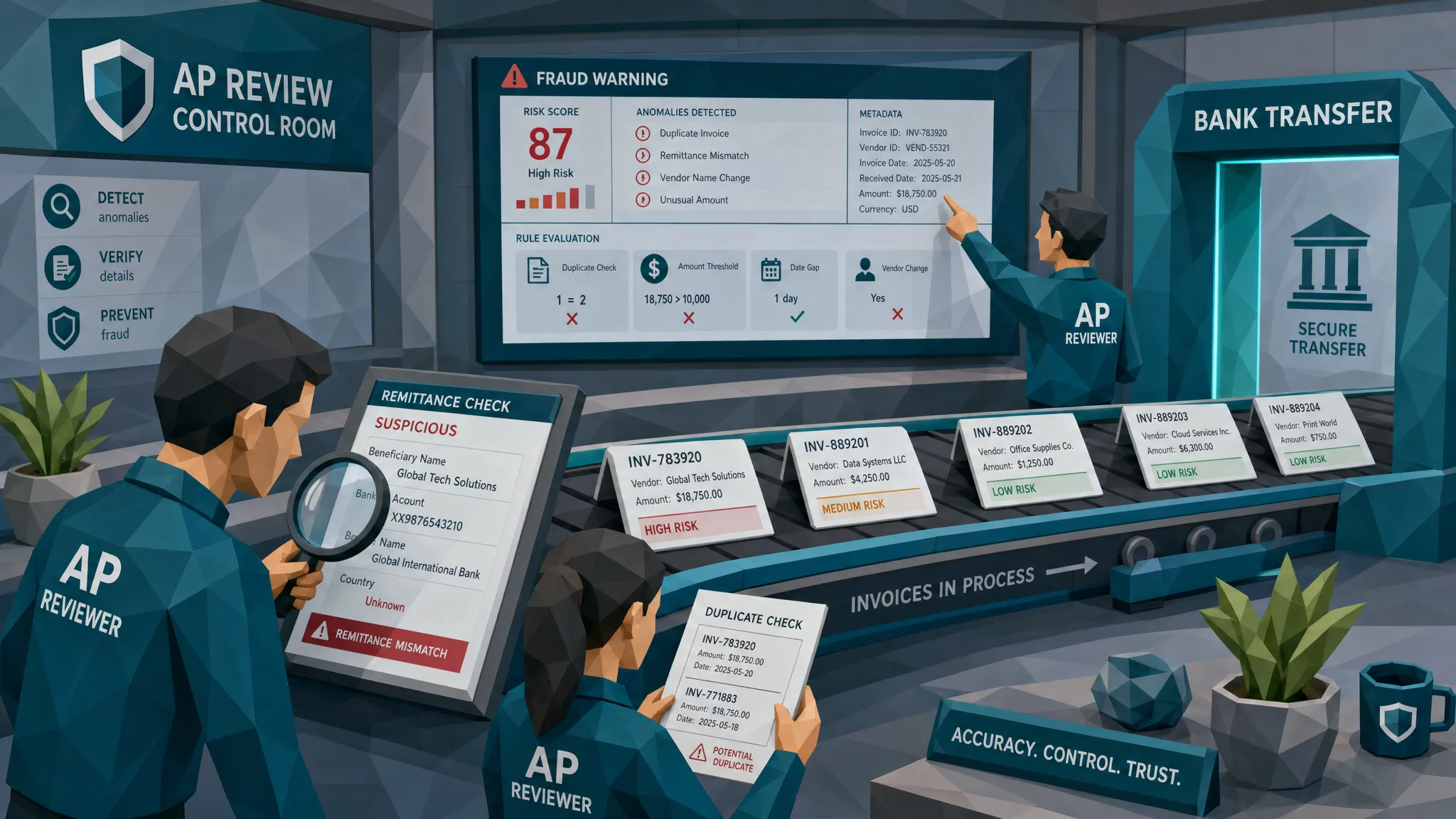

Most comparisons of accounts payable automation companies start in the wrong place.
They ask, “How fast can it capture an invoice?” or “How slick is the approval screen?” Fair questions. But after a decade around fraud reviews, AP controls, and the occasional invoice that looked cleaner than a dentist’s mirror, I’ll give you my hot take: if you pay a fake invoice faster, you have not improved AP. You have built a conveyor belt to your bank account.
The stakes are not theoretical. The Association for Financial Professionals has reported that most organizations continue to face payments fraud attempts, and the FBI’s 2023 IC3 report put business email compromise losses at $2.9 billion. AP teams sit right in the blast radius because they handle trusted vendors, approvals, bank details, invoices, and payment timing.
So yes, compare OCR. Compare approval workflows. Compare ERP integrations. But if fraud prevention matters, compare something more uncomfortable: what each vendor catches before money leaves.
First, decide what AP problem you are actually solving
Accounts payable automation can mean wildly different things depending on who is selling it. Some vendors are excellent at invoice capture. Others shine at approval routing. Some are payment platforms with AP features bolted on. Others sit inside an ERP suite and work best if your process already follows the ERP’s religion, hymnal included.
Before you compare companies, describe your AP reality without polishing it for the board deck. Are you processing mostly PO-backed supplier invoices, or are half your payments non-PO exceptions? Are you a multi-site operator with dozens of locations submitting invoices in different formats? Do you manage construction contractors, care homes, veterinary clinics, franchise locations, or fast-growing business units that inherited messy processes?
That matters because the “best” AP automation company for a PO-heavy manufacturer may be a poor fit for a decentralized services group where invoices arrive from field managers, contractors, and shared inboxes. I once saw a company buy a beautiful AP tool, then spend six months discovering that its real problem was not invoice capture. It was vendor sprawl, remittance changes, and duplicate documents hiding in a very polite approval queue.
The software worked. The buying process did not.
My hot take: compare failure modes, not feature lists
Feature matrices reward vendors for saying “yes.” Fraud work rewards proof.
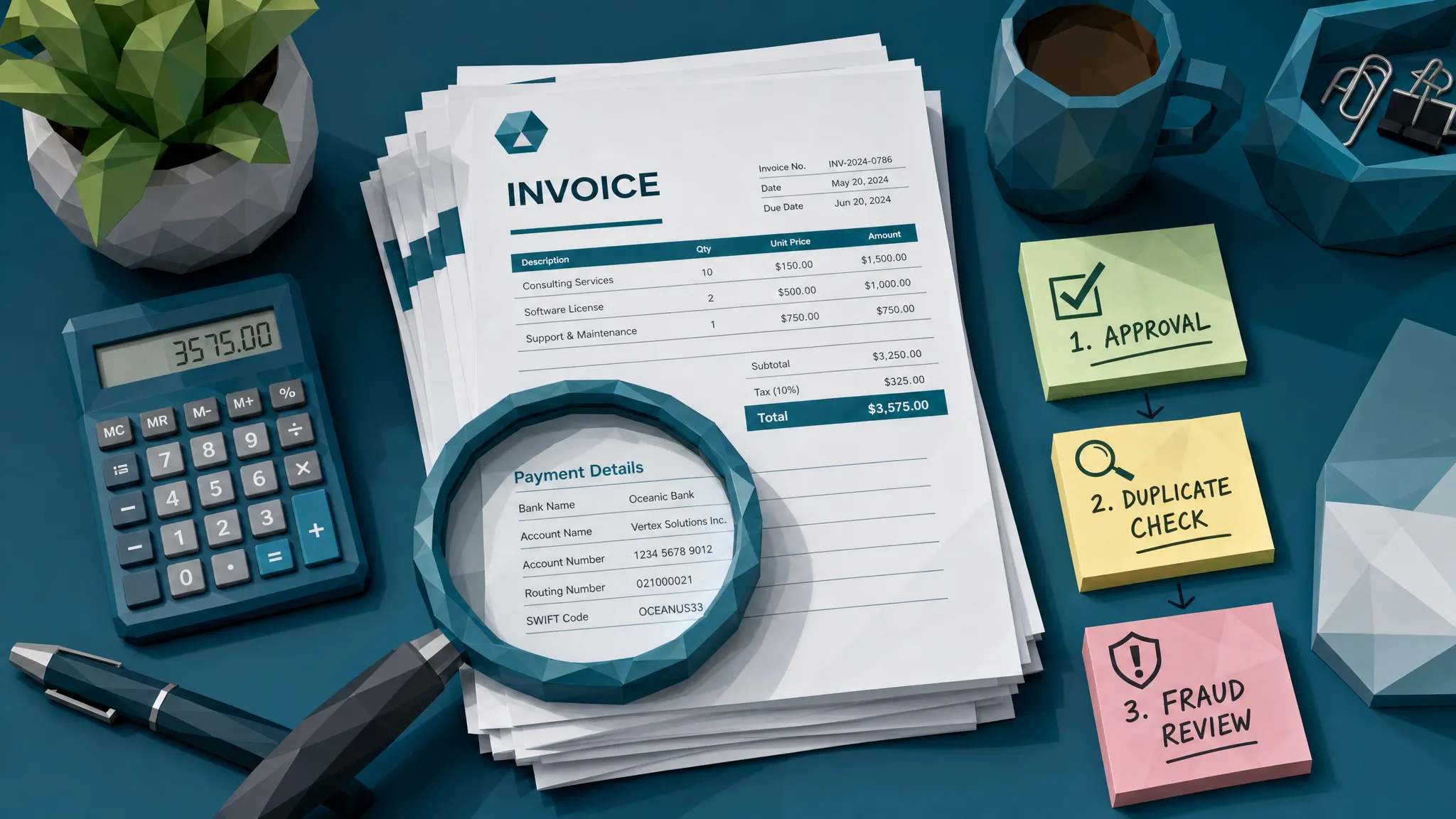
Here is a simple example. A supplier invoice arrives for $18,400. The vendor name matches. The PO looks close enough. The approver recognizes the project. The invoice number is unique. The AP system extracts the fields perfectly and routes it on time.
Lovely. Except the remittance details were pasted into the PDF from another account, and the edit was subtle enough that no busy approver noticed. The system did exactly what it was purchased to do. It moved the invoice quickly.
This is the difference between workflow automation and payment protection. When comparing accounts payable automation companies, ask each vendor how they behave when the document itself is the problem. Not the fields. Not the approval path. The document.
If the answer is “our OCR is very accurate,” keep smiling, take a sip of coffee, and write down: not fraud detection.
The main types of accounts payable automation companies
You do not need every vendor to do everything. In fact, one of the biggest mistakes I see is expecting one platform to be capture tool, workflow engine, ERP, payment rail, fraud lab, reporting suite, and spiritual advisor.
Most AP automation companies fall into a few broad groups.
Invoice capture and OCR vendors
These companies focus on turning invoice images and PDFs into structured data. They reduce manual keying, speed up coding, and help standardize fields like invoice number, date, vendor, tax, and total.
That is useful. It is also where many teams develop false confidence. OCR can tell you what a document says. It usually cannot tell you whether the document was edited, generated, recycled, or manipulated before it arrived.
Workflow and approval platforms
These vendors help route invoices to the right people, enforce approval thresholds, send reminders, and maintain an audit trail. If your AP team spends half its life chasing managers who treat approvals like optional cardio, workflow automation can be a lifesaver.
But workflow tools often trust the invoice once it enters the process. A fake invoice with the right department code can move through a workflow as smoothly as a legitimate one.
ERP-native AP modules
ERP-native tools can be strong when your data is clean and your processes are standardized. They often handle matching, posting, approval records, and payment preparation within one environment.
The catch is that ERPs are usually built around transactions and records. Fraudsters like to attack the messy edges: intake channels, attachments, vendor changes, PDFs, screenshots, and documents that look normal enough to become records.
Payment and vendor enablement providers
These companies focus on payment execution, supplier onboarding, virtual cards, bank validation, and sometimes vendor portals. They can reduce risk around payment methods and improve visibility into outgoing funds.
They may still need help earlier in the chain, especially when a manipulated invoice or synthetic supplier document enters AP before payment controls ever engage.
Fraud and document integrity specialists
This is the category I wish more buyers included in their comparison. These tools inspect invoices and receipts as evidence. They look for signs of tampering, suspicious metadata, math inconsistencies, duplicates, and payment-context conflicts.
They are not always replacements for AP automation. Often, they are the missing checkpoint that stops a bad document from becoming a clean transaction.
Criterion 1: Does the vendor preserve and inspect the original document?
This is my first serious question in any AP software review. What happens to the original PDF, image, scan, or receipt after upload?
Some systems extract fields, store a flattened copy, and move on. That may be fine for basic processing, but it can destroy or ignore the signals you need later. Metadata, edit history, compression artifacts, layout anomalies, and image inconsistencies can all matter when investigating a suspicious invoice.
A stronger vendor should be able to explain how it handles the original file, what evidence is retained, and whether reviewers can access the source document during an exception review.
If a vendor says, “We do not really look at the file once the data is captured,” that is not a character flaw. It just tells you what job the tool was built to do.
Criterion 2: Does the system explain risk with evidence?
A risk score without evidence is like a smoke alarm that only whispers “vibes.”
AP reviewers need to know why something was flagged. Was the invoice visually altered? Did the tax calculation fail? Were bank details inconsistent with prior payments? Does the PDF metadata suggest it was edited after the invoice date? Is the document a near-duplicate of one submitted last month with a different total?
This matters for two reasons. First, AP teams are busy. If every alert looks equally urgent, people stop trusting the alerts. Second, fraud decisions need to be defensible. You may need to explain to a vendor, controller, auditor, or investigator why payment was paused.
When comparing accounts payable automation companies, ask to see real exception screens. Not a dashboard full of cheerful colors. The actual evidence a reviewer would use at 4:55 p.m. on a Friday when the payment run is waiting.
Criterion 3: Can it catch near-duplicates, not just exact duplicates?
Exact duplicate detection is kindergarten. Useful, yes, but basic.
Modern duplicate risk is messier. The invoice number may change by one digit. The PDF may be re-saved. A line item may be removed. A date may be altered. The same receipt may be cropped differently. A contractor may resubmit a document through another location or project code.
A good AP automation comparison should test duplicate logic with real-world variations. If a system only catches the same invoice number from the same vendor for the same amount, it will miss the fun stuff. And by fun, I mean the kind of thing that ruins your month-end close.
Criterion 4: Does it connect the invoice to payment context?
This is where many comparisons go soft. Buyers evaluate invoice processing as if the invoice lives alone in a glass box. It does not. Every invoice has a payment story.
Who is being paid? Has the bank account changed? Is the remit-to address new? Does the vendor usually invoice this entity? Is the amount normal for the service? Did the document arrive through a trusted channel? Is the payment request oddly urgent?
The strongest controls connect document evidence with payment context. A slightly odd invoice may be fine if everything else checks out. A slightly odd invoice with new bank details, a rushed approval, and a first-time submitter deserves a harder look.
Fraud rarely announces itself with a marching band. It usually hums quietly in three or four small inconsistencies.
Criterion 5: Where does the control sit in the workflow?
Timing matters. A fraud check after payment is called a lesson.
Ideally, suspicious invoices should be screened early enough to stop bad items from gaining credibility. Once an invoice has been captured, coded, matched, approved, and queued for payment, people become emotionally invested in it being legitimate. Nobody wants to be the person who reopens a “finished” item.
The best setup usually includes checks at intake, during exception handling, and before payment runs. That does not mean every invoice needs a human review. Clean invoices should keep moving. High-risk items should pause with specific evidence attached.
I call this the bouncer model. Most people enter the club without drama. The bouncer does not interview everyone about their childhood. But if someone shows up with a fake ID, mismatched shoes, and a suspiciously large duffel bag, we have a conversation.
AP needs the same energy.
Criterion 6: Will reviewers actually use it?
This sounds obvious, but I have seen expensive controls fail because they made life miserable for the people doing the work.
If a tool requires AP staff to download invoices, upload them into a separate portal, wait for a report, copy results into another system, then message an approver manually, adoption will die by Wednesday. Maybe Thursday if the team is unusually patient.
Look for practical integration. API and webhook support matter. So do role-based access, two-factor authentication, user management, project or entity separation, and clear reporting. Executive dashboards are helpful, but the daily reviewer experience is where controls survive or quietly rot.
Run a proof-of-value test, not a theater demo
A polished demo is not proof. I have nothing against demos. I enjoy a well-lit dashboard as much as the next fraud nerd. But demos are choreographed. Fraud is not.
For a serious comparison, send each shortlisted vendor the same anonymized sample set. Include normal invoices, messy but legitimate invoices, known duplicates, near-duplicates, edited PDFs, supplier invoices with unusual payment details, and clean invoices from vendors with odd formatting. If employee expenses or claim payments touch the same process, include receipts too.
Then measure what happens. Did the vendor catch the risky items? Did it over-flag harmless ones? Did it explain findings clearly? Did it preserve the original files? Could your AP team understand the output without calling three consultants and a priest?
Give each vendor a score from 1 to 5 for detection relevance, explanation quality, operational burden, integration confidence, and evidence retention. Price matters, of course. But price should be weighed against avoided losses, reduced rework, and fewer “how did we pay this?” meetings.
Those meetings are expensive, even when the coffee is free.
Do not confuse marketing maturity with control maturity
A polished website can make every vendor look like the safest choice. That is not a criticism. Clear positioning matters, and specialist digital partners such as Digidatale help companies present complex services in a way buyers can actually understand.
But AP buyers need to separate presentation from proof. A vendor’s website can explain what the product claims to do. Your test files reveal what it actually does under pressure.
During procurement, I like to ask one blunt question: “Show me the ugliest invoice this system handled well.” The answer tells you more than the homepage.
Red flags when comparing vendors
Be careful when a vendor talks about fraud only as a policy issue. Policy controls are important, but fraudsters do not politely limit themselves to violating policy fields. They edit documents, recycle receipts, alter remittance details, and exploit approval fatigue.
Another red flag is a vendor that treats all duplicates as exact data matches. In real AP environments, duplicates often look like cousins, not twins.
I also get nervous when a vendor cannot show how an alert is investigated. “Flagged as suspicious” is not enough. Suspicious how? Based on what evidence? Who sees it? Can the reviewer dismiss it, escalate it, or attach notes for audit?
Finally, watch for vague integration answers. “We can integrate with anything” sometimes means “we have not yet met your ERP, but we are optimistic people.” Optimism is lovely. Payment controls need specifics.
Where Docklands AI fits in the comparison
If you are comparing traditional AP automation companies, you do not need to force every platform to become a fraud lab. In many cases, the cleaner architecture is simple: keep your AP system for intake, routing, matching, and approvals, then add a dedicated fraud checkpoint for invoices and receipts.
That is where Docklands AI fits. We inspect documents for signs of manipulation, including photoshopped or altered areas, AI-generated invoices and receipts, metadata issues, mathematical irregularities, physical manipulation, duplicates, and payment-context conflicts. The goal is not to slow AP down. The goal is to stop risky documents before they become approved payments.
Docklands AI can integrate through APIs and webhooks, provide reporting and analytics, support secure access controls, and give reviewers evidence-backed alerts instead of vague warnings. For AP teams, that means clean invoices keep moving while suspicious ones get the attention they deserve.
The important point is this: fraud screening should complement AP automation, not compete with it. Your AP platform can make the process faster. A document fraud layer helps make that speed safer.
The comparison question that cuts through the noise
After all the demos, scorecards, and procurement calls, I would bring the decision back to one question:
If a manipulated invoice enters our process tomorrow, which vendor gives us the best chance of catching it before payment, with evidence our team can act on?
That question changes the conversation. Suddenly, OCR accuracy is not the whole story. Approval routing is not the whole story. Payment execution is not the whole story.
The real goal is controlled speed. Fast AP is good. Fast, blind AP is how fraud gets a loyalty program.
Frequently Asked Questions
What is the best way to compare accounts payable automation companies? Start by defining your invoice types, approval complexity, ERP environment, fraud exposure, and payment risks. Then test shortlisted vendors with the same real sample set, including clean invoices, exceptions, duplicates, edited documents, and unusual payment scenarios.
Should AP automation software include fraud detection? It should either include strong fraud checks or integrate with a dedicated fraud detection layer. Basic OCR, matching, and approval workflows are helpful, but they often miss manipulated documents, near-duplicates, and suspicious payment-context changes.
Is OCR enough for accounts payable automation? OCR is useful for extracting data, but it is not enough for fraud prevention. OCR may read an altered invoice perfectly while missing the fact that the invoice was edited before submission.
How many AP automation vendors should I shortlist? For most teams, three to five serious vendors is enough. Include different categories if needed, such as an AP workflow provider, an ERP-native option, a payment provider, and a document fraud specialist.
Do I need to replace my current AP system to improve fraud detection? Not necessarily. Many organizations can add a fraud checkpoint alongside existing AP, ERP, claims, or expense workflows. This is often faster and less disruptive than replacing the entire process.
Compare vendors with fraud in the room
If you are comparing accounts payable automation companies right now, add one more test to your buying process: can the vendor catch manipulated, duplicated, or AI-generated invoices before payment?
Docklands AI helps AP teams add that fraud checkpoint without ripping out the systems they already use. If you want to see how your invoices hold up under document-level review, request a demo and test a real sample set.
Request a Demo Today!
Book your demo below.


