


How to Spot a Fake Online Banking Receipt Fast
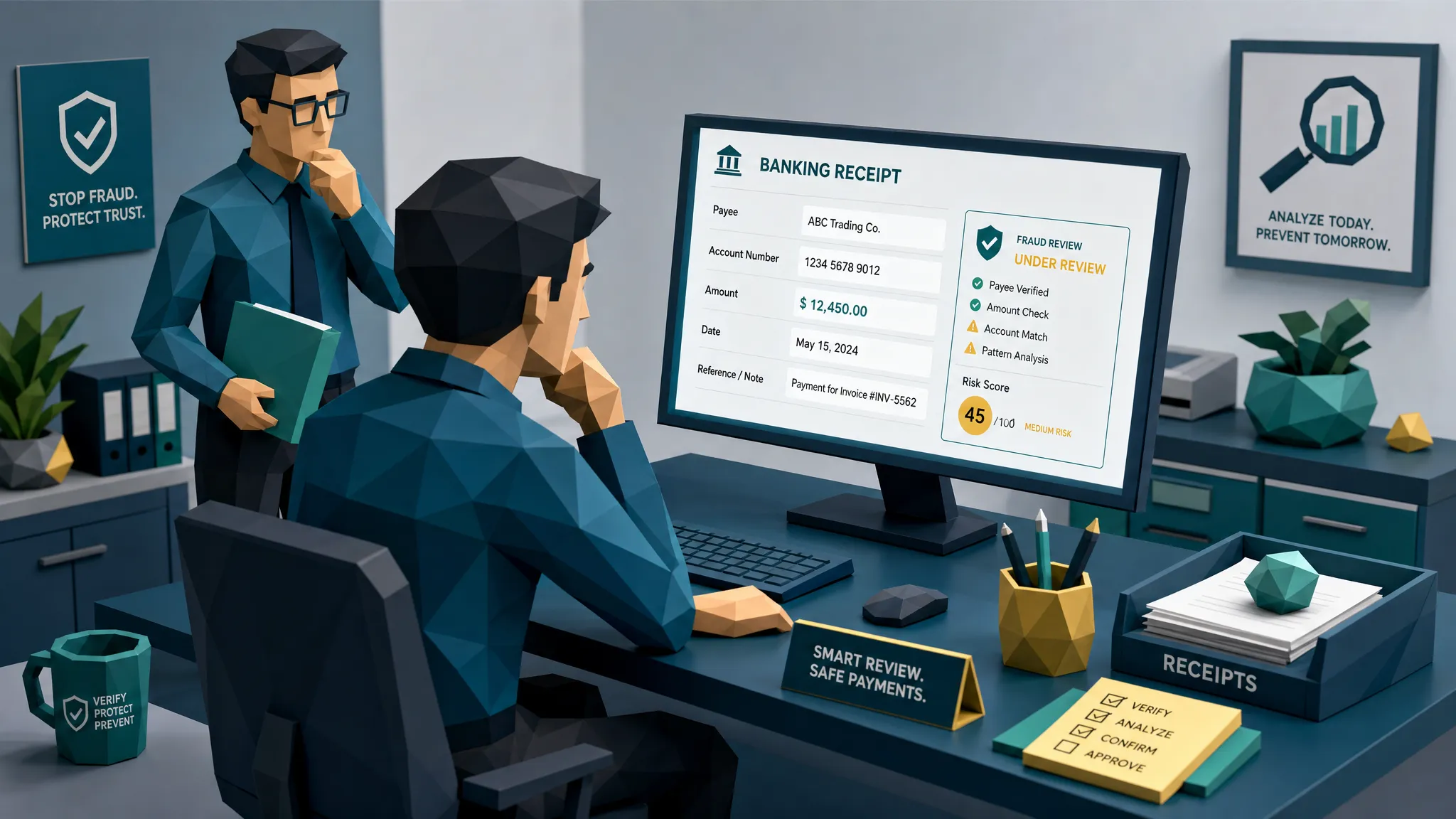

I have a slightly unpopular opinion after a decade of fraud reviews: the fastest way to spot a fake online banking receipt is rarely to stare at the logo until your eyes dry out. The fastest tell is usually the payment story around it.
A fake online banking receipt is a prop. Sometimes it is a doctored screenshot. Sometimes it is a PDF with a pasted amount. Sometimes it is a real transfer confirmation used in a misleading way, such as a scheduled payment that was later cancelled. In claims, AP, and employee expenses, the receipt is meant to make a reviewer think, well, the money moved, so we can move too.
That is exactly why it works.
The Association for Financial Professionals has reported that 74% of organizations were targeted by payments fraud in 2023. The FBI IC3 2023 report also put business email compromise losses at $2.9 billion. Different fraud type, same lesson: when payment proof is accepted too quickly, money tends to develop legs.
So let us talk about how to review a banking receipt fast, without turning every claim, invoice, or expense into a courtroom drama.
First, ask what the receipt is supposed to prove
Before checking fonts, timestamps, or metadata, pause for ten seconds and define the claim being made.
Is the submitter saying they already paid a repair contractor and need reimbursement? Is a supplier claiming a transfer was made and asking you to release goods or mark an invoice as settled? Is an employee showing a bank transfer as proof of an out-of-pocket expense?
Those are different scenarios. A receipt might prove that a payment was initiated, but not that it cleared. It might prove that a transfer was scheduled, but not completed. It might show that money went to someone, but not the right person.
That distinction matters. I once reviewed a perfectly tidy mobile banking receipt in a property claim. The amount matched the repair invoice down to the cent. The logo looked fine. The problem was the beneficiary name. The invoice was from a roofing company, but the bank receipt showed payment to an individual with no clear link to the contractor. The claimant explained it as the owner’s personal account. Maybe. But when the adjuster checked the contractor through a known phone number, the contractor had never issued the invoice. The receipt was not the whole fraud, it was the confidence trick that made the story feel paid and finished.
My hot take: a bank receipt should be treated as a lead, not proof.
The fastest red flag is the payment status
If you only have 30 seconds, read the status line carefully.
Words like pending, scheduled, processing, submitted, initiated, awaiting approval, or transfer request are not the same as completed, settled, posted, or paid. Fraudsters love status ambiguity because busy reviewers often see a bank layout and stop reading.
I have seen receipts where the status was cropped off. I have seen transfer confirmations where the only visible phrase was payment submitted. I have seen screenshots where the confirmation screen was real, but the transaction was later reversed or cancelled. Banks often allow users to schedule payments, download confirmations, and change their mind before funds leave.
In AP and claims, that means the right question is not, does this look like a bank receipt? The question is, does this show funds actually moved to the expected payee?
If the answer is unclear, do not approve payment based on the image alone.
Match five fields before you trust anything
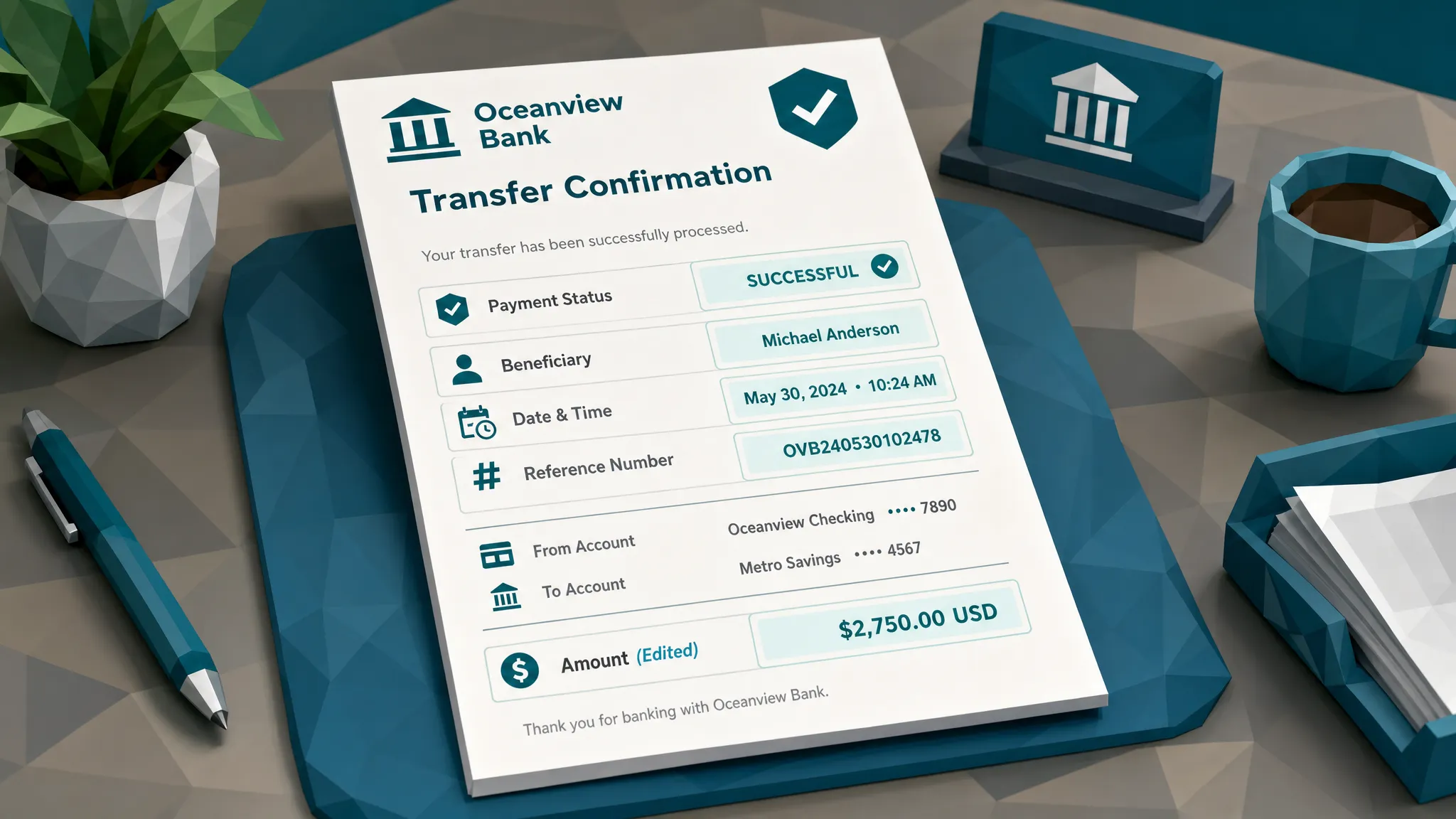
A quick fake online banking receipt review should reconcile five fields against your own records. I do this before I start judging pixels.
- Payer name, does it match the claimant, employee, insured, or approved business entity?
- Payee name, does it match the vendor, provider, contractor, or employee record you already trust?
- Amount, does it match the invoice, claim, or expense after tax, tips, fees, and currency conversion?
- Date and value date, does the timing make sense for the event, invoice date, policy period, and bank rail used?
- Reference number, does it follow a plausible format and appear only once across your case history?
That last field is underrated. Reused reference numbers, missing references, suspiciously short IDs, or IDs copied across unrelated receipts are common tells. A genuine banking receipt usually has boring, system-generated detail. Fake ones often have just enough detail to satisfy a glance.
This is where payment context beats eyeballing. Docklands AI was built around this idea for invoices and receipts: the document is stronger evidence when you connect it to the payment information around the claim, expense, or payable.
Watch for beneficiary weirdness
Banking receipt fraud often gets the beneficiary wrong because the fraudster focuses on the amount.
A contractor invoice might show ABC Restoration LLC, while the receipt shows payment to John Smith. A medical bill might name a clinic, while the transfer goes to a personal wallet or unrelated account. A supplier might historically receive ACH payments to one account, then a receipt suddenly shows a different bank, different country, or different beneficiary style.
Sometimes there is an innocent explanation. Small businesses can use owner accounts, although that is not exactly a control environment I would frame and hang on the wall. But from a fraud review perspective, beneficiary mismatch deserves verification through a known channel, not the phone number or email on the suspicious document.
Real commerce leaves a trail. If someone claims they paid a specialist vendor, the vendor footprint should make sense. A legitimate niche supplier, for example a custom 3D printing supplier with service pages, ordering terms, contact details, and product history, leaves more corroboration than a name pasted onto a bank confirmation. When the receipt names a vendor but you find no invoice trail, no order record, no business footprint, and an unrelated personal payee, slow down.
Dates and time zones catch more fakes than logos do
Fraud reviewers love logos because logos are visible. I prefer dates because dates are harder to keep consistent.
Look for the boring contradictions. A receipt timestamp after the reimbursement request was submitted. A same-day cleared transfer on a bank rail that normally takes longer. A Sunday posting date that does not fit the receiving bank’s process. A timestamp in one time zone, while the claim event, merchant, and payer are all somewhere else.
In employee expenses, I have seen bank transfer receipts created hours before the alleged purchase. In insurance claims, I have seen repair payments dated before the loss event. In AP, I have seen payment confirmations dated before the invoice was issued. None of those require deep forensics to spot. They require someone to compare the receipt against the story.
Metadata can reinforce this. If the file creation time, device time, or edit history conflicts with the transaction time, you may have a manipulation signal. But be careful: messaging apps, scanners, and expense tools can strip or rewrite metadata. Missing metadata is a yellow light, not a guilty verdict.
Visual clues still matter, but they should not be your first stop
Once the payment story has survived basic checks, then look at the image itself.
The most common visual clues on fake banking receipts are not Hollywood-level mistakes. They are tiny differences created by editing a screenshot or PDF: slightly different font weights around the amount, uneven spacing, a pasted beneficiary block, blur around account digits, compression artifacts near the total, or misaligned text in a section that should follow a clean grid.
I once had a receipt where every field looked normal except the cents in the amount. The dollars were crisp, the cents were fuzzy, and the comma spacing was just a little off. It reminded me of seeing one tile replaced in a kitchen floor. If you are not looking for it, you walk right over it. Once you see it, it annoys you forever.
Also check whether the interface matches the bank’s current customer experience, but do not overvalue this. Banks change app layouts often. People use dark mode, accessibility settings, older app versions, and cropped screenshots. A wrong-looking UI is useful as supporting evidence. It is not enough on its own.
Metadata and file history can expose the receipt’s second life
A bank receipt that arrives as an original PDF from a banking portal is different from a screenshot passed through three messaging apps, converted to PDF, then uploaded through a claims portal. The second version may be legitimate, but it has lost evidentiary value.
Useful metadata questions include: was the file created by a bank system, a phone camera, a PDF editor, a design tool, or an unknown converter? Was it modified after creation? Do file timestamps make sense relative to the claimed transaction? Does the image show signs of multiple saves, edits, or recompression?
For fraud teams, the point is not to reject every messy file. The point is to separate normal file handling from suspicious file history. A claimant taking a photo of a printed receipt is normal. A payment confirmation created in editing software after the claim was challenged deserves a closer look.
Do not let a fake receipt become a process shortcut
Here is where teams get burned. The receipt enters the workflow as supporting evidence, then quietly becomes the main control.
In insurance, a bank receipt can be used to justify reimbursement for repairs, replacement goods, medical services, or emergency accommodation. The FBI estimates that insurance fraud costs the United States more than $308 billion per year, with costs ultimately feeding into premiums and operations. Document evidence may look small compared with that number, but small documents are how many large leakages begin.
In AP, a fake banking receipt can be used to claim an invoice was paid, pressure a team to release goods, confuse reconciliation, or support a payment diversion story. In expenses, it can make an employee reimbursement look settled even when the underlying vendor, trip, or merchant record is weak.
The mistake is treating receipt review as a visual task only. If a receipt says payment was made, the review should connect to bank records, invoice history, vendor master data, claim timeline, expense policy, and prior submissions.
A fast review sequence I actually use
When time is tight, I use a simple sequence. It is not glamorous. Fraud work rarely is. Half the job is noticing that the socks do not match.
Start by preserving the original file exactly as submitted. Do not screenshot the screenshot and call that evidence. Keep the upload, email attachment, or portal file with timestamps intact.
Next, compare the receipt to your own trusted records. Does the money appear in your bank feed, ERP, claim payment record, or vendor ledger? If not, the receipt is unverified, no matter how official it looks.
Then reconcile payer, payee, amount, date, status, and reference. If two or more of those fields are weak, inconsistent, or missing, route it for review.
After that, inspect file history and visual integrity. Look for edits around high-value fields: amount, beneficiary, account digits, date, status, and reference number.
Finally, verify through a known channel if the receipt affects payment approval. Call the vendor using the number in your vendor master, not the number on the suspicious receipt. Contact the bank only through approved internal procedures. For claims, ask for corroborating documents without coaching the submitter on what looked wrong.
A suspicious receipt is not a fraud finding. It is a reason to stop treating the document as proof.
Where automation helps without slowing everyone down
Manual review works when volume is low and reviewers are fresh. That is a lovely fantasy in month-end AP, catastrophe claims, or a sales team expense rush.
The practical approach is to screen receipts and payment evidence before approval, then route only the risky cases to humans with clear reasons. Docklands AI helps organizations detect manipulated, photoshopped, and synthetic invoices and receipts by checking visual tampering, metadata, mathematical irregularities, physical manipulation signals, and the surrounding payment information on the claim, expense, or payment.
That last piece matters for online banking receipts. A fake receipt may look fine in isolation. It becomes suspicious when the payee conflicts with the invoice, the timestamp conflicts with the claim, the file history conflicts with the transaction, or the account details conflict with prior payment behavior.
Good fraud screening should not make honest customers or employees wait because one field looks odd. It should give reviewers evidence, context, and a sensible reason to pause.
Frequently Asked Questions
How can I verify if an online banking receipt is real? Verify it against trusted payment records, not the submitted image alone. Match payer, payee, amount, date, status, and reference number against your bank feed, ERP, claims system, vendor records, or known counterparty channel.
What is the fastest sign of a fake online banking receipt? The fastest high-value sign is usually a payment status or context mismatch. If the receipt says pending, scheduled, initiated, or submitted, it may not prove funds cleared. If the payee, date, or amount conflicts with your records, treat it as unverified.
Can metadata prove a banking receipt is fake? Metadata can strongly support a fraud concern, especially if it shows editing software, impossible timestamps, or file changes after submission. But metadata can be stripped by normal apps, so use it alongside visual checks and payment-context verification.
Should we accept screenshots as proof of payment? Screenshots are convenient, but they are weak proof on their own. If a screenshot affects a payout, reimbursement, shipment, or invoice decision, require corroboration from trusted internal records or verified counterparty communication.
What should reviewers avoid when they spot a suspicious receipt? Avoid accusing the submitter based on one clue, and avoid asking for a cleaner version in a way that teaches them what to fix. Preserve the original, document the inconsistencies, and verify through approved channels.
Stop treating banking receipts like proof by default
If fake online banking receipts are crossing your claims, AP, or expense workflows, the safest move is to add a document-integrity check before payment decisions are made.
Docklands AI screens invoices, receipts, and payment evidence for tampering, metadata issues, mathematical irregularities, physical manipulation, and synthetic document signals. We also use payment information from the claim, expense, or payment to build a deeper fraud picture, which is where many fake banking receipts start to fall apart.
If you want to see what your current process is missing, request a demo with Docklands AI.
Request a Demo Today!
Book your demo below.


