


What Accounts Payable Systems Should Flag Before Payment
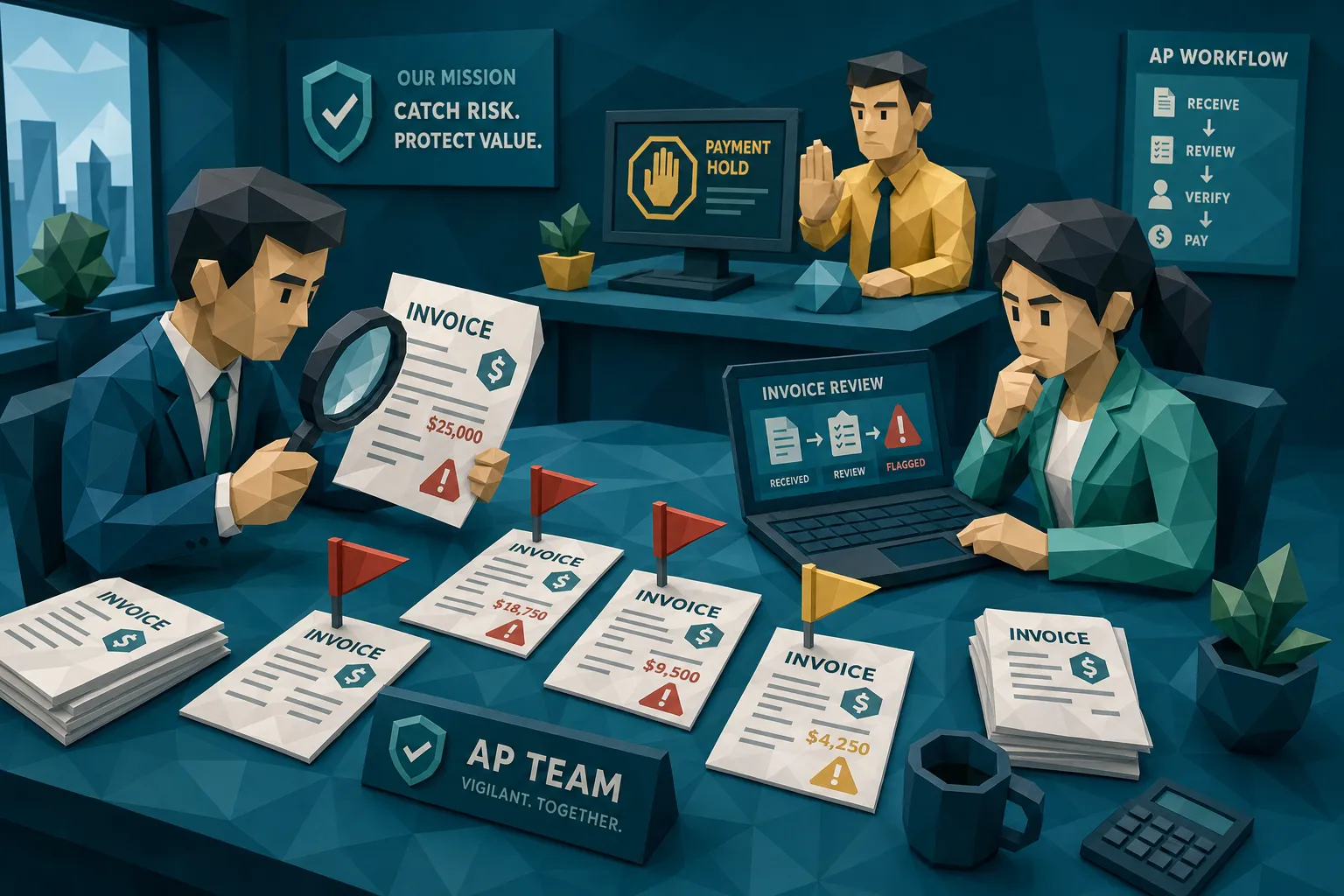

Most accounts payable systems are excellent at pushing invoices forward. My hot take after a decade around fraud reviews: many of them are too polite. They validate fields, match POs, chase approvals, and then quietly let the payment run proceed while the invoice itself is standing in the corner wearing a fake mustache.
Before payment, an AP system should do one uncomfortable thing well: interrupt confidence. Not every exception deserves a full investigation, but the right flags should slow down the exact invoices that can turn into unrecoverable loss.
That matters because payment fraud is not theoretical boardroom theater. The Association for Financial Professionals has reported that 74% of organizations were targeted by payment fraud in 2023. The FBI’s 2023 IC3 report put business email compromise losses at more than $2.9 billion. AP teams are not paranoid. They are working in a department with a target painted on it.
So, what should accounts payable systems flag before payment? Here is the practical answer I wish more teams used.
The first flag: the invoice arrived through a strange door
An invoice can be perfectly formatted and still be wrong. I once saw a convincing contractor invoice enter through a new email address that differed from the real vendor’s domain by one letter. The invoice number matched the vendor’s usual pattern. The amount was plausible. The approver recognized the project. Everyone wanted it gone before month-end.
The only weird bit was the door it came through.
Accounts payable systems should flag invoices that arrive from unexpected channels, especially when the vendor normally uses a portal, EDI, or a known billing address. A first-time PDF from a free email account, a forwarded invoice from a requester instead of the supplier, or a sudden switch from portal submission to email attachment should all create friction.
This is not about rejecting the invoice. It is about asking: why did this one bypass the normal route?
Fraud loves side doors. A good AP process locks the main entrance, then forgets the patio gate.
The second flag: bank details changed late in the process
If I could add one giant red button to every payment run, it would say: new bank details plus urgent payment equals stop and verify.
Late bank-detail changes are the classic AP trap because they often happen after everyone has mentally approved the invoice. The PO matched, the goods were received, the department signed off, and then someone updates the remit-to account. At that stage, the team is tired and the payment batch is already forming.
Accounts payable systems should flag any bank account, routing number, IBAN, SWIFT, beneficiary name, or remittance email change made near payment. The flag should be stronger when the change happens on a high-value invoice, a first payment to a vendor, a dormant vendor, or a vendor with recent contact-detail changes.
I am not a fan of treating vendor master data as sacred. Vendor records are only as clean as the last person who touched them. If the AP system says the vendor is approved, but the payment destination changed yesterday, that is not comfort. That is the beginning of the review.
The third flag: the document looks edited, even when the data matches
Here is the uncomfortable truth: OCR can read a fake invoice beautifully.
That is why document integrity matters. A pre-payment AP check should flag signs that the invoice or receipt has been edited, stitched together, generated, or physically altered. The fraud signal may not live in the extracted fields. It may live in the pixels, the metadata, the shadows, the font spacing, the compression pattern, or the way one total looks slightly sharper than the rest of the page.
Common examples include a payment instruction pasted over an old one, a total changed after export, an invoice date altered to fit a project deadline, or a receipt photographed after someone changed a handwritten amount. None of these are rare anymore. Editing tools are cheap, synthetic document tools are easier to use, and the average reviewer is processing too many invoices to zoom in like a museum conservator.
This is where AP systems need a proper document-authenticity checkpoint. The question is not simply whether the invoice number exists in the workflow. The question is whether the file behaves like a genuine business document.
The fourth flag: the math is almost right
Fraudsters know that wildly wrong math gets caught. So the better ones make math that is close enough to survive a glance.
AP systems should flag invoices where line totals, tax, discounts, currency, units, and grand totals do not reconcile cleanly. They should also flag amounts that appear to have been rounded in odd ways or tax rates that do not fit the vendor location or invoice category.
I once reviewed a batch where the subtotal and tax were technically possible, but only if the vendor had invented a tax rate from another planet. The invoice looked boring. Boring is dangerous in AP. Boring is how questionable invoices get paid.
Mathematical irregularities are especially useful because they are neutral. You do not need to accuse anyone. You can simply say: the calculation does not tie out. Please clarify before payment.
The fifth flag: duplicate invoices and their sneaky cousins
Traditional duplicate checks catch exact repeats. Fraud and error are rarely that courteous.
Before payment, accounts payable systems should flag near-duplicates: invoices that share the same supplier, amount, bank details, layout, receipt image, PO, project code, or service description, but differ slightly in date, invoice number, or total. Duplicate payments can happen through honest mistakes, messy resubmissions, or deliberate manipulation. The financial outcome is the same: money leaves twice.
The Institute of Finance and Management has reported that duplicate payments can represent a small percentage of AP spend, but at enterprise scale, small percentages become large checks. And near-duplicates are harder than exact duplicates because the document may be changed just enough to dodge simple matching.
The system should ask: have we seen this document before, or something suspiciously close to it?
I call these cousin invoices. They are not twins, but they show up at the family reunion wearing the same jacket.
The sixth flag: vendor identity does not match the real world
AP teams often validate whether a vendor exists. The better question is whether the vendor identity makes sense for this invoice, this payment, and this business relationship.
A system should flag mismatches between the vendor record and the invoice document: address changes, phone numbers that do not align, different legal names, unusual logos, changed tax IDs, unfamiliar email domains, or services that do not fit the vendor profile.
Healthcare and claims-adjacent AP teams see this often. If an invoice claims to be from a New York pain clinic, public facts should line up: services, locations, accepted insurance, phone format, and provider identity. A legitimate integrated pain-relief practice in Manhattan usually leaves a consistent trail across its site, locations, and service descriptions. A fake vendor often has a logo and almost nothing else.
That does not mean every mismatch is fraud. Businesses move, merge, rebrand, and change billing providers. But a mismatch should be a flag before payment, not a surprise during audit.
The seventh flag: the approval path got weird
A clean approval is not always a clean invoice.
Accounts payable systems should flag workflow behavior that breaks the usual pattern. That includes approvals outside normal hours, repeated manual overrides, invoices split just under approval thresholds, approvers approving their own cost centers, sudden emergency language, and invoices routed around the person who normally owns the vendor relationship.
Here is my slightly cynical view: fraud does not always defeat controls. Sometimes it borrows them. If a system lets a rushed approver click approve with no evidence of document review, the approval becomes a rubber stamp with a timestamp.
The best AP systems treat approval behavior as context. A $4,900 invoice under a $5,000 threshold is not automatically suspicious. Ten of them from the same vendor in two days, after a bank-detail change, should make the system cough loudly.
The eighth flag: payment context conflicts with the document
This is the flag I think too many AP systems miss. They check the invoice. They check the vendor. They check the approval. But they do not always connect those facts to the payment itself.
Before payment, the system should ask whether the payment destination fits the document story. Has the same bank account been used by multiple unrelated vendors? Does a supplier invoice route to an account tied to an employee expense payee? Does the remittance email match a recent suspicious domain? Has this payment account appeared in a rejected claim, expense, or invoice before?
This is where document review becomes much stronger. A slightly odd PDF may not be enough to hold payment. A slightly odd PDF tied to a newly changed bank account and a vendor email mismatch is a different animal.
Docklands AI was built around that idea: payment information matters. Looking at whether a document is real is useful, but linking document signals to payment context gives AP teams a clearer fraud picture before money moves.
The ninth flag: original evidence is missing or degraded
AP systems should be suspicious when the only available evidence is a screenshot, a re-saved PDF, a photo of a printout, or a file stripped of normal metadata without explanation. Sometimes that is innocent. People scan, forward, compress, and rename files all day long. AP is not a digital forensics lab, and nobody should expect every vendor to submit museum-quality PDFs.
Still, degraded evidence deserves a flag when the invoice is high value, linked to a new vendor, or contains payment changes. Original files carry clues that copies often destroy. Metadata, edit history, image quality, and document structure can help separate normal business messiness from manipulation.
The flag should not say fraud. It should say evidence quality is weak, review before payment.
That wording matters. Good fraud controls do not turn AP staff into prosecutors. They give finance teams defensible reasons to pause.
Good flags explain themselves
The biggest mistake I see in AP fraud controls is alert noise. If everything is high risk, nothing is high risk. Reviewers stop trusting the system, then the system becomes expensive decoration.
A useful pre-payment flag should explain what triggered it. Not vague risk. Actual evidence. The invoice total does not reconcile. The bank account changed within 48 hours of payment. The document shows signs of editing near the remit-to field. A near-duplicate was paid last month. The vendor domain differs from the approved domain. The file metadata shows editing software inconsistent with the claimed source.
When a flag explains itself, AP can route it quickly. Low-risk items go back for clarification. Medium-risk items go to vendor validation or procurement. High-risk items go to fraud, internal audit, or legal. Clean invoices keep moving.
That balance is important. The goal is not to slow down AP. The goal is to stop paying the wrong invoices quickly.
Where Docklands AI fits in the AP stack
Most organizations already have ERP systems, invoice capture, approval workflows, payment controls, and vendor master processes. I am not here to tell you to rip them out. That would be expensive, disruptive, and frankly rude.
Docklands AI adds a fraud-detection layer for invoices and receipts before payment. It helps identify photoshopped, manipulated, physically altered, and AI-generated documents. It also checks metadata, mathematical irregularities, and payment context so AP teams can see more than a flat invoice image.
For teams that need to fit this into existing operations, Docklands AI supports API and webhook integration, reporting and analytics, executive dashboards, two-factor security, and multiple user and project support. In plain English, it is designed to sit alongside the systems your finance team already uses and raise evidence-backed flags before funds leave.
If your current AP setup is great at processing invoices but weak at questioning document authenticity, that is the gap to close.
The pre-payment standard I would use
If I were designing the minimum standard for modern accounts payable systems, I would keep it simple. Before payment, every invoice should be checked for channel risk, vendor and payment changes, document tampering, math consistency, duplicate or near-duplicate history, approval anomalies, and payment-context conflicts.
That may sound like a lot, but it is really one principle: do not let a payment run rely on one kind of trust. A PO match is useful. An approval is useful. A vendor record is useful. A clean-looking PDF is useful. None of them should be trusted alone when the money is about to leave.
I have seen too many teams discover the perfect fraud signal two weeks after payment. The better question is whether your AP system can surface that same signal two minutes before payment.
That is the moment that counts.
Frequently Asked Questions
What should accounts payable systems flag before payment? They should flag late bank-detail changes, unusual invoice intake channels, edited or manipulated documents, math inconsistencies, duplicate and near-duplicate invoices, vendor identity mismatches, approval anomalies, weak evidence quality, and payment-context conflicts.
Why are PO matching and approvals not enough to stop invoice fraud? PO matching and approvals confirm business process details, but they may not prove the invoice document is authentic or that payment instructions have not been manipulated. Fraudulent invoices can pass basic matching if the fields look plausible.
Should every AP flag stop payment automatically? No. A good system should route by severity. Some flags only need clarification, while stronger combinations, such as a payment-detail change plus document tampering, should pause payment until verified.
How do accounts payable systems detect manipulated invoices? They can use document forensics to inspect visual edits, metadata, file history, mathematical consistency, physical alteration cues, and duplicate patterns. These checks help identify documents that were photoshopped, altered, or synthetically generated.
Where should fraud screening happen in the AP workflow? The best place is before payment, ideally after invoice capture and again before the payment run for high-risk items. That gives AP teams time to investigate without trying to recover funds after they are gone.
Stop trusting clean-looking invoices by default
Fraudulent invoices rarely walk in wearing a villain costume. They look normal, arrive during busy periods, and ask AP to do what AP is measured on: pay accurately and on time.
If you want your AP process to move fast without becoming an easy target, add evidence-backed fraud screening before payment. Docklands AI helps finance teams detect manipulated, photoshopped, and AI-generated invoices and receipts before they become losses.
See how Docklands AI can strengthen your accounts payable controls before the next payment run.
Request a Demo Today!
Book your demo below.


