


What Accounts Payable Workflow Software Should Flag
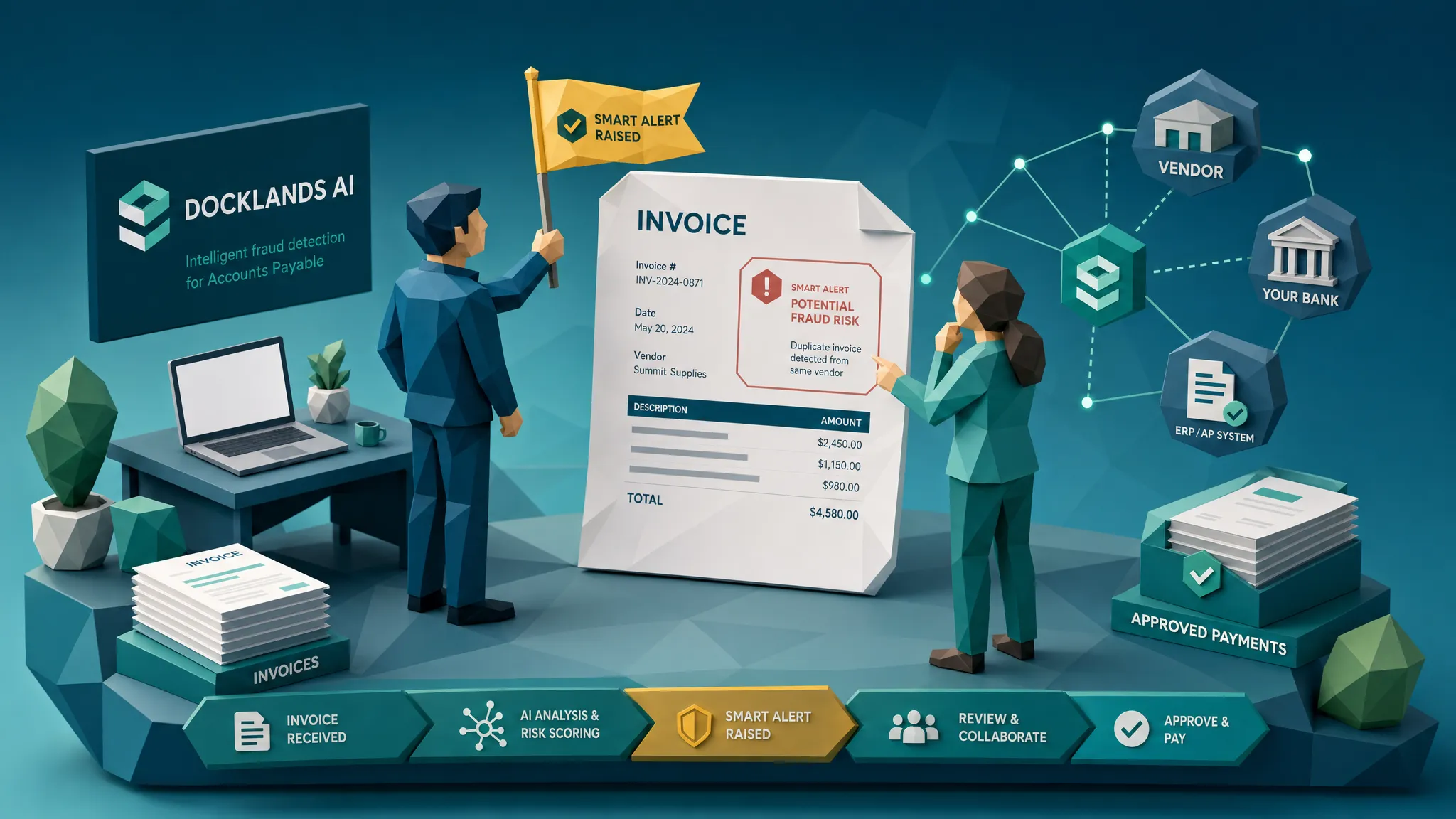

Most accounts payable workflow software is built to be polite. It captures the invoice, nudges the approver, moves the task along, and tries very hard not to make a fuss.
That is useful until someone uses your beautifully efficient workflow to move a bad invoice from inbox to bank account in record time.
Here is my hot take after a decade around fraud reviews: AP workflow tools do not need to become suspicious of everything. They need to become suspicious at the exact moments when trust is being borrowed. New bank details. Reused documents. Oddly clean invoices. Emergency approvals. A PDF that looks normal until the payment context says otherwise.
I once reviewed a case where the invoice had a valid vendor name, a known approver, and an amount that sat comfortably below a secondary approval threshold. Everyone felt good. The only uncomfortable detail was that the remittance account had changed after the approval was already underway. The money left. The vendor never saw it. The workflow did its job perfectly, which was precisely the problem.
The job of a flag is to interrupt false confidence
Good accounts payable workflow software should not act like a bouncer who tackles every guest at the door. That creates alert fatigue, delays legitimate suppliers, and makes AP teams hate the very controls meant to protect them.
A good flag is more like a colleague tapping you on the shoulder and saying, gently, maybe do not wire that yet.
The need is obvious. The Association for Financial Professionals has reported that a large majority of organizations face payments fraud attempts, and AP remains a favorite target because it sits where documents, approvals, vendors, and bank accounts meet. The FBI IC3 2023 report put business email compromise losses at about $2.9 billion in 2023, which should make every finance leader slightly less relaxed about last-minute payment changes.
Fraud rarely arrives waving a tiny red flag. It arrives looking administrative.
Flag payment details that change after trust is established
If I could add only one aggressive flag to an AP workflow, I would start with payment detail changes. Fraudsters know that once a vendor is trusted, the invoice itself may get a softer review. So they aim for the payment rail.
Your workflow should flag any invoice where the bank account, routing number, beneficiary name, remit-to address, or payment instructions differ from the vendor history. It should be even louder if the change happens close to payment, after approval, during month-end, or through a channel that is not the vendor's verified contact path.
The sneaky version is not always a brand-new vendor. Often it is an old vendor with one new instruction. The email says something friendly like, please update our remittance details for this invoice only. That sentence has probably paid for more fraudster holidays than any of us want to know.
A strong flag should connect the document to the payment request. Does the bank account match previous payments? Does the payee name match the vendor master? Did the invoice show one remit-to block while the payment file uses another? Did the bank change after someone approved the invoice?
Those are not clerical details. Those are fraud signals.
Flag invoices that arrive through the wrong door
Workflow history matters. If a supplier normally submits invoices through a portal, then one suddenly arrives by email to a senior manager, that deserves attention. If the original file is missing and the attachment is a screenshot, that deserves attention too.
I once asked an AP clerk why a $40,000 invoice had been approved from a phone photo of a printed PDF. The answer was, the vendor always sends weird files. That line still lives rent-free in my head. Familiar chaos is still chaos.
AP workflow software should flag unusual intake routes: a new sender domain, personal email addresses, forwarded invoices from approvers, missing originals, file conversions, compressed images, or invoices uploaded outside the normal supplier channel. None of these prove fraud by themselves. Together, they tell you the evidence chain is getting messy.
The original document is often where the truth lives. If the workflow extracts fields and discards the source file, it has thrown away part of the crime scene. Very tidy, very dangerous.
Flag edited, synthetic, or strangely degraded documents
Modern invoice fraud does not always involve a fake company and a fake invoice number. Sometimes it is a real invoice with a changed total. Sometimes the payee block has been pasted over. Sometimes a receipt is generated from scratch and looks almost too perfect.
AP teams should not need to become image-forensics experts. The workflow should flag signs of tampering, such as mismatched fonts, inconsistent spacing, pasted text blocks, odd compression artifacts, suspicious metadata, missing edit history, or physical manipulation visible in a photographed document.
This is where many standard tools fall down. OCR can read the invoice total. It cannot reliably tell you whether the total was changed five minutes before upload. A three-way match can confirm that the amount fits a purchase order. It may not notice that the bank details were pasted into a different layer of the PDF.
Fraud screening needs to look at the document as evidence, not merely as a container for fields.
Flag duplicates that changed their outfit
Literal duplicate detection is the finance equivalent of checking whether two suspects are wearing the same name tag. Useful, but not enough.
Fraudsters rarely submit the same invoice twice without touching anything. They change an invoice number, crop the image, re-export the PDF, alter the date, add a harmless-looking service line, or submit it through another business unit. In multi-entity organizations, especially those with decentralized AP, the same document can walk through two doors wearing different shoes.
Your workflow should flag near-duplicates, not only exact duplicates. The same layout, same vendor, same total, same line items, same image structure, or same receipt background can matter even when the extracted fields are slightly different.
This is one reason I like combining document checks with payment history. If a document resembles something already paid, and the payment destination is new, that is no longer a small anomaly. That is a very expensive coincidence asking to happen.
Flag math that is almost right
Fraudsters make arithmetic mistakes. So do genuine suppliers. The trick is not to treat every rounding issue like a bank robbery.
Still, AP workflow software should recalculate subtotals, discounts, taxes, shipping, credits, and grand totals. It should flag invoices where the math does not reconcile, where tax rates are inconsistent with the vendor location, or where line items have been adjusted while the total remains suspiciously neat.
The best example I have seen was not dramatic. A supplier invoice had a subtotal, tax, and total that were off by a few dollars. Nobody cared because the amount was small relative to the invoice. Later, the same format appeared with a much larger amount and the same kind of math mistake. That little wobble was a fingerprint.
Fraud detection is often less Sherlock Holmes and more noticing that the same wrong calculator keeps showing up.
Flag approval paths that are too convenient
Approvals can create a dangerous sense of safety. Someone approved it, therefore it must be fine. I have heard that sentence after more bad payments than I can count.
Workflow software should flag approvals that do not match the normal path. That includes approvals by someone outside the expected department, unusually fast approvals, approvals during holidays or after hours, repeated approvals just below a threshold, and invoices split across multiple submissions to avoid a higher approval tier.
The flag should also consider who benefits from speed. Was the invoice marked urgent by the vendor? Did the approver bypass a buyer or project owner? Was the invoice approved before supporting documents arrived? Did the same person create the vendor, approve the invoice, and release the payment?
A smooth approval path is lovely. A suspiciously smooth approval path is a greased slide.
Flag vendor reality that does not match the invoice story
A real vendor has a footprint. There are contracts, project records, delivery notes, purchase orders, field logs, prior invoices, emails from known contacts, and payment patterns. Fraud loves gaps between the story on the invoice and the reality around it.
AP workflow software should flag vendors that appear suddenly, reactivate after a long dormancy, bill from a different address, use a lookalike domain, or submit invoices inconsistent with their normal services. The ACFE's Report to the Nations regularly shows how billing schemes and vendor-related fraud remain a serious occupational fraud category, and the pattern is rarely one clue in isolation. It is usually a cluster.
Operational proof matters too. If a drone inspection company invoices for site work, AP should be able to compare the invoice against job records, flight logs, team assignments, and approvals. Teams using a drone operations management platform already understand why logs, checklists, and operational evidence matter. The same principle applies in AP: the invoice should fit the work that actually happened.
When the invoice story and the operational record disagree, the workflow should slow down.
Flag evidence that gets worse as the amount gets bigger
A $14 lunch receipt submitted as a photo is one thing. A six-figure contractor invoice submitted as a blurry screenshot is another.
Workflow software should consider evidence quality relative to risk. High-value invoices should not sail through when the source file is missing, metadata is stripped, the document is a scan of a printout, or the file has been repeatedly converted. Poor evidence quality does not prove fraud, but it should reduce confidence.
This is especially true for invoices tied to non-PO spend, construction projects, professional services, emergency repairs, or multi-location businesses where local teams buy fast and central AP pays later. Those environments are not broken. They are simply harder to verify.
Fraud likes hard-to-verify.
How to route flags without punishing clean invoices
The fastest way to ruin a fraud control is to make every flag feel the same. A missing PO, a new bank account, and a visibly edited invoice are not equal events.
I prefer severity-based routing. Low-risk issues can stay in the normal queue with a note. Medium-risk issues can require clarification or secondary verification. High-risk issues should pause payment until someone validates the evidence through a known channel.
The key is explainability. Do not tell AP, this invoice is suspicious. Tell them why. The remit-to account changed after approval. The PDF metadata shows recent editing. The invoice resembles one already paid by another entity. The tax does not reconcile. The vendor domain differs by one letter.
Specific evidence creates better decisions and fewer arguments. It also helps internal audit later, which is nice because auditors enjoy evidence the way toddlers enjoy snacks.
Where the flags should sit in the AP workflow
There are four moments where flags do the most good.
First, at intake, before the invoice becomes a clean set of extracted fields. This is where the original file, sender, format, and metadata still have value.
Second, when vendor master data changes. Bank updates, address changes, tax ID changes, and contact changes should never be treated as routine keystrokes.
Third, before approval completion. If the document looks manipulated or the vendor story does not match the purchase context, the approver should know before clicking yes.
Fourth, before the payment run. This is the final chance to catch late payment-detail changes, duplicate invoices, and items that became riskier after approval.
I know finance teams worry about slowing down AP. Fair. But the goal is not to inspect every invoice by hand. The goal is to let clean invoices move and make risky invoices earn their confidence.
Questions to ask when evaluating accounts payable workflow software
If you are buying or reviewing accounts payable workflow software, ask questions that go beyond routing and OCR. Workflow efficiency is table stakes. Fraud-aware workflow is the differentiator.
- Does it preserve and inspect the original invoice or only extracted fields?
- Can it flag payment-context conflicts, such as bank changes or payee mismatches?
- Does it detect near-duplicates across entities, vendors, and time periods?
- Can it identify signs of document tampering, synthetic documents, metadata issues, and physical manipulation?
- Are alerts evidence-backed, so reviewers can see why an invoice was flagged?
- Can flags be routed through APIs, webhooks, dashboards, or existing approval queues without rebuilding the whole AP process?
The best tools do not ask AP teams to choose between speed and control. They put friction where it pays for itself.
Where Docklands AI fits
Docklands AI is designed for the awkward gap that many AP workflow tools leave open: document and payment evidence.
It helps organizations detect manipulated, photoshopped, and AI-generated invoices and receipts before payment. The platform applies forensic checks to documents, including tampering detection, metadata analysis, mathematical irregularity checks, and physical manipulation detection. It also uses payment information from a claim, expense, or payment to build a fuller fraud picture, because a document viewed alone can look innocent while the payment context tells a different story.
For AP teams, that means Docklands AI can sit alongside existing workflow, ERP, and payment processes rather than replacing them. With API and webhook integration, reporting, analytics, executive dashboards, 2FA security, and support for multiple users and projects, it can act as a fraud checkpoint inside the process you already run.
In plain English: keep the workflow that moves invoices. Add the layer that asks whether the invoice deserves to move.
Frequently Asked Questions
Should accounts payable workflow software block every flagged invoice? No. Blocking every flagged invoice creates noise and delays good suppliers. The better approach is severity-based routing, where low-risk flags stay in flow, medium-risk flags require clarification, and high-risk flags pause payment until evidence is reviewed.
What is the most important AP fraud flag? Late payment-detail changes are usually the highest-risk flag, especially when bank account changes appear after approval or close to a payment run. They should be verified through a known vendor contact, not through the contact details supplied in the change request.
Can three-way matching catch invoice fraud? Three-way matching helps, but it cannot catch everything. It may miss edited remittance details, manipulated PDFs, near-duplicate invoices, synthetic documents, and payment-context conflicts that happen outside the PO, goods receipt, and invoice fields.
What is the difference between AP workflow software and fraud detection software? AP workflow software moves invoices through intake, approval, coding, and payment. Fraud detection software examines whether the document and payment request are trustworthy. The strongest setup uses both together.
How do you reduce false positives in AP fraud alerts? Combine signals instead of flagging single weak clues. A new sender domain alone may be harmless. A new sender domain plus edited metadata plus changed bank details is much more serious. Evidence-backed alerts help reviewers focus on the risks that matter.
Make your AP workflow a little less polite
Speed is wonderful. Blind speed is how bad invoices get paid with impressive efficiency.
If your AP process already moves quickly, the next step is to make it more selective about trust. Docklands AI helps flag manipulated invoices and receipts, suspicious metadata, mathematical irregularities, physical tampering, AI-generated documents, and payment-context mismatches before money leaves.
See how Docklands AI can add fraud detection to your AP workflow without forcing your team to rebuild the process from scratch.
Request a Demo Today!
Book your demo below.


