


What AP Automation Companies Rarely Say About Fraud
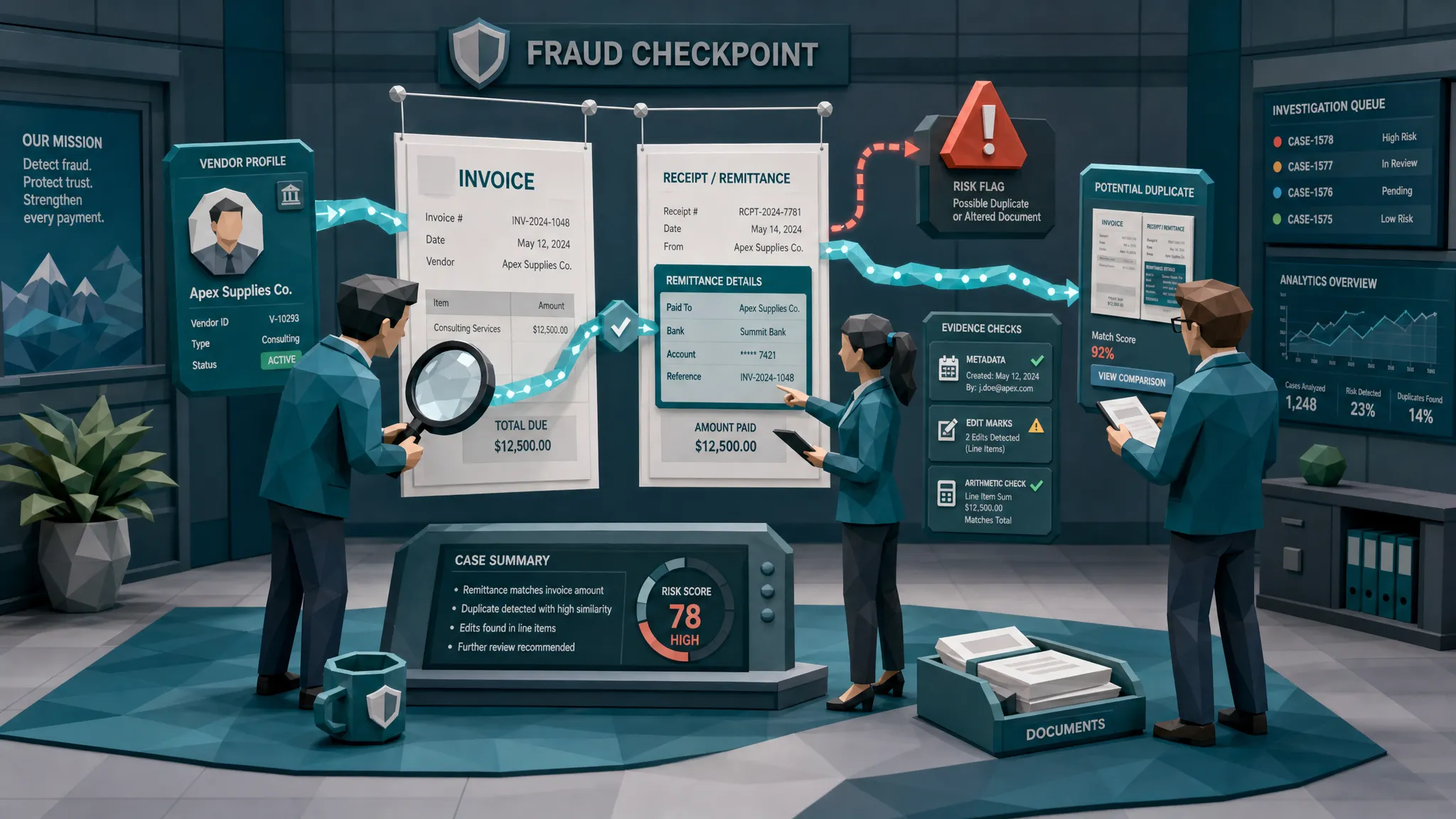

Most AP automation companies are excellent at making invoices move faster. That is the sales pitch, and to be fair, it is a useful one. Nobody wakes up excited to manually key invoice numbers from a blurry PDF while month-end breathes down their neck.
But after a decade working around fraud, I have a slightly irritating opinion: speed without suspicion is not modernization. It is a conveyor belt.
The uncomfortable truth is that many AP automation companies are built to extract data, route approvals, and reduce manual touches. They are not always built to answer the question that matters most before money leaves the business: is this invoice actually trustworthy?
I once reviewed a repair invoice that looked painfully ordinary. Real vendor name. Real-looking address. Reasonable total. The approver recognized the work category and clicked through. The problem sat in the payment details, which had been quietly changed, and in small visual inconsistencies around the remittance block. It was the kind of fraud that does not kick the door down. It wears a cardigan, brings a purchase order, and asks politely to be paid by Friday.
That is where AP automation can get dangerous. It can turn a suspicious document into clean, structured data, then move it along with great confidence.
The thing AP automation companies do not love saying out loud
Here is the sentence I wish more vendors would put on their homepage:
“We automate accounts payable workflows, but we do not necessarily prove the invoice is genuine.”
That would not be a weakness. It would be honest. Capture, coding, matching, approval routing, and payment file preparation are valuable functions. They reduce workload and help finance teams scale. The issue is when buyers assume those workflow controls equal fraud detection.
They do not.
A three-way match can confirm that an invoice lines up with a purchase order and goods receipt. It cannot always tell you whether the PDF was altered after the fact. OCR can read a bank account number. It cannot always tell you whether that number was pasted into the invoice yesterday. An approval workflow can confirm that a manager clicked “approve.” It cannot tell you whether the manager was tired, rushed, or approving something that looked familiar enough.
Fraud lives in that gap between “the data matches” and “the document is real.”
Faster AP can make fraud more efficient
This is the hot take: automation sometimes helps the wrong team.
Fraudsters do not need every fake invoice to work. They need enough of them to slide through a busy process. If your AP system is designed to minimize human friction, then any invoice that looks routine gets a free ride unless you have specific fraud checks in place.
The broader payment fraud environment is not exactly calming. The Association for Financial Professionals has repeatedly reported high levels of attempted or actual payments fraud against organizations. The FBI’s 2023 Internet Crime Report reported more than $2.9 billion in losses from business email compromise, much of which targets payment and invoice processes. And the ACFE Report to the Nations continues to show how occupational fraud can drain meaningful revenue before it is detected.
Those numbers matter because AP teams are often judged on cycle time, backlog, touchless processing, and discount capture. Fraud prevention is sometimes treated as an audit concern, a quarterly sample, or an exception queue. That is backwards. Once money has moved, recovery is a messy sport. I do not recommend it as a hobby.
The demo invoice is usually too clean
When AP automation companies show you a demo, the invoice is usually a model citizen. The layout is crisp. The vendor is known. The totals add up. The PO match behaves. The workflow glides from inbox to approval like it has never met real life.
Real invoice fraud is less polite.
It may be a genuine invoice with altered bank details. It may be a duplicate where the invoice number changed by one character. It may be an old repair receipt reused for a new claim. It may be a synthetic invoice created from a real vendor’s branding. It may be a contractor invoice where the work description is vague enough to pass but strange enough to deserve a second look.
Context helps here. If someone submits a $1,200 appliance repair invoice, an AP reviewer may not know whether the line items are plausible. Even reading something practical like a Phoenix appliance repair tips blog can remind you that legitimate repair documentation usually has details: appliance type, symptoms, parts, labor notes, visit timing, and service context. Fraudulent invoices often stay vague because specificity creates more ways to get caught.
That is a small example, but it illustrates a larger point. Documents are stories. Fraud detection improves when we check whether the story makes sense, not just whether the fields were extracted correctly.
Where standard AP automation tends to fall short
Most AP tools are not bad. They are just optimized for a different job. I have seen strong automation setups still miss fraud because the system was asking operational questions rather than forensic ones.
The operational question is, “Can we process this invoice?”
The forensic question is, “Should we trust this invoice?”
Those are not the same question, and the difference shows up in a few familiar places.
OCR can flatten the evidence
OCR is useful, but it often turns a document into fields and discards the messy evidence around those fields. That messy evidence is where manipulation hides: font changes, inconsistent compression, strange spacing, pasted payment blocks, mismatched image noise, or a total that looks visually different from the surrounding text.
Once the invoice becomes neat data, the review process can lose sight of the original document. A bad PDF becomes a clean supplier name, invoice number, date, amount, and bank account. Congratulations, the fraud now has better formatting.
Approvals can create false comfort
I have watched approvers sign off on invoices because the amount “felt about right.” That is not an insult. People are busy, and most approvers are not trained document examiners. They are department heads, project managers, site managers, or operations leads trying to get through a queue.
A workflow approval proves someone approved. It does not prove they examined file metadata, checked whether the invoice was edited, compared near-duplicates, or noticed a beneficiary mismatch.
Duplicate checks are often too literal
Classic duplicate detection looks for exact matches: same vendor, same invoice number, same amount. Fraudsters learned that trick around the same time the rest of us learned not to reply-all to companywide emails.
Modern duplicates are often near-duplicates. The total changes slightly. The date shifts. A digit is added to the invoice number. The receipt image is cropped. The vendor name is abbreviated. A literal duplicate rule shrugs and lets it through.
Vendor master data can be over-trusted
Vendor validation is important, but it is not magic. A fraudulent invoice may use a legitimate vendor identity. A compromised inbox may send a real-looking invoice from a trusted supplier. A payment redirection attack may change the remittance details while everything else stays normal.
If the vendor exists and the PO exists, many AP workflows relax. That is exactly when a fraudster wants you to relax.
What real fraud checking should include
A serious fraud control does not need to turn AP into a police procedural. Nobody wants every invoice treated like a crime scene. The point is to screen intelligently before payment, then route only the suspicious items with clear evidence.
In my view, a real AP fraud check should answer five plain-English questions:
- Has the invoice or receipt been visually altered, edited, photoshopped, or artificially generated?
- Does the file history or metadata contradict the document story?
- Do the totals, taxes, line items, and payment details make mathematical and business sense?
- Has this document, or a near-copy of it, appeared before under another claim, vendor, employee, or payment request?
- Does the payment context support the document, including beneficiary, bank details, vendor identity, employee, claim, location, and timing?
That last one matters more than people think. A standalone “is this file real?” check can miss the finance story. Payment context is where fraud gets sloppy. The invoice may look good, but the bank account may be new. The receipt may look plausible, but the same image may have appeared in another expense claim. The contractor may be real, but the payment destination may not match the relationship history.
This is also where false positives can be reduced. A weird-looking scan is not automatically fraud. Sometimes someone used a terrible scanner, took a photo in a warehouse, or compressed the file three times because their email system hates everyone. Evidence needs context, otherwise reviewers drown in noise.
Questions to ask AP automation companies before you buy
If you are comparing AP automation companies, do not only ask about invoice capture accuracy or touchless processing rates. Ask the questions that make the room slightly quieter.
- Do you inspect the original invoice file, or only the extracted OCR fields?
- Can you detect edited, photoshopped, physically manipulated, or AI-generated invoices and receipts?
- How do your duplicate checks handle near-duplicates, cropped images, changed invoice numbers, or altered totals?
- Do you connect document findings to payment information, vendor history, employee history, claims, or expense context?
- When you flag something, do reviewers see the evidence, or just a vague risk score?
- Can fraud screening happen before approval and again before payment, without breaking the AP workflow?
- Can the tool integrate through API or webhooks with the systems we already use?
If the answer to most of these questions is “we can build that later,” translate that politely as “not today.”
The best AP stack separates speed from trust
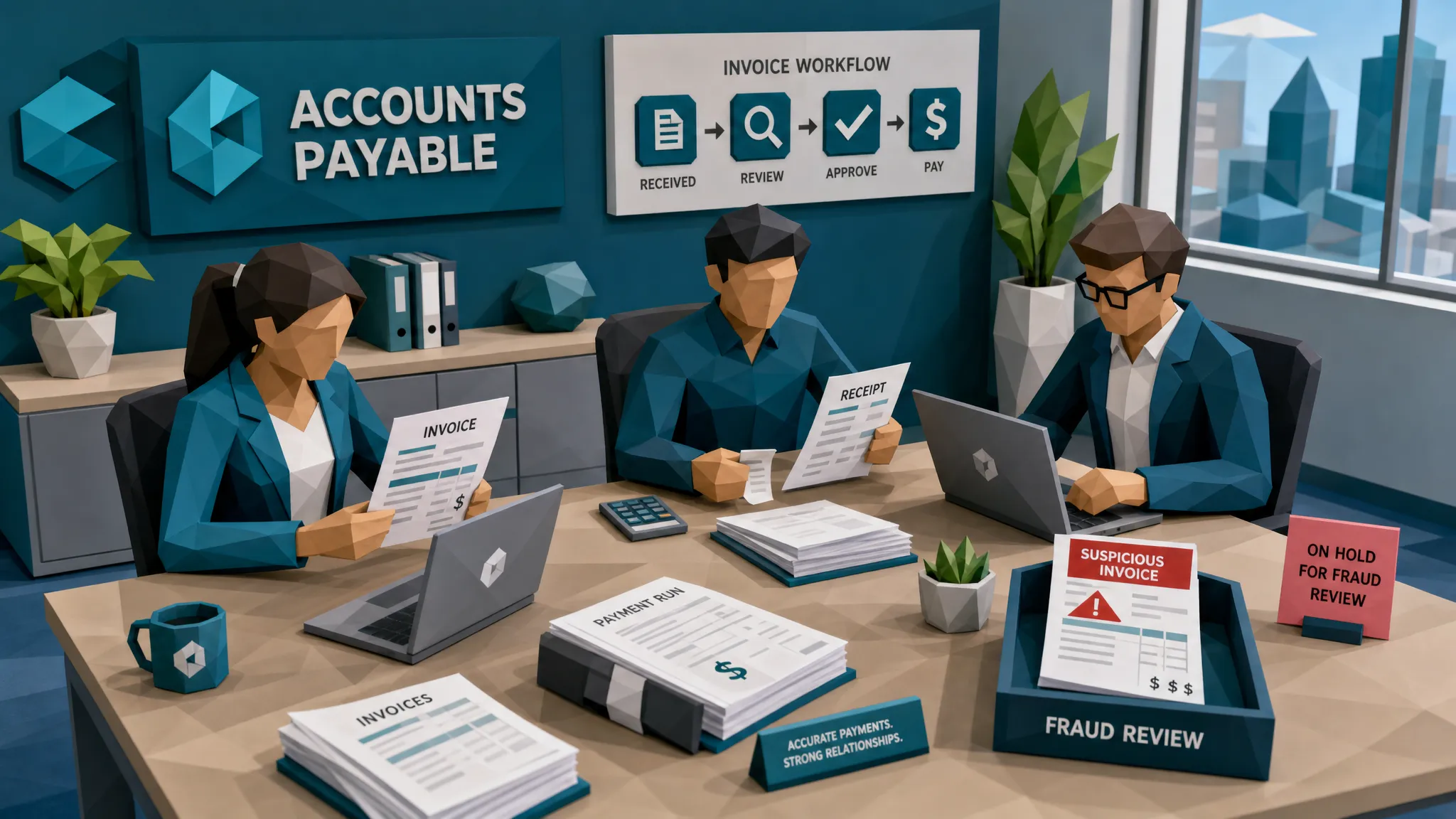
The healthiest AP setups I have seen do not try to make one platform do everything. They let AP automation handle what it is good at: intake, extraction, matching, coding, routing, and operational reporting. Then they add a fraud checkpoint that looks at the document and payment story before money moves.
That checkpoint should not stop every invoice. It should create two lanes. Clean, low-risk invoices keep moving. Suspicious invoices go to an evidence lane, where reviewers see exactly what triggered concern.
That is how you preserve speed without giving fraud a free pass.
At Docklands AI, this is the problem we focus on. Docklands AI detects manipulated, photoshopped, and AI-generated invoices and receipts using document forensics, metadata analysis, mathematical irregularity checks, physical manipulation detection, and payment-context signals. It is designed to sit alongside AP, claims, and expense workflows through API and webhook integration, with reporting and dashboards for teams that need visibility.
The practical goal is simple: help teams catch bad documents before they become bad payments.
Frequently Asked Questions
Do AP automation companies provide fraud detection? Some provide basic controls, such as duplicate checks, vendor validation, approval routing, or matching. Those are useful, but they may not detect document tampering, AI-generated invoices, metadata issues, or payment-context conflicts. Buyers should verify the fraud capabilities directly.
Is three-way matching enough to prevent invoice fraud? No. Three-way matching can confirm that invoice data aligns with a PO and receipt, but it may not prove the invoice file is authentic. A manipulated invoice can still match expected fields if the fraudster edits the right parts carefully.
What is the biggest fraud blind spot in AP automation? The biggest blind spot is treating extracted data as truth while ignoring the original document. Fraud often appears in visual edits, metadata, duplicate patterns, and payment details that do not show up in standard OCR fields.
Will fraud screening slow down accounts payable? It should not if it is risk-based. The right approach lets clean invoices continue through the normal workflow while routing only suspicious documents for review with specific evidence.
How should we test AP automation vendors for fraud risk? Use real invoice samples, including duplicates, edited documents, changed payment details, vague contractor invoices, and suspicious receipts. Ask vendors to show the evidence behind every flag, not just a score or pass-fail result.
Before you automate another payment run
If your AP process is getting faster, good. If it is getting faster without better fraud checks, I would be nervous.
Fraud does not need your process to be chaotic. Sometimes it only needs your process to be efficient in the wrong places. Before choosing among AP automation companies, make sure someone is responsible for proving the invoice and receipt evidence can be trusted.
If you want to see how document forensics and payment-context screening can fit into your existing AP workflow, visit Docklands AI and request a demo.
Request a Demo Today!
Book your demo below.


