


Why an Invoice Automation Platform Still Needs Forensics
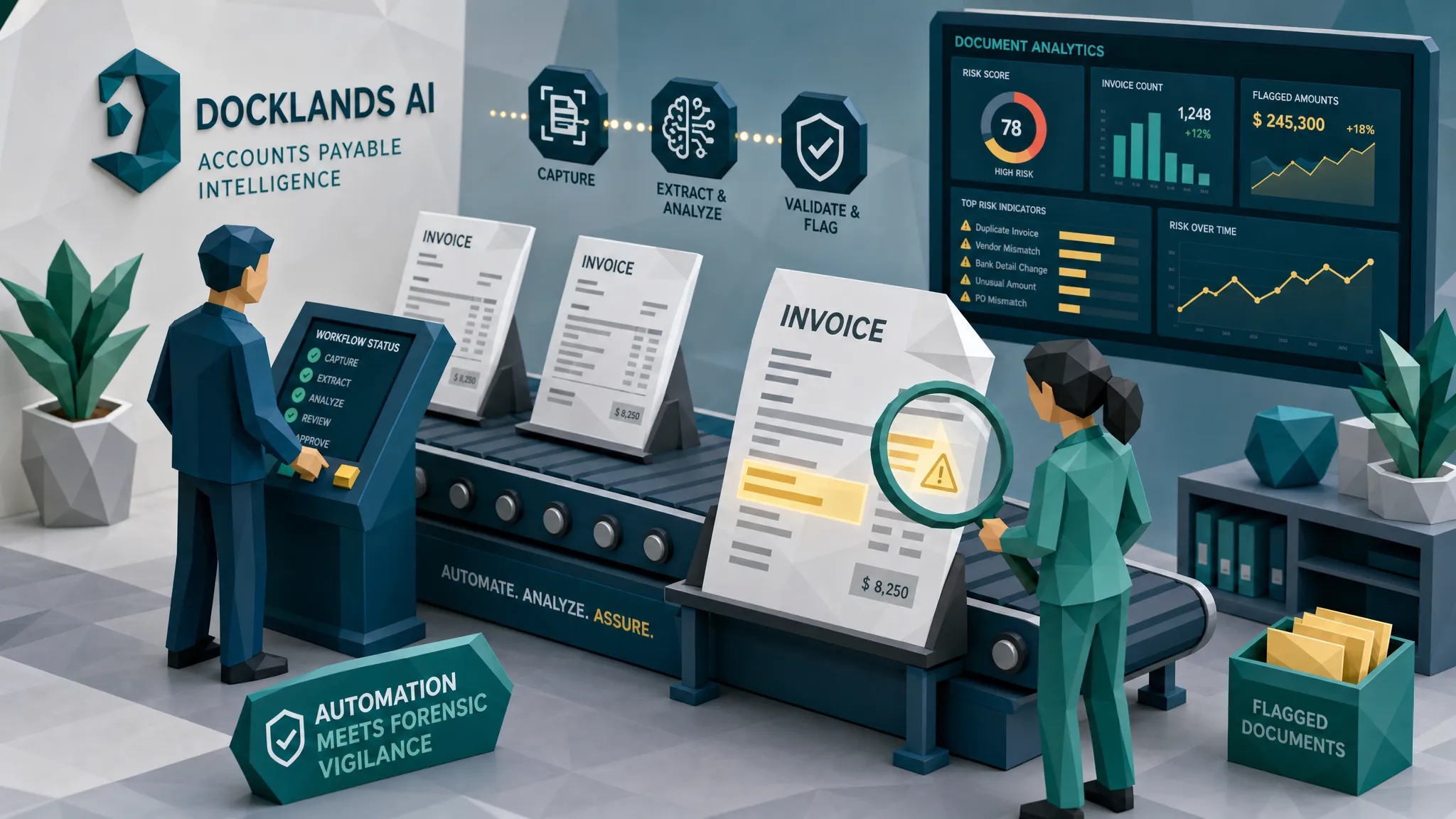

Here is my mildly unpopular opinion after a decade around fraud: an invoice automation platform without forensics is a very efficient conveyor belt. It will move good invoices faster. It may also move bad invoices faster, complete with clean routing, neat approvals, and a very respectable audit timestamp.
I am not anti-automation. Far from it. I have seen AP teams go from inbox archaeology to same-day processing because they finally stopped hand-keying invoice numbers like it was 2007. But speed is not the same thing as trust. If the original invoice, receipt, or claim document has been edited, generated, reused, or physically manipulated, automation may simply process the lie more efficiently.
Years ago, I sat with a controller after a payment had gone sideways. The invoice had passed the usual checks. The vendor name was familiar. The amount was plausible. The approval chain was clean. The problem lived in the original PDF: a remittance line had been swapped, and the edit was obvious only if you looked at the document itself, not the extracted fields. By the time we reviewed the system record, the fraud signal had been politely converted into data and marched along with everything else.
That is why forensics still matters.

The hot take: automation can increase fraud velocity
Fraudsters love predictable processes. Give them a workflow with clear thresholds, known approval steps, and a platform that trusts clean-looking documents, and they will design invoices to fit the machine.
That sounds dramatic, but the broader payments-fraud numbers back up the concern. The FBI Internet Crime Complaint Center reported over $2.9 billion in business email compromise losses in 2023, much of it tied to payment redirection and invoice-style deception. The Association for Financial Professionals has also tracked how common payment fraud attempts remain for organizations, especially those with complex payment operations.
And for fraud generally, the ACFE Report to the Nations continues to estimate that organizations lose around 5 percent of revenue to occupational fraud. I have yet to meet a CFO who hears that number and says, excellent, we had budgeted for that.
The uncomfortable truth is simple: if your workflow is faster but your evidence checks are unchanged, your risk has not disappeared. It has been accelerated.
What an invoice automation platform is great at
A good invoice automation platform earns its keep by making AP less painful. It captures documents, extracts fields, routes approvals, matches invoices to purchase orders, flags missing data, and keeps everyone from living inside a shared inbox called invoices-final-final-2.
That matters. High-volume AP teams, claims departments, and expense managers need automation because manual review does not scale. If you process thousands of invoices, contractor bills, repair estimates, medical receipts, or employee expense submissions, humans cannot inspect every pixel, check every timestamp, and remember every near-duplicate they saw three months ago.
So yes, automate the workflow. Please. Nobody should be building a modern finance function around sticky notes and heroic late-night spreadsheet sessions.
But understand what most automation is built to answer. It asks questions like: Can we read the invoice? Does it match known records? Did the right person approve it? Is the amount within tolerance? Is the vendor in the system?
Those are useful questions. They are not the same as: Is this document authentic?
Where the gap opens: the original document becomes disposable
Most invoice workflows treat the original file as packaging for the data. The PDF, image, scan, or photo arrives, the platform extracts fields, and the business process continues using structured information.
That is efficient. It is also where fraud signals can vanish.
An altered invoice often reveals itself in the original evidence. A pasted total may have slightly different compression. A bank account line may sit a fraction too high. A receipt photo may show unnatural shadows around a changed date. Metadata may show that a file was edited after the supposed transaction. A mathematically impossible tax calculation may be hiding behind a total that looks reasonable at first glance.
Once OCR converts that document into fields, many of those clues are stripped away. The workflow sees vendor name, invoice number, total, due date, and bank details. The messy, revealing history of the document is left behind.
This is the core reason forensics belongs beside automation. Automation moves the process. Forensics protects the evidence.
What forensic checks add to invoice automation
When I say forensics, I do not mean a person in a lab coat whispering enhance at a monitor. I mean a practical set of checks that ask whether the document and payment story hold together.
The most useful forensic layer looks for several types of signals:
- Visual integrity: Inconsistent fonts, pasted text, mismatched compression, strange spacing, copied areas, altered totals, and other signs that the image or PDF has been manipulated.
- Metadata and file history: Timestamps, device information, software traces, edit history, and other clues that may contradict the invoice story.
- Mathematical consistency: Line items, taxes, discounts, subtotals, currency conversions, and totals that should reconcile but do not.
- Physical manipulation: Receipts or invoices that were printed, altered, photographed, cropped, or otherwise changed outside a clean digital workflow.
- Payment context: Bank details, payee information, claim payment instructions, expense payment records, and vendor history that either support or undermine the document.
That last one is important. A document may look convincing in isolation, but fraud often falls apart when you connect it to the payment trail. I have seen invoices that looked perfectly acceptable until the bank account, vendor history, and document edit pattern were viewed together. Then the whole thing had the subtle aroma of a fish market in July.
A simple example: the invoice that passes the platform but fails the evidence
Picture a contractor invoice for $4,860. It lands in AP from a known business email thread. The vendor exists. The invoice number is new. The amount is under a secondary approval threshold. The job description sounds like work that actually happened.
Your invoice automation platform reads it cleanly. The approver recognizes the project. The payment run is scheduled.
Now the forensic view asks different questions. Why does the remit-to line have different compression from the rest of the page? Why was the file exported from editing software after the invoice date? Why does the tax amount not match the taxable subtotal? Why is the bank account new for a vendor that usually uses another account? Why does the invoice layout resemble a prior submission with only a few fields changed?
None of those clues is magic on its own. Together, they tell a much better story than the extracted data alone.
This is where AP teams often get caught. They assume a clean workflow means a clean invoice. Fraudsters know that. They do not need to defeat every control. They only need to pass the controls that exist.
Insurance claims and expenses have the same blind spot
This problem is not limited to accounts payable. Claims and expense workflows face the same evidence gap.
In insurance, the invoice or receipt attached to a claim often becomes the proof of loss. If that document is altered, recycled, or generated, the claim may look legitimate until the money is gone. The FBI notes that insurance fraud excluding health insurance costs more than $40 billion per year, and that cost is ultimately passed along through premiums. Whether the document is a repair invoice, medical bill, hotel receipt, or contractor estimate, the question is the same: can we trust the evidence before payout?
Employee expenses are similar. A receipt for a client dinner, hotel stay, or ride-share trip may pass policy rules while still being manipulated. The meal category is allowed. The amount is below the cap. The manager approves it. But the receipt may have an edited tip, changed date, reused layout, or missing payment context.
Different departments, same theme: if the workflow checks the fields but not the file, document fraud has room to breathe.
Where forensics should sit in the workflow
The best place for forensic screening is early enough to preserve evidence and late enough to influence payment decisions. In practice, that usually means after document intake and before approval or payment release.
At intake, the system can preserve the original file and inspect it before compression, conversion, or manual handling strips away useful clues. This is especially important when documents arrive through email, upload portals, mobile photos, or third-party claim channels.
Before approval, forensic results can help route the work. Low-risk invoices keep moving. Medium-risk items may need a quick verification. High-risk items should pause with clear evidence attached. The goal is not to turn every AP clerk into a detective. The goal is to show reviewers the handful of documents that deserve attention.
Before payment runs, a final screen can catch late changes to bank details, suspicious resubmissions, or documents that became risky after new context arrived. In my experience, the last mile before payment is where everyone is busiest and fraudsters are most annoying. That is exactly why a control belongs there.
If your team is already modernizing finance, claims, or IT workflows with IT and AI implementation partners, make forensic screening part of the implementation requirements from day one. Retrofitting controls after a loss is possible, but it is a bit like installing smoke alarms after the kitchen fire.
A useful forensic alert should show the evidence, not just a scary score
Here is another hill I will happily stand on: a fraud alert that only says high risk is not good enough.
Reviewers need to know why something was flagged. Was the total edited? Did the metadata contradict the invoice date? Did the document show signs of Photoshop-style manipulation? Did the math fail? Did payment information conflict with prior records? Did the file look generated rather than captured from a real transaction?
A good alert should help a reviewer make a defensible decision. It should support a short, practical action: approve, verify, request the original, contact the vendor through a trusted channel, route to SIU, or hold payment.
This matters because noisy controls die quickly. If a system screams at everything, AP teams learn to ignore it. If it flags fewer items with better evidence, people use it. Fraud prevention has a human adoption problem as much as a technology problem.
How Docklands AI fits beside an invoice automation platform
Docklands AI is built for this specific gap: detecting manipulated, photoshopped, and AI-generated invoices and receipts before they cost money.
Rather than replacing your invoice automation platform, Docklands AI can sit beside it as a fraud-detection layer. It analyzes documents for AI-generated content, Photoshop and tampering signals, metadata issues, mathematical irregularities, and physical manipulation. It also uses payment information from a claim, expense, or payment to build a deeper fraud picture instead of treating the document as a lonely image floating in space.
For teams that already have AP systems, claims platforms, or expense workflows, that distinction matters. You do not necessarily need to rip out the tools that route, approve, and pay. You need to add a checkpoint that asks whether the document deserves that smooth ride.
Docklands AI supports API and webhook integration, reporting and analytics, executive dashboards, multiple users and projects, and security features such as 2FA. In plain English: it is designed to fit into operational workflows, not live as a separate science project that only one fraud analyst understands.
What to ask when evaluating invoice automation
If you are buying or reviewing an invoice automation platform, ask a few impolite questions. Polite questions get you brochure answers. Impolite questions save money.
Do you preserve the original document? If the system only keeps extracted fields or compressed versions, you may lose the very evidence that proves manipulation.
Do you inspect the file for tampering? OCR accuracy is not fraud detection. A forged invoice can be perfectly readable.
Do you analyze metadata and file history? Missing metadata is not always suspicious, but contradictory metadata can be very useful.
Do you reconcile the math beyond the visible total? Fraudsters often edit the big number and forget the smaller arithmetic.
Do you connect document findings to payment context? Changed bank details, unusual payees, new accounts, and claim or vendor history often turn a weak signal into a strong one.
Can reviewers see the evidence behind the alert? If the answer is no, you may be buying a black box that creates more arguments than outcomes.
Frequently Asked Questions
Does an invoice automation platform already include fraud detection? Some platforms include basic controls such as duplicate checks, approval rules, vendor validation, or threshold alerts. Those are useful, but they often do not inspect the original document for manipulation, metadata anomalies, AI-generated content, or payment-context conflicts.
Is OCR enough to catch invoice fraud? No. OCR reads data from a document. It does not prove the document is authentic. A manipulated invoice can have clean, readable fields while still containing edited bank details, altered totals, or synthetic content.
Will forensic screening slow down AP processing? It should not if it is implemented properly. The clean majority can continue through straight-through processing, while only higher-risk documents are paused with evidence for review.
Where should forensic checks happen? The strongest placement is right after document intake and again before payment release for higher-risk scenarios. Intake screening preserves original evidence, while pre-payment checks catch late changes and suspicious resubmissions.
How does document forensics help insurance and expense teams? Claims and expense teams rely heavily on receipts, invoices, estimates, and proof-of-payment documents. Forensics helps identify altered, AI-generated, or inconsistent evidence before reimbursement or claim payout.
How does Docklands AI support invoice fraud detection? Docklands AI analyzes invoices and receipts for signs of tampering, AI generation, metadata issues, mathematical irregularities, and physical manipulation. It can integrate with existing workflows through APIs and webhooks, then provide evidence-based findings for review.
Give your automation a fraud brake
If your invoice automation platform is already moving documents quickly, good. Keep it. Speed matters.
But do not confuse a fast process with a safe one. Forensics gives your team the missing checkpoint: proof that the invoice, receipt, or claim document is trustworthy before money leaves.
If you want to see how forensic screening can sit alongside your existing AP, claims, or expense workflow, visit Docklands AI. We help teams detect manipulated, photoshopped, and AI-generated invoices and receipts before they become paid losses.
Request a Demo Today!
Book your demo below.


