


Why Invoice Software Still Misses Document Fraud
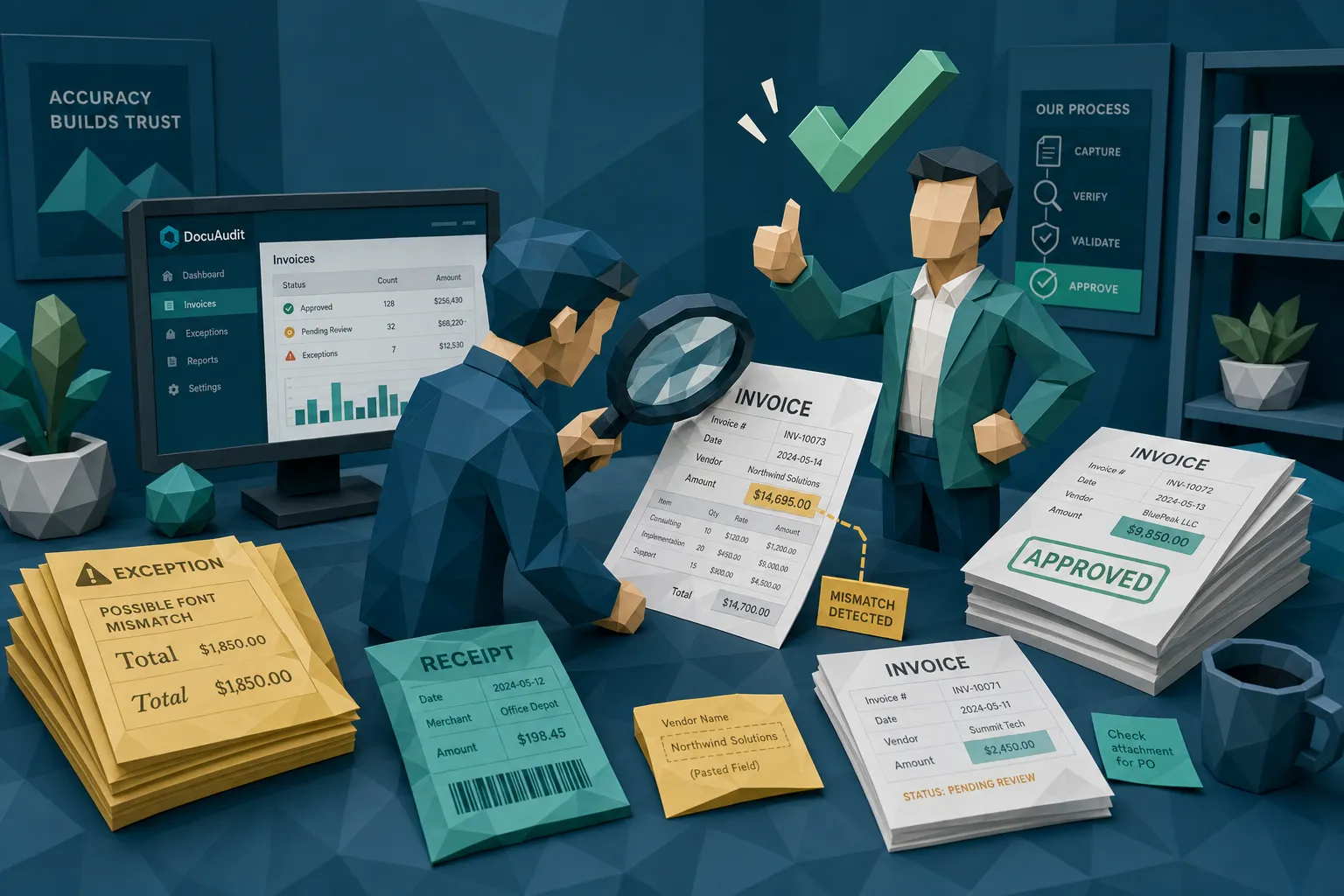

Here’s my slightly uncomfortable opinion after ten years around fraud teams: a lot of invoice software misses document fraud because it was never trying to catch it.
Most invoice software asks, “Can we read this invoice, route it, match it, approve it, and pay it?”
A fraud investigator asks a different question: “Did this document really exist in this form, from this vendor, for this payment?”
That gap is where money leaks out.
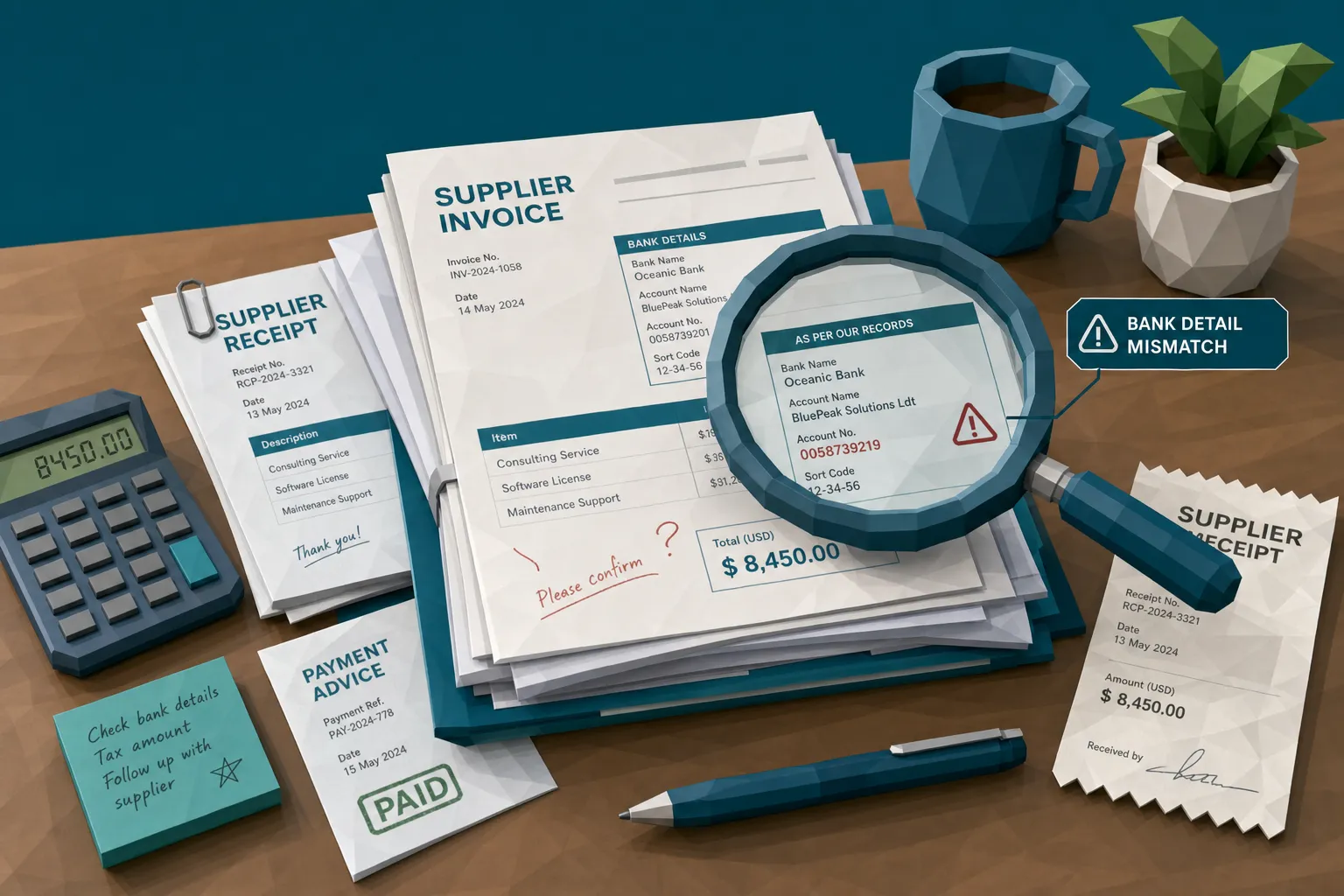
I learned this the boring way, which is usually how expensive fraud lessons arrive. Years ago, I reviewed a supplier invoice that had sailed through capture, coding, approval, and matching. The vendor was real. The work was real. The total was plausible. The only problem was that the remittance line had been edited. Not with a cartoon villain level forgery, either. One neat little field, pasted cleanly enough that nobody saw it during approval. The system gave it a green check. The fraudster probably gave it a small round of applause.
The green check mark problem
Invoice software is excellent at a very specific job. It helps teams capture documents, extract fields, match purchase orders, route approvals, reduce manual keying, and keep payment operations from turning into a swamp.
That is useful. In a high-volume AP function, health insurance claims operation, warranty claims team, or employee expense program, nobody wants to manually inspect every PDF like it is a ransom note.
But here is the catch: workflow confidence often gets mistaken for document authenticity.
When an invoice has a recognizable vendor name, a valid PO, a sensible subtotal, and an approving manager, the workflow starts to feel safe. People relax. Fraud loves relaxed people. It does not need to beat every control, it only needs the organization to believe that a processed document is a trustworthy document.
The risk is not theoretical. The Association for Financial Professionals has reported that most organizations are targeted by payments fraud, and the FBI’s 2023 IC3 report recorded $2.9 billion in losses from business email compromise, a category that often targets payment workflows and vendor instructions.
In insurance, the document problem is just as ugly. The FBI notes that insurance fraud costs the United States more than $308 billion per year. A forged repair invoice, altered medical bill, or recycled receipt may look like an operational nuisance, but at scale it becomes serious leakage.
Why normal invoice software misses document fraud
Most invoice systems are built around data, not evidence. That sounds like a small distinction until you have to explain to a CFO why a fake-looking document passed every “control.”
OCR turns suspicious documents into tidy fields
OCR is helpful, but it is also a great evidence shredder if it becomes the only thing your process trusts.
A manipulated invoice may contain clues in the original image: inconsistent compression, pasted text, odd shadows, mismatched fonts, strange spacing, or a total that appears sharper than the surrounding text. Once invoice software extracts “vendor,” “date,” “invoice number,” “total,” and “bank details,” many of those clues are no longer part of the decision.
The system sees clean data. The fraud was in the pixels.
This is why I wince when teams tell me, “Our OCR accuracy is 98%, so we are covered.” Covered for data entry, maybe. Covered for fraud, not necessarily.
Matching checks the transaction story, not the document’s honesty
Three-way matching is a good control. I like it. I want it in place. But it answers a narrow question: does the invoice align with the PO and goods receipt?
It does not prove that the PDF attached to the workflow is authentic. It does not prove the remittance details were not changed after a genuine invoice left the supplier. It does not prove that a receipt submitted in a claim has not been recycled from another loss event.
I once saw a manager approve a questionable repair invoice because, in his words, “The job definitely happened.” He was right. The job happened. The problem was that the submitted document had been altered after the fact. This is the kind of fraud that makes honest employees look careless and careful systems look silly.
Approvals outsource fraud detection to busy people
Most approvers are not document examiners. They are store managers, claims handlers, project leads, sales directors, or operations people trying to clear a queue between meetings.
They know whether the service was expected. They may know whether the amount feels reasonable. But they are usually not checking metadata, image artifacts, tax logic, duplicate document fingerprints, or whether the bank account changed three hours before payment.
Asking approvers to catch subtle document manipulation is like asking a restaurant host to inspect the wiring. Nice idea, wrong job.
Duplicate checks are often too literal
Many invoice tools can catch exact duplicates. Same invoice number, same vendor, same amount. Lovely.
Fraudsters know that. So the duplicate becomes a near-duplicate. The invoice number changes by one character. The date shifts. The PDF is exported again. The receipt is cropped. The same claim evidence appears under a different policy, employee, entity, or project.
Traditional duplicate checks often look for identical fields. Document fraud often hides in similar documents.
Fraudsters have adapted to the software
Early in my career, a bad fake invoice often looked bad. Crooked scan, strange logo, obvious math error. You could almost hear the dial-up modem in the background.
Now the fakes are cleaner. A person can alter one line on a PDF, generate a realistic-looking receipt, or use a genuine invoice as the base for a payment diversion attempt. The document looks boring on purpose. Boring gets paid.
Claims teams are seeing the same shift. The BBC reported that Admiral saw a 71% rise in fraudulent claims in 2025, with manipulated images and deepfakes contributing to the trend. Whether you work in P&C, home insurance, warranty claims, AP, or employee expenses, the lesson is the same: fraud now tries to blend into the workflow, not stand out from it.
This is also why rule-based controls age badly. If your system blocks only yesterday’s patterns, tomorrow’s fraud simply changes the pattern. New invoice number format. Slightly different vendor email. Re-exported PDF. Changed bank account. Cleaner image. Same old headache.
The signals live where invoice software is least comfortable
Document fraud usually leaves traces, but those traces are not always in the fields your invoice software cares about.
A fraud-aware review looks at the document as an object, not only as a container for data. That means checking the file, the image, the math, and the payment context together.
The highest-signal areas are usually:
- Visual integrity: pasted text, inconsistent fonts, strange spacing, altered logos, compression differences, suspicious shadows, or edits around totals and bank details.
- Metadata and file history: software used to create or edit the file, odd timestamps, stripped metadata, impossible creation dates, or multiple modification events.
- Mathematical logic: subtotals, tax, discounts, line items, rounding, and totals that do not reconcile cleanly.
- Duplicate and near-duplicate behavior: documents reused across claims, employees, vendors, entities, or time periods with small cosmetic changes.
- Payment context: bank details, payee names, remittance instructions, and payment timing that do not fit the normal supplier or claimant pattern.
- Physical manipulation: printed invoices or receipts that were marked up, re-photographed, folded, obscured, or selectively cropped before submission.
None of this replaces your ERP, AP automation, claims platform, or expense system. It fills the blind spot those systems were not designed to cover.
A simple example: the freight invoice that looks boring on purpose
Let’s make this concrete.
Imagine your company receives a freight invoice. It includes storage charges, customs brokerage, fuel surcharges, handling fees, and multiple shipment references. If you work with global freight forwarding, warehousing, and 3PL providers, that kind of paperwork can be completely normal.
That complexity is exactly why document fraud can hide there.
A standard invoice workflow might confirm that the vendor exists, the shipment happened, the total is within tolerance, and the approver recognizes the job. All sensible checks.
A fraud-aware workflow asks a few more uncomfortable questions. Why is the remittance field visually sharper than the rest of the page? Why does the PDF metadata show an edit after the invoice date? Why does the tax calculation round differently than prior invoices from the same supplier? Why has the same supporting document appeared under another entity with a slightly different file name?
That is the difference between processing an invoice and challenging a document.
My hot take: more automation can make fraud easier
I am not anti-automation. Far from it. Without invoice software, high-volume finance teams would drown in PDFs, email attachments, supplier portals, and “quick question” Slack messages from approvers who forgot what they ordered.
But automation has a dark little side effect: it gives bad documents a faster conveyor belt.
If the workflow is optimized only for speed, then the fraudster’s goal is simple. Create a document that looks normal enough to avoid friction. Once it enters the system, the machine does the rest.
The answer is not to slow everything down. Nobody wants to build a fraud prevention program that turns AP into airport security on a holiday weekend. The answer is to add suspicion at the right point, before payment, while letting clean documents keep moving.
In plain English: screen everything, investigate only what deserves it.
What invoice software needs if fraud is part of the problem
If you are buying, renewing, or auditing invoice software in 2026, I would not start with “How fast is the OCR?” I would start with “What does this system do when the document itself is lying?”
A fraud-ready workflow should preserve the original file, not just the extracted fields. The original image or PDF is evidence. If your process strips metadata, compresses files, or keeps only field values, you may lose the very signals that prove tampering.
It should screen before approval or payment, not after the money has left. Post-payment recovery is a miserable hobby. I do not recommend it.
It should connect document findings to payment context. A suspicious edit around a bank account is more important when the payee has also changed. A duplicate receipt is more meaningful when it appears across employees, claims, or entities. A metadata anomaly matters more when the timeline contradicts the loss event or service date.
And, please, give reviewers evidence rather than vibes. “High risk” is not enough. Show the suspicious region, the metadata issue, the math mismatch, the duplicate relationship, or the payment-context conflict. Investigators, AP managers, and claims handlers need to make defensible decisions, not interpret a mysterious score like it is a horoscope.
This is the gap Docklands AI is designed to fill. Docklands AI helps organizations detect photoshopped, manipulated, and AI-generated invoices and receipts by using document forensics, metadata analysis, mathematical irregularity checks, physical manipulation detection, and payment-context signals. It can sit alongside existing invoice software through API and webhook integrations, supporting fraud teams with reporting, analytics, and evidence-backed review.
The key point is that you do not need to rip out your current systems. You need to stop asking them to do forensic work they were not built to do.
Questions to ask your invoice software vendor
Before you assume your current invoice software catches document fraud, ask a few blunt questions. I have found blunt questions save budget, embarrassment, and occasionally careers.
- Does the system inspect the original image or PDF, or only the fields extracted from it?
- Can it detect visual tampering around totals, dates, vendor names, and bank details?
- Does it analyze metadata, edit history, timestamps, and file provenance?
- Can it identify near-duplicates, not only exact duplicates?
- Does it check whether tax, subtotals, discounts, and totals actually reconcile?
- Can it compare document signals with payment information, claimant details, vendor history, or employee behavior?
- Are alerts evidence-backed enough for AP, SIU, internal audit, or finance leadership to act on?
- Can the screening happen before payment without slowing low-risk invoices?
If the answers are vague, assume the system is focused on processing rather than fraud detection. That is not a moral failing. It is a product boundary.
What to do when everything passes but your gut says no
I do not want finance teams running on gut feel. Gut feel is not evidence. But experienced people notice things before they can fully explain them, and ignoring that instinct can be expensive.
When an invoice or receipt feels wrong despite passing workflow checks, preserve the original file first. Do not print it, rescan it, rename it five times, and bury it in an email chain. Then pause the payment if your policy allows it, validate bank changes through a trusted channel, compare the document against prior submissions, and run a document integrity check.
For claims teams, the same logic applies. If a repair invoice, medical bill, or replacement receipt feels too convenient, too clean, or oddly timed, preserve the original and connect it to the claim story, payment destination, and prior document history.
The goal is not to accuse honest vendors, customers, or employees. The goal is to avoid paying a document you never really verified.
Frequently Asked Questions
Is invoice software the same as fraud detection software? No. Invoice software usually focuses on capture, extraction, workflow, matching, and payment efficiency. Fraud detection software examines whether the invoice or receipt may have been altered, generated, duplicated, or submitted with suspicious payment context.
Can three-way matching catch fake invoices? It can catch some invalid invoices, especially when there is no PO or receipt support. But three-way matching does not prove the document itself is authentic, and it may miss altered remittance details, edited totals, near-duplicates, or manipulated supporting receipts.
Where should document fraud screening happen? Ideally, it should happen at intake and again before payment for higher-risk items. Intake screening preserves evidence early, while pre-payment checks catch late changes such as updated bank details or resubmitted documents.
Does this matter outside accounts payable? Yes. Insurance claims, warranty claims, health insurance bills, and employee expenses all rely on invoices and receipts as proof. If those documents are manipulated, the payment decision can be wrong even when the workflow looks clean.
Will screening every invoice slow the team down? It should not if the workflow is designed properly. The practical model is to screen all documents automatically, let low-risk items continue, and route only suspicious documents for human review with clear evidence.
Close the gap before the payment leaves
Invoice software should keep your process moving. It should not be treated as proof that every document is genuine.
If manipulated invoices, altered receipts, AI-generated documents, or payment-context mismatches can reach your AP, claims, or expense workflows, it is time to add a document fraud detection layer before approval and payment.
Docklands AI helps teams detect document fraud with forensic checks across images, metadata, math, physical manipulation, and payment context. If you want to see what your current invoice workflow is missing, request a demo from Docklands AI.
Request a Demo Today!
Book your demo below.


