


Fraudulent Invoices Often Share These Early Clues
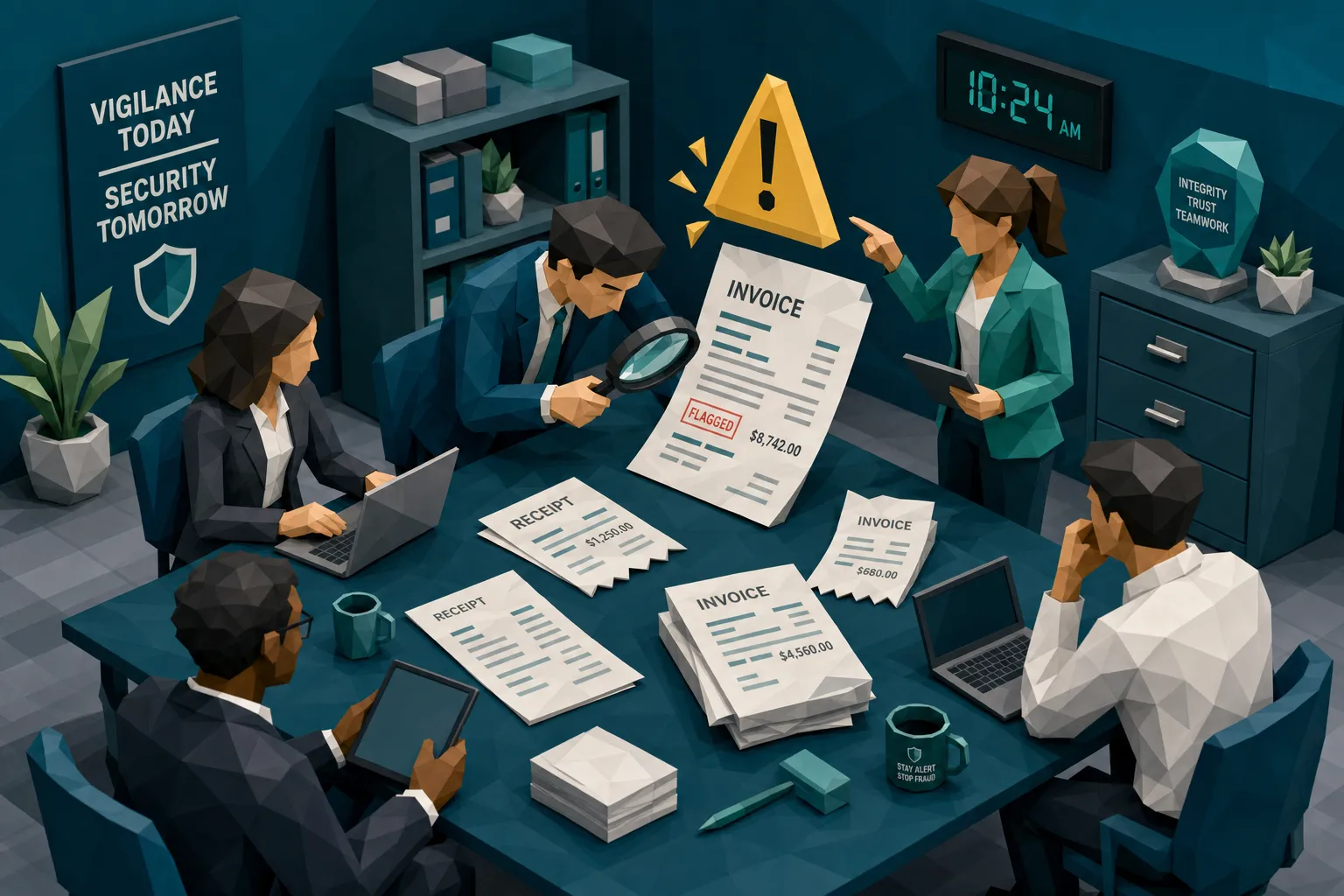

Fraudulent invoices rarely arrive wearing a fake mustache. They usually look dull, tidy, and wonderfully payable. That is the problem.
After a decade around fraud reviews, AP exceptions, claim files, and the occasional Friday-afternoon panic, my hot take is this: the best early clues are rarely dramatic. They are small signs that the story around the invoice is slightly off. The PDF may look fine. The total may match. The vendor may exist. Yet something in the timing, payment details, document history, or behavior around it feels too convenient.
And yes, that feeling matters, as long as we treat it like a lead rather than a verdict.
The stakes are not theoretical. The FBI IC3 2023 report recorded more than $2.9 billion in business email compromise losses, a category that often targets invoice and payment workflows. The Association for Financial Professionals continues to report that payments fraud is a common problem for organizations, not a rare edge case. In insurance, the FBI notes that fraud adds hundreds of dollars to the average family’s premiums each year.
So, let’s talk about the early clues fraudulent invoices tend to share, before they get approved, reimbursed, or bundled into a claim payment.
The first clue is usually pressure
A rushed invoice deserves attention. Not suspicion by itself, but attention.
Fraudsters love urgency because urgency breaks process. In accounts payable, it sounds like a supplier threatening service interruption unless payment goes out today. In insurance claims, it may be a claimant saying repairs cannot continue without immediate reimbursement. In employee expenses, it might be a manager saying, apparently, the laws of physics require their reimbursement before noon.
Real business can be urgent. Roofers need deposits. Contractors chase cash flow. Employees forget deadlines. I have forgotten worse things than an expense report, including where I parked at a conference in Dallas, which is a special kind of personal audit failure.
The clue is urgency paired with something else: a new payment account, a corrected invoice, a fresh attachment, a sender using an unusual email address, or a change in the payee name. One rushed request is annoying. A rushed request with changed payment instructions is a neon sign wearing sensible shoes.
The payment story changes at the same time as the invoice
Here is a simple rule I wish more teams used: when the money route changes, slow down.
Fraudulent invoices often involve a shift in payment information. The invoice may show a new remit-to address, new bank details, a slightly different vendor name, or a payment instruction that appears only in the email body. Sometimes the invoice is genuine but the payment instruction is not. Sometimes the invoice itself has been edited. Sometimes both are wrong, because fraudsters are ambitious people with terrible hobbies.
This is where document review and payment context need to talk to each other. A PDF authenticity check can help, but it will miss part of the picture if nobody asks whether the bank account, payee, claim, expense, or vendor history makes sense.
For claims teams, the same pattern shows up when a repair invoice names one contractor but the requested payment goes elsewhere. For AP, it appears when a supplier with years of consistent payments suddenly wants funds sent to a new account after a mailbox thread. For expense teams, it can be a receipt that looks fine but connects poorly to the employee’s card transaction, trip dates, or policy.
The invoice is the scene. The payment instruction is often the getaway car.
The document is clean in the wrong places and messy in the wrong places
People assume fake invoices look sloppy. Some do. Many do not.
Modern manipulated documents can look painfully normal. The early clues are usually local. A total line is sharper than the rest of the scan. The currency symbol is slightly misaligned. One field has a different compression pattern. A logo looks like it has been pasted from a low-resolution image. A physical receipt photo has shadows that make sense everywhere except around the amount.
I once reviewed a receipt where the merchant name, date, and line items were ordinary. The tip line, however, looked like it had been typed by a printer that had recently taken up jazz. Different spacing, different darkness, different baseline. The claim was not huge. That is another trick: low-dollar fraud often hides under the reviewer’s boredom threshold.
There is also the opposite problem: the invoice looks too perfect. AI-generated or template-built documents can have crisp formatting, generic line items, oddly uniform spacing, and none of the normal imperfections you see in real supplier paperwork. A real invoice from a local business may include quirks, stamps, scanner noise, or inconsistent formatting. For example, if someone submits a receipt from a legitimate wellness provider such as Lumina Skin Sanctuary, the existence of the business does not prove the submitted document is genuine. You still need the transaction, timing, amount, and file evidence to line up.
That distinction matters. Fraud review is not about distrusting every invoice. It is about asking whether the document behaves like the document it claims to be.
The math works, but the commercial logic does not
A lot of teams check whether subtotal plus tax equals total. Good. Keep doing that. But fraudulent invoices often pass basic math.
The better early clue is commercial logic. A repair invoice may show an oddly round labor amount for a complex job. A supplier invoice may use a tax rate that is technically possible but inconsistent with the location or item type. A contractor may bill exactly under an approval threshold three times in one week. A receipt may include a tip percentage that looks normal until you compare it with the merchant category or policy limits.
The ACFE Report to the Nations has long emphasized that occupational fraud often persists because it blends into routine operations. That is the same problem here. A fraudulent invoice does not need to break arithmetic. It only needs to fit the workflow well enough to avoid a second look.
In claims, I pay close attention to estimates and invoices that use believable parts but improbable quantities. Ten units of something that normally comes in pairs. Labor hours that somehow align perfectly with the policy cap. Replacement costs that land just below the manual review threshold. Fraudsters read rules too, which is rude but effective.
Metadata tells a different calendar story
Metadata is not magic. It can be stripped, altered, lost during scanning, or mangled by perfectly innocent systems. Still, when it exists, it is a useful witness.
A suspicious invoice may claim it was issued on March 4, but the file was created on March 18, minutes before submission. A receipt photo may be presented as original, yet the file shows signs of editing software. A PDF may have a modification trail that conflicts with the vendor’s normal process. An image may lack the device or timestamp details you would expect given the story.
Do not hang a case on missing metadata. That is how false positives happen, and false positives make everyone hate fraud controls. Instead, treat metadata as one voice in the room. If the invoice is urgent, the payment account changed, the amount is just under threshold, and the file history looks odd, now we have a conversation.
It resembles something you have already seen
Duplicate invoice controls usually look for exact matches: same invoice number, same vendor, same amount. That catches the clumsy stuff. The better frauds are cousins, not twins.
A fraudulent invoice may reuse an old legitimate invoice with a new date and amount. A receipt may be cropped, rotated, or slightly edited before being submitted again. A contractor may submit near-identical documents across different claims. An employee may upload the same restaurant receipt twice, once as a photo and once as a PDF, with the tip changed.
Early duplicate clues often appear in layout, image structure, invoice numbering, vendor patterns, and file similarity. Humans are poor at spotting these at scale. By the three-hundredth invoice of the day, every PDF begins to look like a small white rectangle containing your career choices.
This is why near-duplicate detection matters. Fraudulent invoices frequently rely on the fact that systems compare fields, while fraudsters reuse visual templates.
The approval path feels unusually smooth
A strange thing about fraud: sometimes the document looks suspicious because the process around it is too easy.
A new vendor gets approved quickly. A senior person forwards an invoice with a short note saying to process it. A claim invoice bypasses the usual supporting documentation because the customer is upset. An expense receipt is approved by someone who rarely reviews expenses but happens to approve this one at 10:43 p.m.
None of these prove fraud. Senior people really do send short emails. Customers really do get upset. Managers really do approve things at odd hours, often while watching bad television.
But process behavior is an early clue. Fraudulent invoices often travel through channels that reduce scrutiny: forwarded threads, screenshots instead of originals, compressed PDFs, late-stage corrections, or attachments that arrive outside the normal portal. When the document and workflow both feel unusual, stop treating it as a routine exception.
The vendor exists, but the invoice does not feel like theirs
One of the most dangerous assumptions in invoice review is that a real vendor means a real invoice.
Vendor impersonation works because the shell looks familiar. The logo is right. The address is close. The email signature looks good enough. The invoice number follows a plausible format. But the details drift. Maybe the wording differs from prior invoices. Maybe the bank account is new. Maybe the tax ID is missing where it is usually present. Maybe the file was generated from a tool the vendor has never used before.
I like comparing a questionable invoice with a known-good sample from the same vendor. Not a sample from Google. Not the logo on their website. A document you previously paid and verified. Vendors have habits. Fraudsters imitate the obvious parts and miss the boring ones.
Boring details are underrated. Fraud lives in the gaps between what looks official and what is operationally normal.
The biggest mistake: waiting until audit season
Early clues lose value after payment.
Once money leaves, the work gets harder. You are chasing recovery, reconstructing evidence, asking busy teams what happened three months ago, and hoping the original file was preserved. That is not fraud prevention. That is archaeology with spreadsheets.
When two or more clues appear, the first move should be calm containment. Preserve the original file. Pause payment or reimbursement if policy allows. Verify payment details through a known channel, not the contact information in the suspicious email. Compare the invoice against vendor history, prior claims, purchase orders, card transactions, or service records. Ask neutral questions before making accusations. A legitimate vendor can answer them. A fraudster often starts improvising, and improvisation is where the wheels come off.
For high-volume teams, the real challenge is doing this without turning every invoice into a courtroom drama. You cannot manually inspect every pixel, every metadata field, and every duplicate pattern. Your reviewers have jobs, lives, and only so much caffeine.
How Docklands AI helps surface the clues earlier
Docklands AI is built for the part of fraud detection that standard OCR and approval workflows tend to miss: whether the invoice or receipt itself has been manipulated, generated, reused, or made inconsistent with the payment story.
The platform checks for signs of Photoshop and tampering, AI-generated documents, metadata issues, mathematical irregularities, physical manipulation, and duplicate or near-duplicate patterns. More importantly, Docklands uses payment information from the claim, expense, or payment workflow to build a deeper fraud picture than a simple document-real-or-fake check.
That matters because the early clues are usually connected. A strange file history is more meaningful when paired with a new payee. A visually edited total matters more when the amount lands under an approval threshold. A clean-looking receipt deserves a closer look when it has appeared in another claim or expense report.
Docklands AI can integrate through API and webhooks, support multiple users and projects, and provide reporting and dashboards for teams that need evidence, not vague suspicion. The goal is straightforward: screen invoices and receipts before they become losses.
If you want a broader look at what AP controls should catch before payment, our guide on what accounts payable systems should flag before payment goes deeper into the workflow side.
Frequently Asked Questions
What is the earliest sign of a fraudulent invoice? The earliest sign is often a context mismatch, such as urgency combined with changed payment details, an unusual submission channel, or a document that does not match the vendor’s normal pattern.
Can OCR detect fraudulent invoices? OCR can extract invoice data, but it does not prove the document is authentic. Fraud detection needs document integrity checks, metadata review, math validation, duplicate analysis, and payment context.
Does missing metadata mean an invoice is fake? No. Metadata can be removed by scanners, portals, email systems, and legitimate software. Missing or odd metadata should be treated as one clue, not proof by itself.
Should AP or claims teams manually review every suspicious clue? Not every clue deserves a full investigation. The better approach is risk-based triage: route invoices with multiple connected signals for review, while allowing clean documents to keep moving.
Where should invoice fraud screening happen? Screening works best at intake and again before payment. Intake screening catches problems early, while pre-payment screening helps catch late changes in documents, payees, or payment instructions.
Stop treating boring invoices as harmless invoices
Fraudulent invoices succeed because they look ordinary long enough to get paid. The trick is catching the early clues while the money is still in your control.
If your current workflow checks fields but does not inspect document integrity or payment context, it is leaving a gap. Docklands AI helps AP, claims, and expense teams detect manipulated, photoshopped, and AI-generated invoices and receipts before they hit the bottom line.
See how Docklands AI works and start finding the clues your current process is likely missing.
Request a Demo Today!
Book your demo below.


