


What Accounts Payable Software Should Catch Before Payment
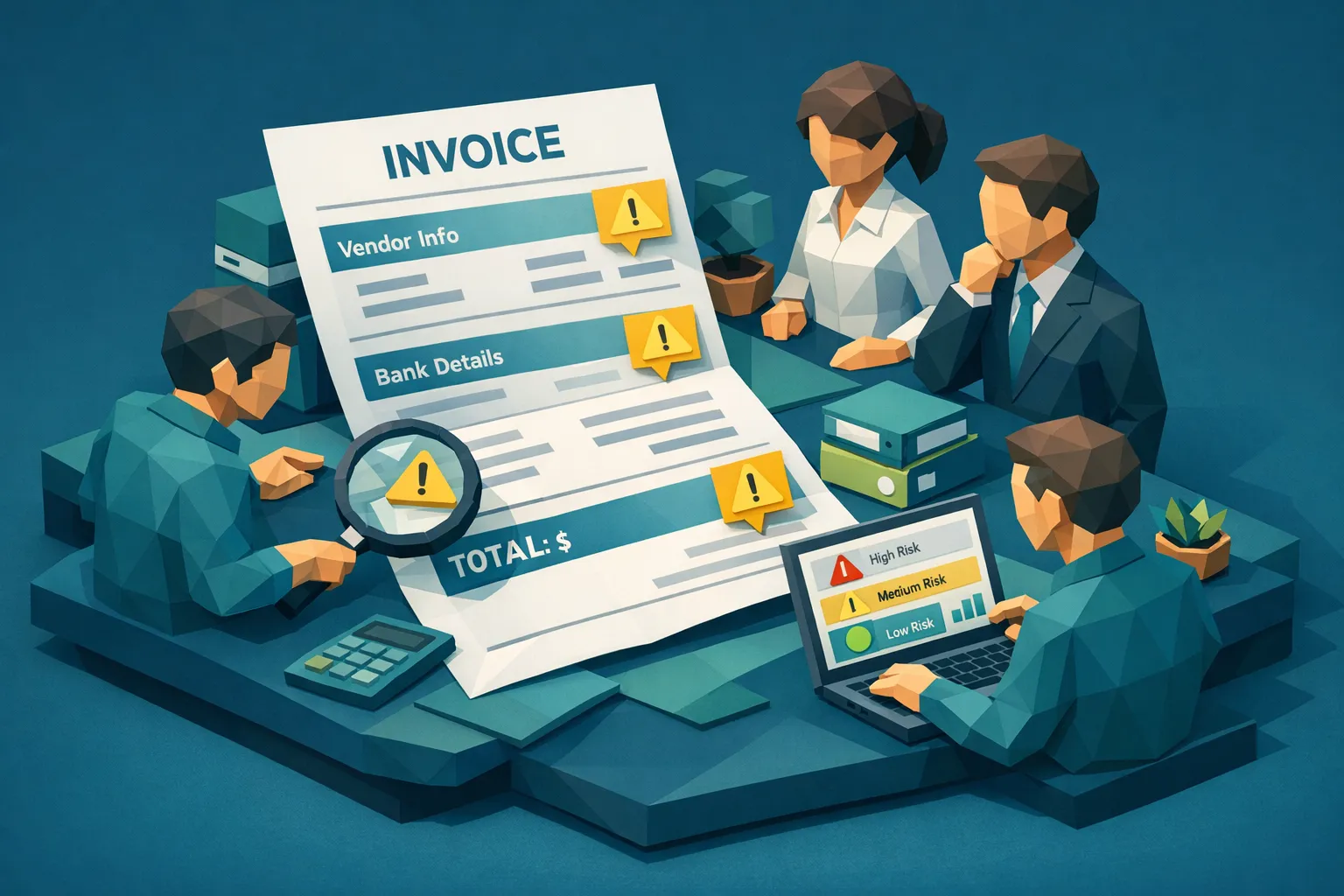

Accounts payable teams already know the painful truth: once money leaves the account, recovery is slow, uncertain, and time-consuming. That is why the most valuable moment for controls is before approval and before the payment run, when AP still has leverage.
Modern invoice fraud also changed shape. It is no longer limited to obvious fake vendors or sloppy edits. Today, AP teams face clean-looking PDFs, subtly altered totals, AI-generated invoices, and payment redirection attempts that pass basic OCR and field validation.
Below is a practical view of what accounts payable software should catch before payment, and what “catch” actually means in an operational sense: flagging risk early, showing evidence, and routing exceptions without slowing down clean throughput.
The 6 things accounts payable software should catch before payment
1) Vendor identity problems and impersonation
A large share of AP fraud starts before the invoice even matters. The invoice is simply the “delivery mechanism” for a vendor that should not be paid.
What your AP process should catch pre-payment:
- New vendor creation with weak validation (email-only onboarding, free webmail domains, missing tax identifiers where applicable, no physical address signals)
- Vendor impersonation (lookalike names, slightly altered domains, “new remittance address” requests)
- Unusual vendor behavior (first invoice is high value, unusual category for that vendor, unusual frequency)
AP software often helps with onboarding workflows and approvals, but catching impersonation also requires cross-checking identity context and payment details changes. If you only validate fields, you can still approve a perfectly formatted invoice from the wrong party.
2) Bank detail changes and payment redirection
Some of the most expensive AP events are not “fake invoices.” They are real invoices with redirected payment instructions.
Business email compromise (BEC) and vendor payment diversion are widely reported, including by the FBI IC3 in its internet crime reporting. AP is a common target because payment operations are predictable and time-sensitive.
What AP software should catch pre-payment:
- Remittance bank account changes that do not match vendor history
- Last-minute change requests close to a pay run
- Mismatch between invoice remittance details and master vendor file
- Out-of-band change requests (email asks for bank change, but no verification workflow occurs)
Key point: catching this requires both workflow controls (verified change management) and analytics that can flag anomalies in the payment instructions.
3) Duplicate and near-duplicate invoices
Duplicate payments are not always accidental. Fraudsters often resubmit the same invoice with minor edits (date, invoice number, cropping, contrast changes) so basic duplicate rules miss it.
What AP software should catch pre-payment:
- Exact duplicates (same vendor, amount, invoice number)
- Near duplicates (same document with edits, re-rendered PDF, slight layout changes)
- Cross-entity duplicates (multi-entity groups where the same invoice is routed to multiple AP teams)
If your controls only compare extracted fields, you can miss duplicates when the fraudster changes the invoice number or slightly adjusts line items.
4) Document manipulation and synthetic invoices
This is where many AP stacks are weakest. Traditional invoice automation is optimized for capture and routing. Fraud detection requires answering a different question: is the document itself authentic and internally consistent?
What AP software should catch pre-payment at the document level:
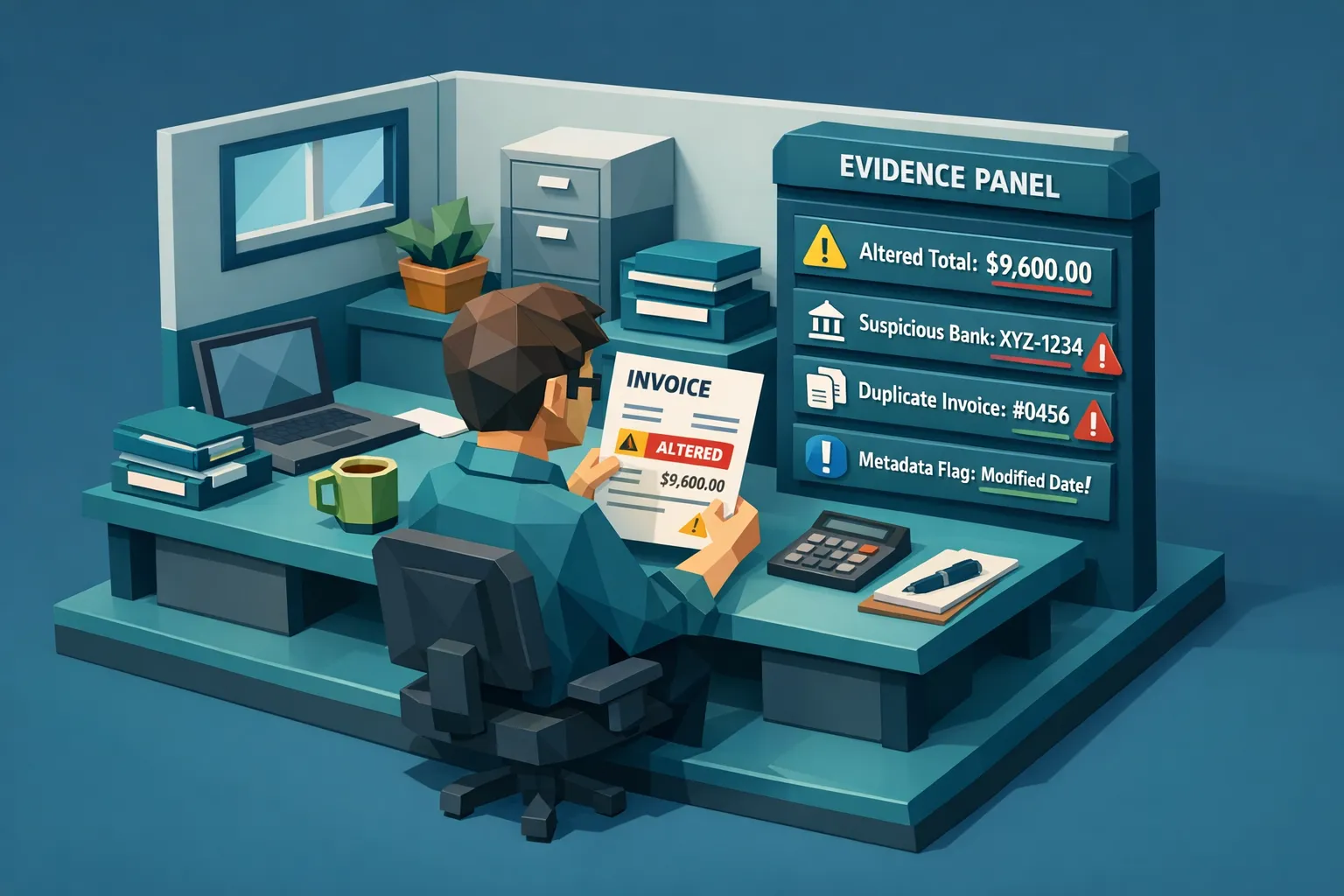
- Photoshop edits and tampering (altered totals, swapped payee names, edited bank details)
- AI-generated invoices (synthetic layouts, artifacts, inconsistencies that look “real enough” to humans)
- Metadata anomalies (edit history, creation tool mismatches, impossible timelines when metadata is available)
- Physical manipulation signals (print-scan artifacts used to hide edits, patching, compositing)
Catching this typically requires multimodal analysis beyond OCR. OCR can read what the document says. It cannot reliably tell you whether the pixels and provenance suggest it was altered.
5) Mathematical and tax logic that does not reconcile
Many fraudulent invoices keep the “look” consistent but fail basic internal logic.
What AP software should catch pre-payment:
- Subtotal, tax, and total mismatches
- Rounding patterns that do not match the vendor’s typical invoicing
- Quantity x unit price errors that conveniently inflate totals
- Inconsistent discounts, shipping, or fees that do not reconcile across line items
These checks sound simple, but they often fail in practice when teams rely on free-text OCR output, variable templates, and inconsistent line-item capture. Strong systems validate the math directly from the document content and structure, then show exactly what failed.
6) Workflow and approval anomalies (the “how did this get approved?” signals)
Even when an invoice is suspicious, it often gets paid because the workflow did not slow it down.
What AP software should catch pre-payment:
- Segregation of duties issues (same user creates vendor, submits invoice, approves invoice)
- Approval overrides that become routine
- High-risk invoices bypassing normal routing (urgent exceptions, manual payment requests)
- Policy mismatches (no PO in an area that normally uses POs, or missing receiving evidence when expected)
These are operational fraud signals. They do not prove the invoice is fake, but they strongly indicate the process is being exploited.
Where AP automation stops and pre-payment fraud prevention starts
Many teams buy “accounts payable software” expecting fraud prevention, then discover they mainly purchased:
- Capture (OCR, indexing)
- Workflow (routing, approvals)
- Matching (2-way or 3-way match when POs exist)
- Payments (pay runs, bank files)
Those are essential, but fraud prevention adds different requirements:
- Full-document integrity checks (not just extracted fields)
- Evidence-backed alerts (so reviewers can act quickly and consistently)
- Coverage at scale (screen 100 percent of invoices, not spot checks)
- Fast decisions (risk signals must arrive before approval or before the pay run)
If your “fraud detection” is mostly rules like “amount over $X requires approval,” you are controlling spend, not validating authenticity.
A practical pre-payment gate that does not slow down AP
A useful way to design controls is to create a lightweight “pre-payment gate” that sits between intake/approval and payment execution.
A common workflow looks like this:
Intake and normalization
Invoices enter via email, portal, EDI, vendor upload, or scanning. The goal is consistent ingestion and reliable linking to vendor records.
Automated screening (before approval or at least before payment)
Run a real-time screening layer that checks:
- Document integrity (tampering, AI-generation signals, metadata)
- Duplicates and near-duplicates
- Math and consistency
- Payment instruction anomalies
This step should produce a risk score plus supporting evidence, not a generic “failed” label.
Exception routing with clear outcomes
Only suspicious invoices should slow down. Everything else should stay on the fast path.
Good exception queues are designed around actions:
- Reject and request resubmission
- Hold for vendor verification
- Hold for bank detail verification
- Route to fraud or audit
- Approve with documented rationale
Payment run controls
Before funds move, enforce controls that catch late changes:
- New vendor or bank change in last N days
- Any invoice with unresolved screening flags
- Manual payment requests that bypass standard flow
What to ask when evaluating accounts payable software for pre-payment detection
If fraud prevention is a priority, evaluate your AP stack using questions that map to real failure modes:
Coverage and speed
Can you screen every invoice your team processes, including PDFs and images, without creating backlogs? Can results return fast enough to act before approval or payment?
Evidence quality
When the system flags a document, does it show:
- What changed or looks inconsistent
- Where in the document the signal appears
- Why it is suspicious (forensics, metadata, math, duplication)
If reviewers cannot explain alerts, they will either ignore them or block too much.
Near-duplicate detection
Does the system detect re-used invoices that were re-rendered, cropped, re-scanned, or lightly edited? Field matching alone is not enough.
Payment context
Does it evaluate payment instructions and remittance details as part of the risk picture, especially for bank detail changes and payee mismatches?
Integration and audit readiness
Can it integrate via API or webhooks into your existing ERP, AP automation, or invoice capture tool? Does it preserve investigation artifacts and results for audit and dispute handling?
Security and access control
Does it support controls like 2FA and multi-user access with appropriate segregation? Pre-payment detection tools become part of a sensitive workflow, so security design matters.
How Docklands AI fits into a modern AP stack
Docklands AI is designed to add a document integrity and fraud detection checkpoint to invoice and receipt workflows.
Based on Docklands AI’s platform capabilities, it can help AP teams catch pre-payment risks such as:
- AI-generated document detection
- Photoshop and tampering detection
- Metadata forensics analysis
- Mathematical irregularity checks
- Physical manipulation detection
- Real-time reporting and analytics
- API and webhook integration for embedding screening into existing workflows
Docklands AI also uses payment information on a claim, expense, or payment to build a deeper fraud picture with higher accuracy than basic “is this image real” checks.
If you already have accounts payable software for capture and routing, this approach can reduce payment leakage without requiring you to replace your AP stack.
For related workflows and controls, you may also want to read Docklands AI’s guidance on AP fraud detection and 100 percent screening and why OCR is not fraud detection.
Frequently Asked Questions
What is the most important thing to catch before an AP payment is sent? Payment redirection risk is a top priority because it can turn a legitimate invoice into a fraudulent payment. You want strong controls around bank detail changes plus anomaly detection on remittance data.
Can accounts payable software detect a photoshopped invoice? Some AP platforms focus on capture and workflow, not document authenticity. Detecting photoshopped invoices usually requires document forensics that analyze the file and pixels, not only extracted text fields.
Why do duplicate invoices still get paid even with ERP controls? Many duplicates are near-duplicates where the invoice number or date is changed, or the document is re-rendered or re-scanned. Field matching may not catch those variants.
Should fraud checks happen before approval or before payment? Ideally both, but if you must choose, run screening at least before the payment run. Catching issues after approval but before payment still prevents irreversible loss.
How do you reduce false positives in AP fraud detection? Use evidence-backed alerts, tune thresholds based on vendor history, and route only high-confidence exceptions to reviewers. Screening tools should explain why an invoice is risky so reviewers can resolve quickly.
Add a pre-payment fraud screening layer without replacing your AP system
If your accounts payable software is great at routing and approvals but weak at detecting manipulated or synthetic invoices, you can add Docklands AI as a fast screening checkpoint.
Explore Docklands AI at Docklands.ai to see how document forensics and payment-context analysis can help you catch fraud before payment.
Request a Demo Today!
Book your demo below.


