


AP Workflow Software Should Flag These Invoice Clues
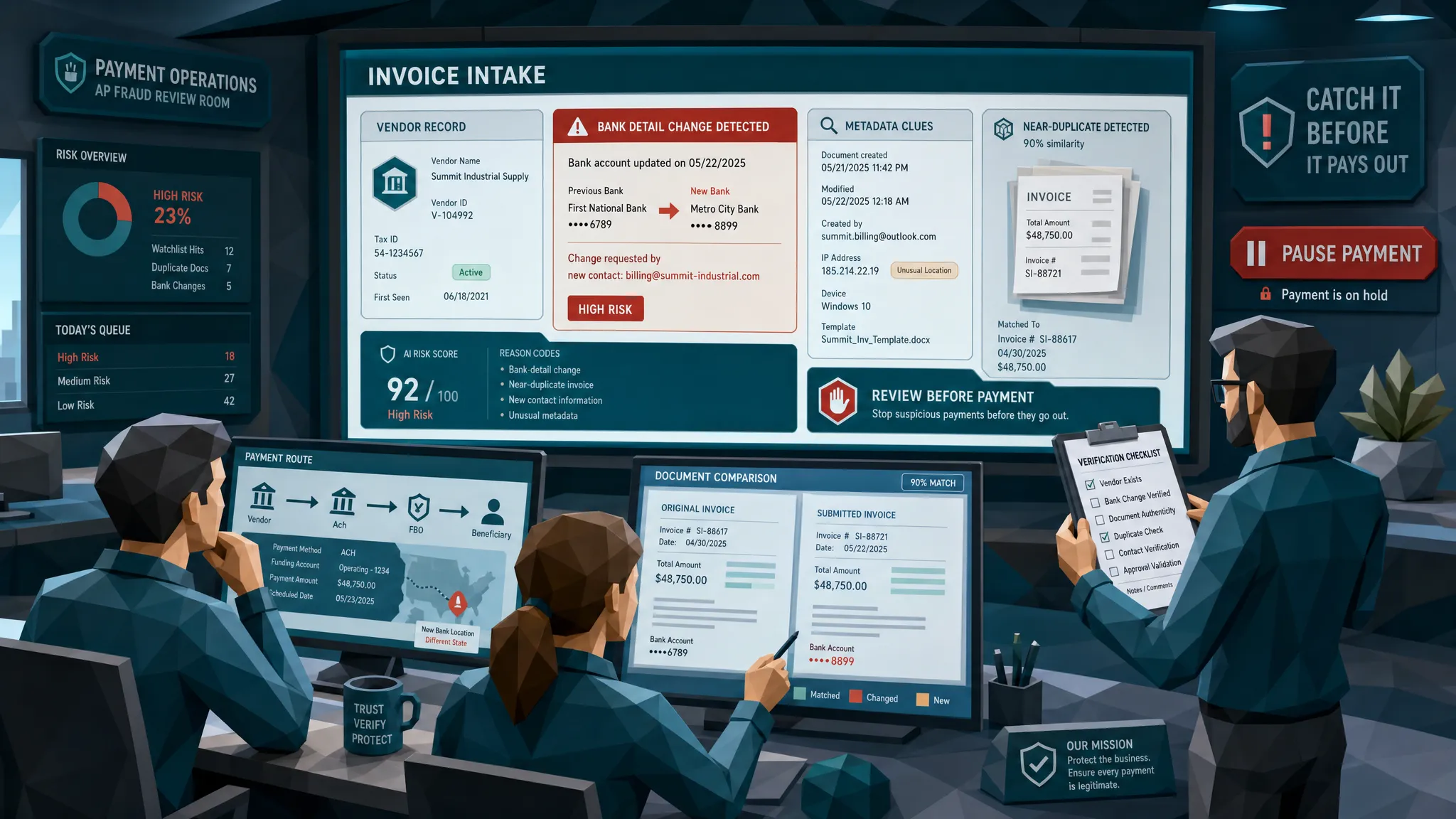

Here is my hot take after 10 years around fraud and payments: most AP workflow software is very good at proving an invoice followed the approved route, and much less good at asking whether the invoice deserved to enter the route in the first place.
That sounds harsh, but I have the scar tissue. I have seen a fake facilities invoice sail through because the PO matched, the approver recognized the vendor name, and the amount was just under the threshold that would have triggered a second sign-off. The only problem was the bank account. Tiny detail. Rather expensive tiny detail.
The fraud numbers are not exactly comforting bedtime reading. ACFE estimates that organizations lose 5 percent of revenue to fraud each year, and the FBI IC3 2023 report put business email compromise losses above $2.9 billion in adjusted losses. If you manage AP, you do not need a lecture on why this matters. You need the practical clues your workflow should flag before money leaves the building.
AP workflow software should not turn every invoice into a crime scene investigation. Nobody has time for that, and AP teams already live in enough spreadsheets to qualify for hazard pay. But it should catch the clues that a normal routing engine, OCR step, or three-way match can miss.
1. Payment details changed late in the journey
Fraudsters love boring fields. Bank account, sort code, routing number, IBAN, remittance email, beneficiary name. These are not glamorous, which is exactly why they work.
The classic move is simple: everything looks familiar until the payment detail changes. The invoice comes from a known supplier, references a real project, and may even match a real PO. Then someone adds a friendly note saying the vendor recently changed banks. In my experience, that phrase deserves the same suspicion as a suitcase left alone at an airport.
AP workflow software should flag any payment destination that differs from the vendor master, especially if the change appears close to the due date, after approval, or inside an attachment rather than through your supplier onboarding process. The flag should become stronger if the beneficiary name is not an exact match, if the vendor has never used that account before, or if the invoice is marked urgent.
A legitimate supplier can absolutely change banks. That is why the goal is not automatic rejection. The goal is to slow the payment down long enough for independent verification.
2. The document file has a suspicious life story
I always tell AP teams: a document has a biography. Most people only read the visible invoice, but the file itself can tell you where it has been.
A PDF that was supposedly exported from a vendor accounting system may have been rebuilt in an editor minutes before submission. A receipt that should have come from a point-of-sale printer may have metadata showing image-editing software. A file may have odd timestamps, missing origin details, or a creator tool that does not fit the vendor’s normal pattern.
None of these clues proves fraud alone. People compress PDFs, vendors change tools, and scanners are messy little creatures. But when metadata conflicts with the story of the invoice, AP workflow software should not shrug and move on. It should raise the document for review.
This is where many invoice workflows struggle, because OCR can read text while losing the authenticity signals around that text. We have written more about why invoice workflow software has a blind spot for tampering, and metadata is one of the quieter reasons.
3. The visual layer has tiny mismatches
The best invoice fraud clues are often visual and annoyingly subtle. A total amount has a slightly different font weight. A bank account line is a little blurrier than the surrounding text. The logo is sharp, but the address block is soft. The invoice number sits half a millimeter too high. It is the kind of thing a tired human reviewer might feel is off, then approve anyway because the coffee has worn off.
I once reviewed a manipulated invoice where the edited payment line looked fine at 100 percent zoom. At 300 percent, it looked like someone had glued a new field on with digital chewing gum. The AP workflow had accepted it because the words were readable. Readable is not the same as trustworthy.
Your workflow should flag inconsistent compression, suspicious pixel edges, mismatched fonts, pasted text regions, unnatural shadows, and signs that a document was photographed, reprinted, or resaved to hide edits. These checks matter even when the vendor name and amount are correct.
4. The invoice is too clean for its own good
This one sounds odd, but stay with me. Some fake invoices now look better than real invoices. Real vendor documents often have boring imperfections: scanner noise, uneven margins, legacy templates, slightly fuzzy logos, and the occasional formatting choice that makes every designer silently weep.
A suspiciously perfect invoice can be a clue. So can a receipt with no natural wear, no paper texture, no fold marks, and no sign it ever existed outside a screen. In employee expenses, this shows up constantly. In AP, it appears in fake supplier invoices, doctored subcontractor bills, and fabricated service documents.
AP workflow software should flag documents that look synthetic, especially when they are submitted by new vendors, arrive outside the usual channel, or request first-time payment details. Again, the point is not to punish tidy accounting. The point is to compare the document to the vendor, context, channel, and payment risk.
5. The math balances, but the business logic does not
A surprisingly large number of fraudulent invoices pass arithmetic checks. The totals add up. Tax is calculated. Line items are formatted nicely. That can lull teams into confidence.
The better question is whether the numbers make business sense. Why is the invoice exactly $9,950 when your review threshold is $10,000? Why is the same service period billed twice under different descriptions? Why is tax applied to an item that is normally exempt? Why did a supplier’s monthly bill suddenly jump 38 percent without a contract change?
AP workflow software should flag mathematical irregularities and commercial oddities together. The amount may be correct in a spreadsheet sense while being suspicious in a business sense. I have seen fake invoices that were mathematically elegant and commercially ridiculous. Fraudsters can use calculators too. Sadly, some of them use them better than procurement teams use naming conventions.
6. The duplicate invoice changed clothes
Exact duplicate checks are useful, but fraud rarely arrives wearing the same outfit twice. A duplicate may have a new invoice number, a slightly changed date, a resized attachment, a converted file format, or a different total after a small edit.
This is common in AP and employee expenses. One of my favorite low-tech examples was a receipt submitted twice with different dates. The amounts changed, but the same coffee stain appeared in the same place. Unless your workflow can compare image similarity, layout, vendor patterns, and payment context, that type of repeat can sneak through.
AP workflow software should flag near-duplicates, not only exact matches. It should compare visual structure, vendor identity, service dates, line items, attachment history, and bank details. A fake invoice often borrows from a real one because real documents are excellent camouflage.
7. The invoice arrived through the wrong door
Channel matters. A vendor that normally uses a portal suddenly emails an invoice to an approver. A long-term supplier sends payment changes from a new domain. A subcontractor invoice arrives through a project manager’s personal inbox. A document comes as a screenshot instead of the usual PDF. These clues are easy to dismiss as operational noise, and sometimes they are. But fraud hides beautifully inside operational noise.
One underused habit in fraud prevention is watching where conversations and requests originate. Sales teams understand this instinctively. Tools that turn Reddit conversations into customers exist because public conversations reveal intent, timing, and context. Fraud teams can borrow the same lesson: the route, tone, and timing of a request often matter as much as the fields on the form.
Your AP workflow should flag invoices that bypass the normal intake route, arrive from unfamiliar domains, come through personal emails, or appear after a vendor contact change. If your business has multiple entities, sites, clinics, stores, or project teams, this becomes even more important because fraudsters love complexity. Complexity gives them corners to hide in.
8. The approval path is too convenient
Approvals can create false comfort. A fraudulent invoice may be approved because the approver recognizes a project name, feels pressure to keep a supplier happy, or assumes AP has already checked the document. AP may then assume the approver validated the supplier. Everyone is polite. The fraudster is delighted.
Software should flag approval patterns that look convenient rather than normal. Examples include repeated approvals just under a threshold, approvals outside usual hours, sudden routing changes, new approvers for high-risk vendors, or invoices approved unusually fast after a payment-detail change.
In one case I saw, the invoice was approved in under three minutes. The approver later said he was between meetings and thought it was routine. That is the most human explanation in the world, and it is exactly why workflows need guardrails.
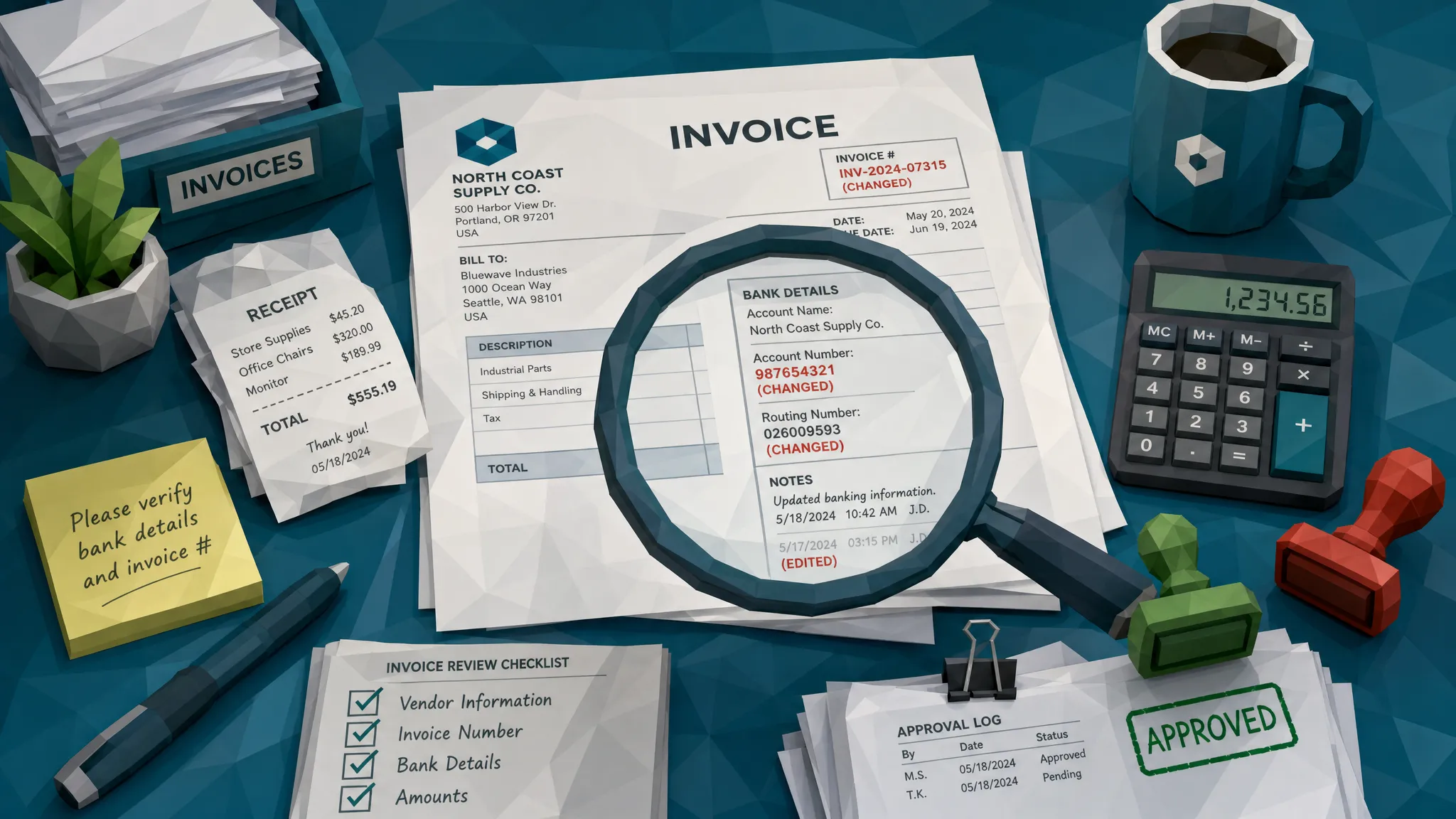
How I would set the flags in a real AP workflow
Here is the part where I risk annoying everyone who wants one magic fraud score. I do not trust single-score systems when they are treated like gospel. Fraud is usually a pattern, not a thunderclap.
A better setup is layered flagging. One weak clue might only need light review. Three clues together should stop payment until someone verifies the document and vendor independently. This keeps the AP team from drowning in false positives while still catching the invoices that deserve a second look.
A practical structure can be simple:
- Green invoices have known vendors, normal channels, unchanged payment details, consistent documents, and expected approval routes.
- Amber invoices have one meaningful anomaly, such as a new bank account, unusual file metadata, or a near-duplicate pattern.
- Red invoices combine payment risk with document risk, such as changed bank details, suspicious editing, urgent language, and a bypassed intake route.
The key is that the workflow should understand combinations. A new vendor is not automatically suspicious. A clean PDF is not automatically suspicious. An urgent invoice is not automatically suspicious. But a new vendor sending an unusually clean PDF with first-time bank details and an urgent due date should not glide straight to payment.
Put the fraud checkpoint before payment, not after embarrassment
Some organizations still treat fraud review as a post-payment exercise. That is like installing a smoke alarm that only rings after the house has finished burning down.
The fraud checkpoint belongs before payment release, ideally after data capture but before final approval or payment file creation. At that point, the system has enough context to evaluate the invoice, but the money has not moved. AP can still pause, verify, and document the decision.
This does not mean slowing every invoice. The best controls are selective. Most invoices should continue moving quickly. The risky ones should be held because their document evidence, payment details, or workflow path does not fit.
If your automation is great at routing but weak at document-level checks, our guide on why AP automation services need a fraud checkpoint goes deeper into that control gap.
The clue AP teams miss most often
If I had to pick one clue that AP teams underestimate, it would be inconsistency. Not any single inconsistency, but inconsistency between the document, the vendor record, the payment destination, and the way the invoice entered the business.
Fraudulent invoices often look reasonable when each field is reviewed in isolation. Vendor name, fine. Amount, plausible. PO, present. Approver, legitimate. Attachment, readable. But viewed together, the story starts to wobble.
That is the job AP workflow software should do better in 2026. It should connect the boring clues. It should notice when a document looks edited, when the payment destination changed, when the intake route is strange, and when the approval path is unusually convenient.
Humans are good at judgment, but they are bad at staring at hundreds of invoices and spotting tiny edits at 4:47 p.m. on a Thursday. Give them better flags and they make better decisions.
Frequently Asked Questions
What should AP workflow software flag first? Start with payment-detail changes, new or mismatched beneficiary accounts, suspicious document edits, near-duplicates, unusual intake channels, and approval patterns that bypass normal controls.
Can three-way matching catch invoice fraud? Three-way matching helps confirm that a PO, receipt, and invoice align, but it may not detect a manipulated PDF, synthetic invoice, altered bank field, or compromised vendor communication.
How do we avoid too many false positives? Use layered risk signals rather than treating every anomaly the same. A single unusual field may need review, while multiple signals together should trigger a payment hold.
When should invoice fraud checks happen? The strongest point is before payment release, after the invoice has been captured and matched but before the payment file is created or approved.
What if the invoice comes from a real vendor? Real vendors can still be involved in risky invoices if their email is compromised, payment details are altered, or a legitimate invoice is copied and manipulated. Vendor familiarity should reduce risk, not eliminate review.
Make the invoice prove itself before you pay it
Fast AP is valuable. Fast AP that pays manipulated invoices is just expensive efficiency.
Docklands AI helps organizations detect manipulated, photoshopped, and AI-generated invoices and receipts before they become losses. If your current AP workflow software moves invoices quickly but does not inspect the document evidence closely, it may be time to add a stronger fraud layer with Docklands AI.
Request a Demo Today!
Book your demo below.


