Deep-Fake Invoice Red Flags AP Teams Should Know

I have a slightly unpopular opinion after a decade around fraud reviews: the scariest deep-fake invoice is not the one that looks bizarre. It is the one that looks aggressively normal.
Most AP fraud does not arrive wearing a fake mustache. It arrives with a familiar supplier name, a clean PDF, a polite email, and a total that sits just under somebody’s approval threshold. Very considerate, really.
The old advice was to look for bad logos, spelling mistakes, and crooked formatting. Keep doing that, but do not stop there. The better fakes now look tidy. Some look better than the invoices real vendors send after a long Friday. The red flags have moved from the surface of the document into the story around it: the payment route, the vendor history, the timing, the metadata, the math, and whether the invoice makes sense in the real world.
If your team has already seen how fake invoices slip past busy finance teams, the next step is knowing which warning signs deserve a pause before money leaves the building.
Why deep-fake invoices are getting harder to eyeball
AP teams are under the same pressure they have always been under: close the month, keep vendors happy, avoid late fees, and do not become the person everyone blames for slowing down operations. Fraudsters love that pressure.
The volume problem is real. The Association for Financial Professionals has reported that a large share of organizations are targeted by payment fraud. Meanwhile, the FBI’s IC3 report put business email compromise losses at about $2.9 billion in 2023. Those numbers are not abstract if you work in AP. They show up as changed bank details, duplicate invoices, fake suppliers, and documents that look good enough to survive a quick review.
Automation has also changed the rhythm of business. Legitimate teams can now move faster than ever, from procurement workflows to autonomous B2B prospecting platforms that help commercial teams identify accounts and run outreach. That is good for growth, but it also reminds us of a broader reality: documents, identities, and business context can now be assembled quickly. AP controls have to assume speed, polish, and personalization are no longer proof of legitimacy.
Here are the red flags I would train every AP analyst, controller, and finance operations leader to spot.
Red flag 1: the payment story changed, but the business story did not
This is the one I care about most.
A deep-fake invoice can copy a logo, mimic a layout, and create a convincing PDF. What it often cannot explain is why the payment details changed at the exact moment an invoice needed to be paid.
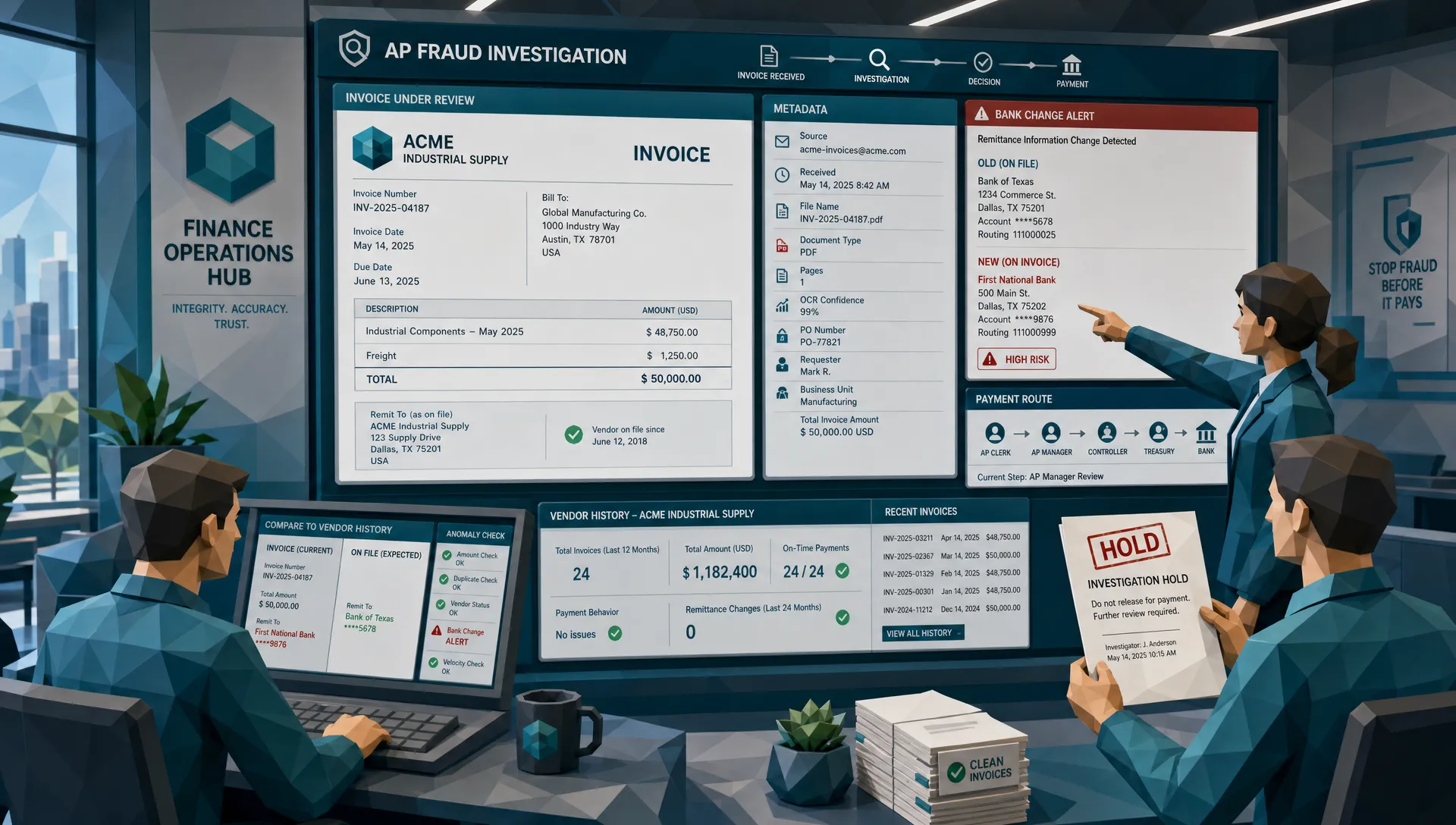
Watch for a new bank account, new routing number, new remittance address, or new payment method when everything else about the vendor appears unchanged. Same vendor. Same service. Same contact name. Same invoice format. Suddenly, the bank account has moved.
Years ago, I reviewed a case involving a supplier that provided basic facilities services. The invoice looked ordinary. The amount was modest. Nobody was buying diamonds or private jets, which is always a shame for training slides. The red flag was simpler: the supplier’s bank details had changed, but there was no vendor master update, no signed change request, and no call-back verification. The invoice was a costume. The bank account was the plot.
AP teams should treat payment changes as separate events, not as tiny details inside a PDF. If a vendor changes where money goes, that change deserves its own verification path outside the email thread and outside the invoice.
Red flag 2: edited areas behave like stickers
Some manipulated invoices have tiny visual tells. Not Hollywood-style tells. More like the amount field feeling slightly pasted over the rest of the page.
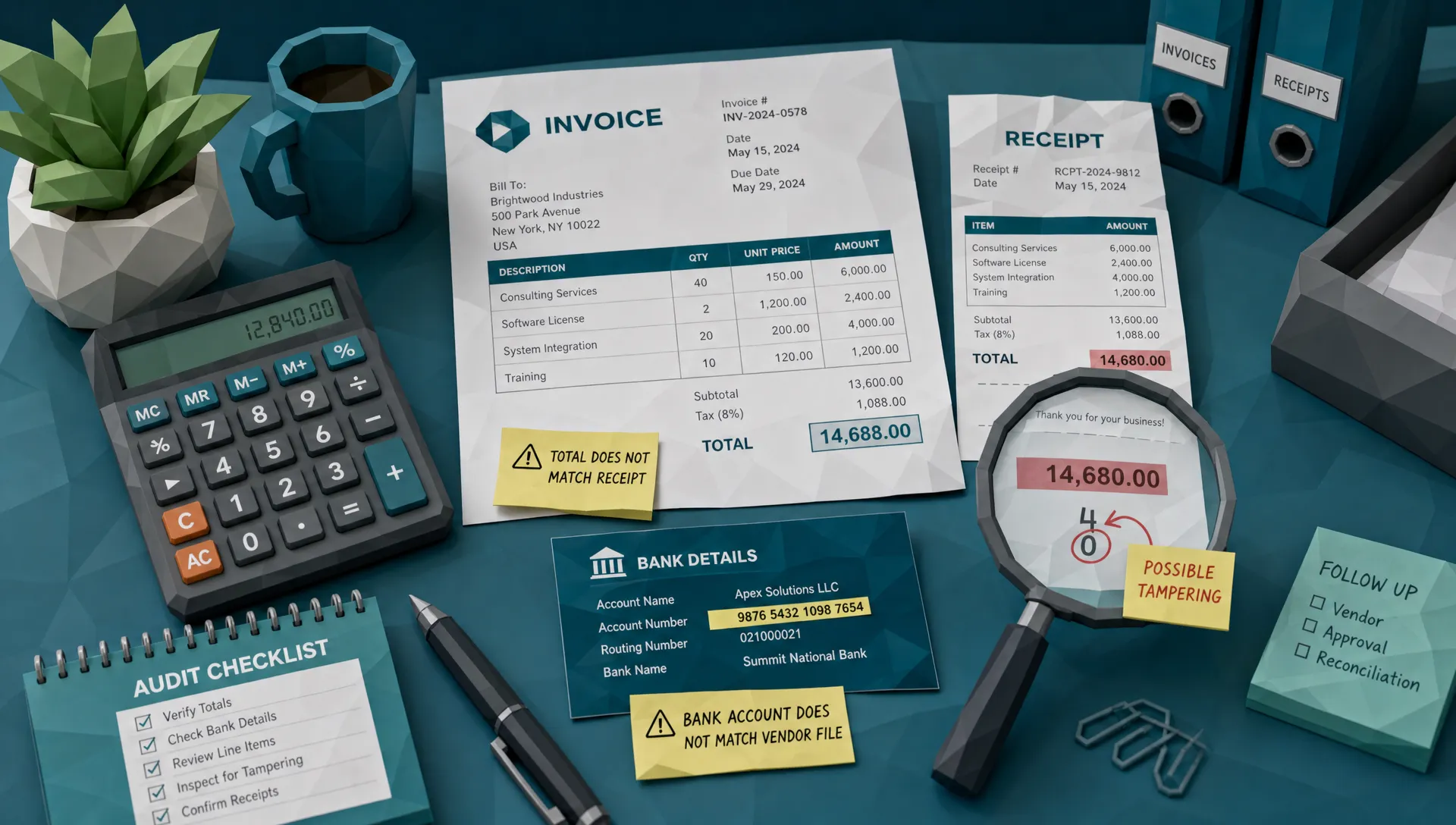
Look closely at dates, totals, tax amounts, bank details, PO numbers, and payee names. Fraudsters edit those fields because those fields move money. The surrounding document may be real, but the expensive bits may be altered.
Common signs include different font weight in one field, uneven spacing, a number that sits a fraction higher than the rest of the line, compression blocks around only one section, or a box that looks cleaner than the rest of a scanned page. If the invoice was supposedly scanned, the whole page should generally share the same wear and noise. If only the payment details look freshly ironed, be suspicious.
I like to tell junior reviewers: imagine someone taped a new label over an old one, then photocopied the page. You are not looking for the tape. You are looking for the part of the page that forgot to age with its neighbors.
Red flag 3: the metadata tells a different bedtime story
Metadata is not magic, and it should not be used as a guilty verdict by itself. But it is often the little diary a fake document forgot to burn.
An invoice dated March 3 that was created as a PDF on March 27 may be fine. Vendors regenerate invoices. Systems export copies. People make mistakes. But if that same file was created minutes before submission, edited by software unrelated to the vendor’s billing process, stripped of normal document details, and sent with urgent payment instructions, the story starts to wobble.
For receipts, metadata can be even more revealing. A document claimed to be a photo from a phone may not behave like a phone image. A scanned invoice may not behave like a scan. A PDF said to come from a vendor portal may look like it was rebuilt on someone’s laptop.
For AP teams, the lesson is simple: metadata is a supporting witness. It gets more interesting when it lines up with other red flags. If you want a deeper view of document-level clues, Docklands has covered signals hidden in the document rather than the data in more detail.
Red flag 4: the math works, but the business logic is nonsense
Modern fake invoices often pass basic arithmetic. The subtotal adds up. The tax appears plausible. The invoice number has the right number of digits. Lovely. Gold star.
Then you look at what the invoice claims happened.
A small office with 12 employees ordered 400 ergonomic chairs. A vendor billed for services on a weekend when the site was closed. A construction subcontractor charged for materials that were never delivered to the project. A recurring software invoice has a license count that doubled, but no one in IT requested it.
This is where experienced AP teams earn their keep. Fraud prevention is not only about whether 2 plus 2 equals 4. It is about whether anyone had a reason to buy the 2s in the first place.
A deep-fake invoice can produce clean math. It struggles when AP checks the invoice against purchase behavior, receiving records, project timelines, location data, and the vendor’s normal billing pattern.
Red flag 5: the vendor identity looks familiar from 10 feet away
Many fake invoices rely on near-familiarity. The name is close. The logo is close. The email domain is close. The address is close enough that a tired reviewer may not care.
That is how fraud wins. Close enough becomes paid enough.
Look for small changes in legal entity names, domains that swap one letter, bank accounts held under names that do not quite match the vendor, or invoices from a subsidiary your organization has never dealt with. Also watch for vendors that suddenly change tone, format, or payment instructions while claiming nothing has changed.
One AP manager once described her best control to me as the annoying phone call. If a supplier requests a bank detail change, her team calls a known number from the vendor master record, not the number on the invoice and not the number in the email. It is not glamorous. It also works.
Red flag 6: the document is too clean for the process it claims to come from
This is a strange one, but once you see it, you cannot unsee it.
A field technician submits a receipt from a job site, yet the image looks like it was created in a studio. No blur. No fold. No shadow. No compression oddities. Perfect edges. Perfect lighting. Perfect everything. Meanwhile, anyone who has ever photographed a receipt in a van knows the result usually looks like evidence from a raccoon burglary.
The opposite can also be true. Fraudsters sometimes add noise, blur, or shadows to hide edits. A page may look artificially worn, with degradation that does not match how paper naturally bends, scans, or photographs.
AP teams should compare the document to the process that supposedly produced it. Vendor portal PDFs have a certain consistency. Scanned paper has a different character. Phone photos have a different character again. When the document’s texture does not match its origin story, slow down.
Red flag 7: urgency arrives dressed as helpfulness
Urgency is one of the oldest fraud tools because it attacks the reviewer, not the document.
The email says the supplier needs payment today to avoid service interruption. The sender helpfully attaches a corrected invoice. The approver is supposedly traveling. The vendor says the old bank account is temporarily unavailable. Everyone is very polite. Everyone is also oddly desperate.
A legitimate vendor can be urgent, of course. But urgency plus payment change plus new contact details is a bad cocktail. AP teams should have permission to be professionally slow when risk indicators appear. A delayed payment can be explained. A paid fake invoice is harder to un-pay.
This is where finance leaders set the tone. If the business punishes AP for asking verification questions, fraudsters will eventually collect that cultural dividend.
Red flag 8: the invoice agrees with one system, but not with reality
Three-way matching is useful. I am not here to insult it. I have a mortgage and cannot afford to anger procurement people.
But matching controls are not invincible. A fraudster may obtain a real PO number. A compromised vendor mailbox may send an invoice that references real work. A duplicate invoice may reuse details from a legitimate payment. A fake document can agree with one system while disagreeing with the wider business event.
Ask whether the goods were received, whether the service was performed, whether the approver truly knows the vendor, whether the bank account matches prior payments, and whether the invoice fits the vendor’s usual pattern. If you only ask whether the PDF matches one field in the accounting system, you are giving the fake a very small exam.
This is also why fake invoice tools and templates still fail under broader scrutiny. Docklands has a useful breakdown of what a fake invoice generator still cannot fake well, especially when reviewers compare the document with payment and vendor context.
My practical rule: review the triangle
When I review a suspicious invoice, I use a simple triangle. It is not fancy, which is part of the charm.
- The document: Does the file show editing, inconsistent formatting, suspicious metadata, odd image quality, or mathematical issues?
- The payment route: Do the payee, bank details, remittance instructions, and payment method match what we already trust?
- The business event: Did the purchase, delivery, service, approval, and vendor relationship actually happen in the way the invoice claims?
A deep-fake invoice usually wants you staring at only one corner of the triangle. The PDF looks fine, so pay it. The PO number matches, so pay it. The approver replied, so pay it.
Fraud review gets stronger when we make the invoice defend itself from all three angles.
What AP teams should change now
First, separate vendor bank changes from invoice processing. A payment detail change should trigger independent verification, ideally through a known contact method already stored in your vendor master process. Do not let the invoice be both the request and the evidence.
Second, give AP analysts a clear escalation path for suspicious documents. If someone spots a strange edit or a mismatch, they should know exactly who reviews it next. Ambiguity is where fake invoices go to nap until payment day.
Third, sample the boring invoices. Fraud often hides below thresholds because fraudsters understand approval limits. If your controls only look at large payments, small and repeated invoices can become a quiet leak.
Fourth, combine document review with payment context. This matters because a fake invoice is rarely suspicious in only one way. The strongest signal may come from the relationship between the document and the payment instruction.
That is the reason platforms like Docklands AI focus on invoices and receipts as fraud evidence, not merely as files to be read. Docklands AI checks for AI-generated documents, Photoshop-style tampering, metadata issues, mathematical irregularities, and physical manipulation, while also using payment information to build a deeper fraud picture. For high-volume AP, expense, and claims teams, API and webhook integration can help suspicious documents surface before payment, rather than during the post-mortem.
Finally, train approvers as well as AP. Many fake invoices pass because a business approver sees a familiar vendor name and assumes finance will catch the rest. Finance assumes the approver checked the business event. That little gap is where the money falls through.
Frequently Asked Questions
What is a deep-fake invoice? A deep-fake invoice is a fabricated or manipulated invoice designed to look legitimate, often using realistic layouts, copied vendor branding, altered payment details, or generated document elements. The danger is that it may look ordinary while the payment or vendor context is false.
Are deep-fake invoices always fully generated from scratch? No. Many are hybrids. A fraudster may start with a real invoice, then alter the bank account, total, date, PO number, or vendor details. Those partial edits can be harder to spot because most of the document is genuine.
Can three-way matching catch deep-fake invoices? Sometimes, but not always. Three-way matching helps compare purchase orders, receiving records, and invoices, but it may miss manipulated payment details, compromised vendor emails, duplicate invoices, or documents that use real PO information in a false context.
What is the biggest red flag AP teams should prioritize? Changed payment details deserve immediate attention, especially when paired with urgency, a new contact, unusual metadata, or a vendor identity that is slightly different from the trusted record.
How should AP teams respond when they suspect a deep-fake invoice? Pause payment, preserve the original file and email, verify the vendor through a known contact channel, compare the invoice against prior payments and vendor records, and escalate through your fraud or finance controls process.
The bottom line for AP teams
My hot take is this: the PDF should no longer be treated as the main witness. It is one witness, and sometimes it lies very confidently.
The best AP teams review the document, the payment route, and the business event together. They know that deep-fake invoice red flags are often small on their own, but loud in combination. A slightly odd font may mean nothing. A slightly odd font around a new bank account, sent with urgent instructions from a near-match domain, means you should put the coffee down and investigate.
Fraudsters are getting better at making invoices look payable. AP teams need to get better at making invoices prove they are payable.
Request a Demo Today!
Book your demo below.