


How Accounts Payable Automation Software Misses Invoice Fraud
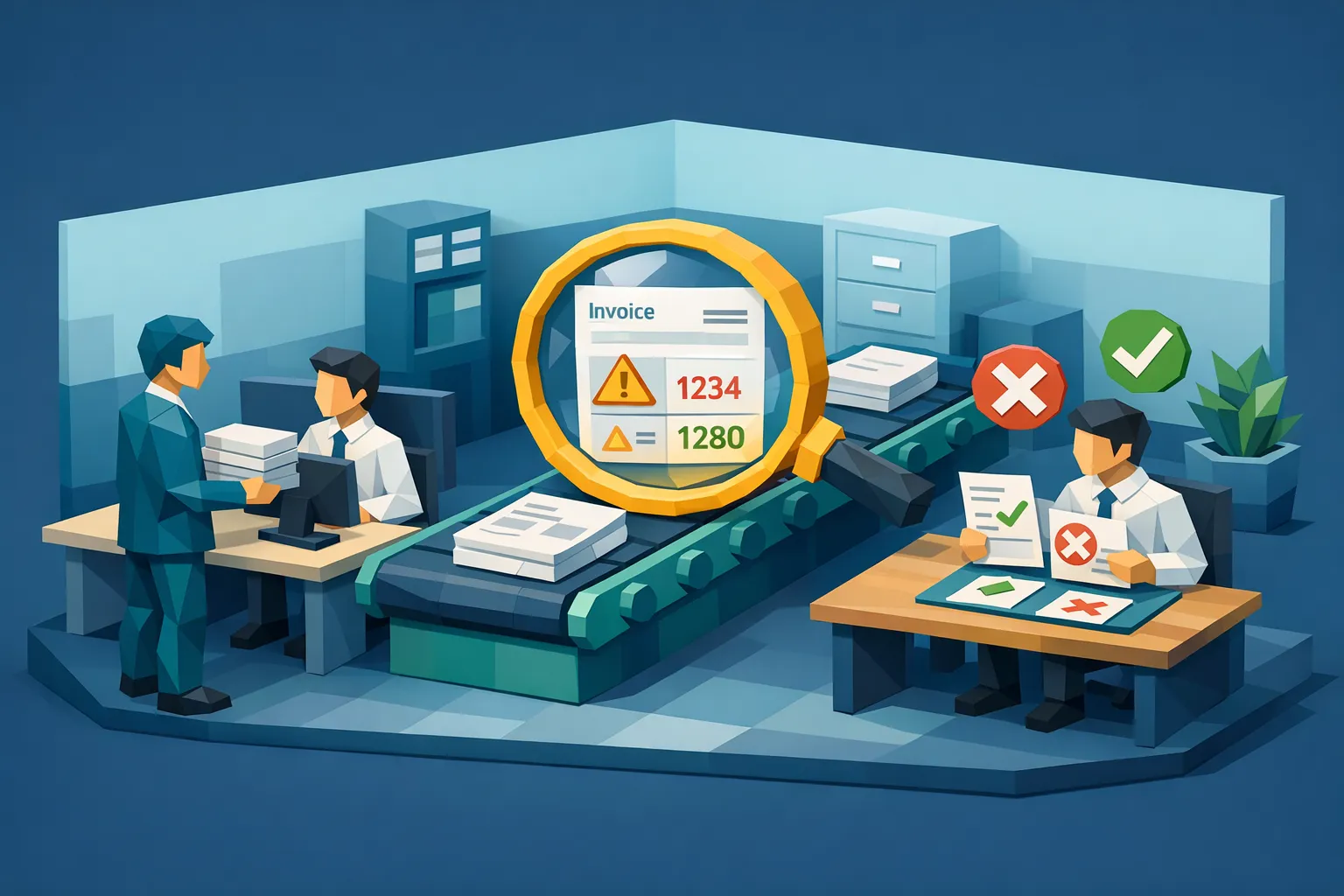

Accounts payable teams buy automation to go faster: fewer manual touches, fewer exceptions, cleaner audits. But many leaders discover an uncomfortable reality after rollout: accounts payable automation software can accelerate invoice processing while still letting invoice fraud slip through.
That happens because most AP automation tools are built to solve a different problem than fraud. They optimize capture, routing, matching, and approvals, using structured fields extracted from invoices. Modern invoice fraud exploits what those tools often ignore: document authenticity, manipulation evidence, and payment context.
Below is a practical breakdown of where AP automation commonly misses invoice fraud, what attackers do differently in 2026, and how to close the gap without slowing cycle time.
What AP automation software is designed to do (and does well)
Most AP automation platforms are excellent at standardizing high-volume work:
- Capturing invoices from email, portals, EDI, scans, and PDFs
- OCR and data extraction (invoice number, date, amount, tax, line items)
- Workflow approvals and coding
- 2-way or 3-way matching (invoice, PO, receipt)
- Duplicate checks based on invoice number and vendor
- Exception routing and audit trails
- Payment file creation and ERP sync
These are “data workflow” strengths. The system assumes the invoice is a legitimate document and focuses on processing it efficiently.
The problem is that fraud is often a document integrity and payee problem first, and only a data problem second.
Why AP automation misses invoice fraud: 7 common failure modes
Fraudsters have learned how to produce invoices that “look valid” to OCR, matching engines, and approval workflows. Here are the most common ways automation breaks down.
1) OCR turns documents into fields, and drops authenticity signals
OCR is great at reading text. It is not designed to answer: “Was this document edited?”
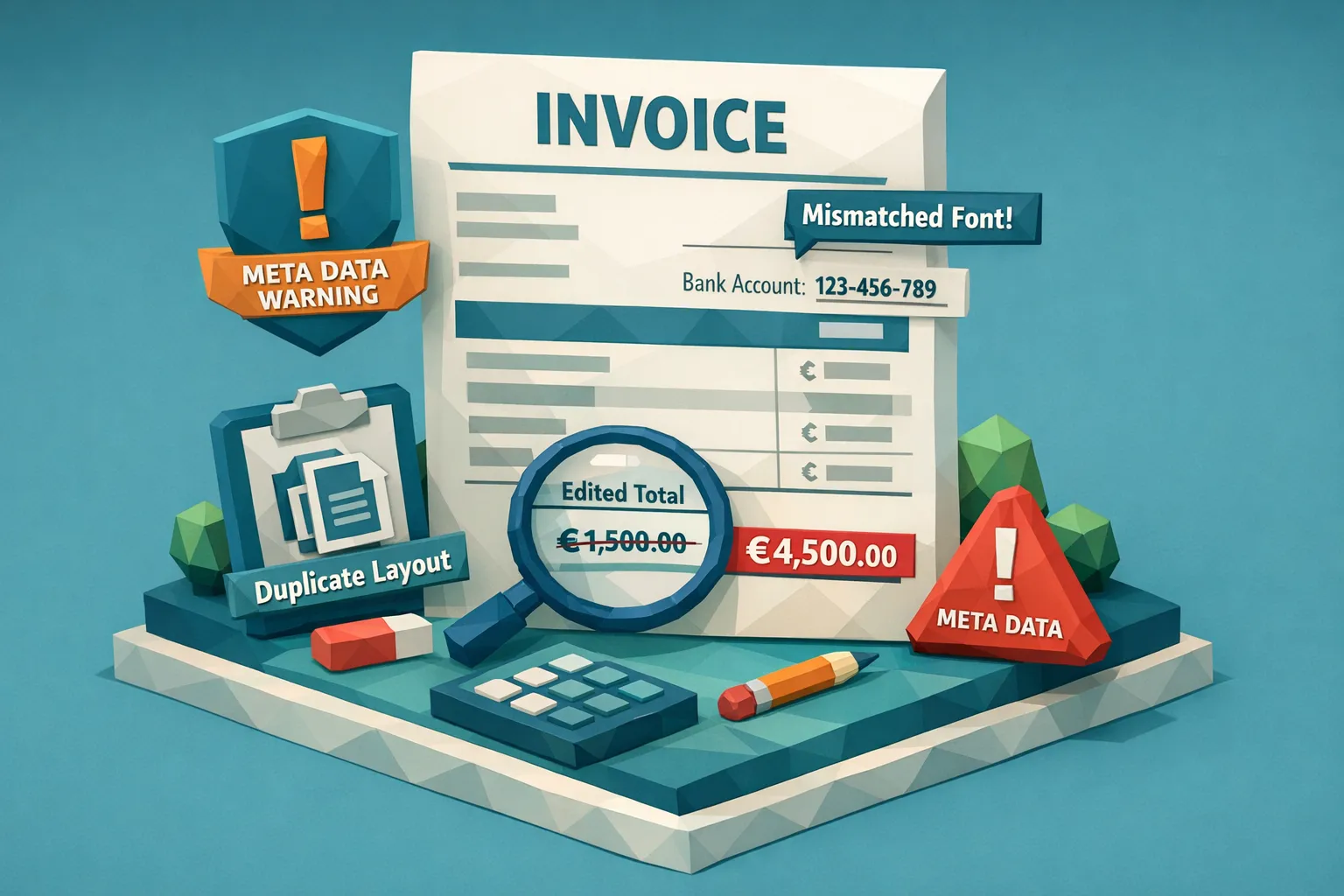
When an AP system converts an invoice image/PDF into fields, it often throws away the forensic clues that indicate manipulation:
- Signs of copy-paste, resampling, or inconsistent compression
- Micro-misalignment of characters and baselines after edits
- Layering artifacts in PDFs
- Inconsistent fonts that still OCR correctly
If your controls are primarily field-level rules, a well-edited invoice becomes “clean data.”
Related reading: OCR is not fraud detection.
2) Matching assumes upstream truth (especially vendor master and PO)
2-way/3-way match is powerful when:
- Vendor master data is clean
- PO processes exist and are enforced
- Receiving is timely and accurate
But many organizations cannot implement strong PO discipline for every spend category (construction, multi-site services, multi-entity operations, fast-growing teams). In these environments, attackers aim for the gaps:
- Non-PO invoices where “approval” is the primary control
- Vendor impersonation where the name is plausible
- Bank detail changes routed through email
Even when matching exists, it validates alignment with internal records, not whether the invoice document itself was fabricated or altered.
3) Approval workflows validate business intent, not document integrity
Approvers typically answer:
- “Did we receive this service?”
- “Is the spend in budget?”
- “Is the GL coding correct?”
They rarely have tooling to answer:
- “Was this invoice photoshopped?”
- “Is this PDF synthetic or AI-generated?”
- “Was the bank detail edited?”
In practice, a clean-looking invoice with reasonable line items can glide through approval, especially when teams are measured on throughput.
4) Duplicate detection is often literal, and fraud is near-duplicate
Many AP systems detect duplicates by exact matches on:
Invoice number
Vendor ID
Amount n Fraudsters do not submit exact duplicates. They submit near-duplicates:
Invoice number changes by one digit
A line item is added, removed, or slightly reworded
Totals shift by a small amount
The same invoice is re-rendered, re-scanned, or re-exported
If your tool is not doing document-level similarity and image/PDF comparison, duplicates can slip through even when the “data” looks different.
5) Rules engines catch naive fraud, not adaptive fraud
Field-based anomaly rules (thresholds, weekend invoices, unusual tax rates) are useful. But they are also learnable.
Once a fraudster understands your controls, they can generate invoices that stay inside the guardrails:
- Totals under approval thresholds
- Realistic tax calculations
- Line items that resemble prior spend
- Dates that align with expected cadence
This is one reason “it passed all our rules” is not the same as “it is authentic.”
6) Intake channels are untrusted by default (email, PDF, scans)
AP automation often expands intake: vendors email PDFs, employees forward invoices, sites upload scans.
Those channels are convenient, and they are also perfect for manipulation:
- Edited PDFs with altered payee details
- Scanned paper invoices with physical edits
- Screenshots or image-based invoices with no provenance
Unless you explicitly screen for tampering, the system treats these as normal.
7) AI-generated invoices reduce the “sloppiness” that humans used to spot
Traditional fraud sometimes had tells: weird spacing, typos, inconsistent branding.
AI-generated and template-driven synthetic invoices are often the opposite: perfectly aligned, plausible language, realistic formatting, and clean arithmetic.
That puts more pressure on forensic detection (visual, metadata, provenance) rather than human gut feel.
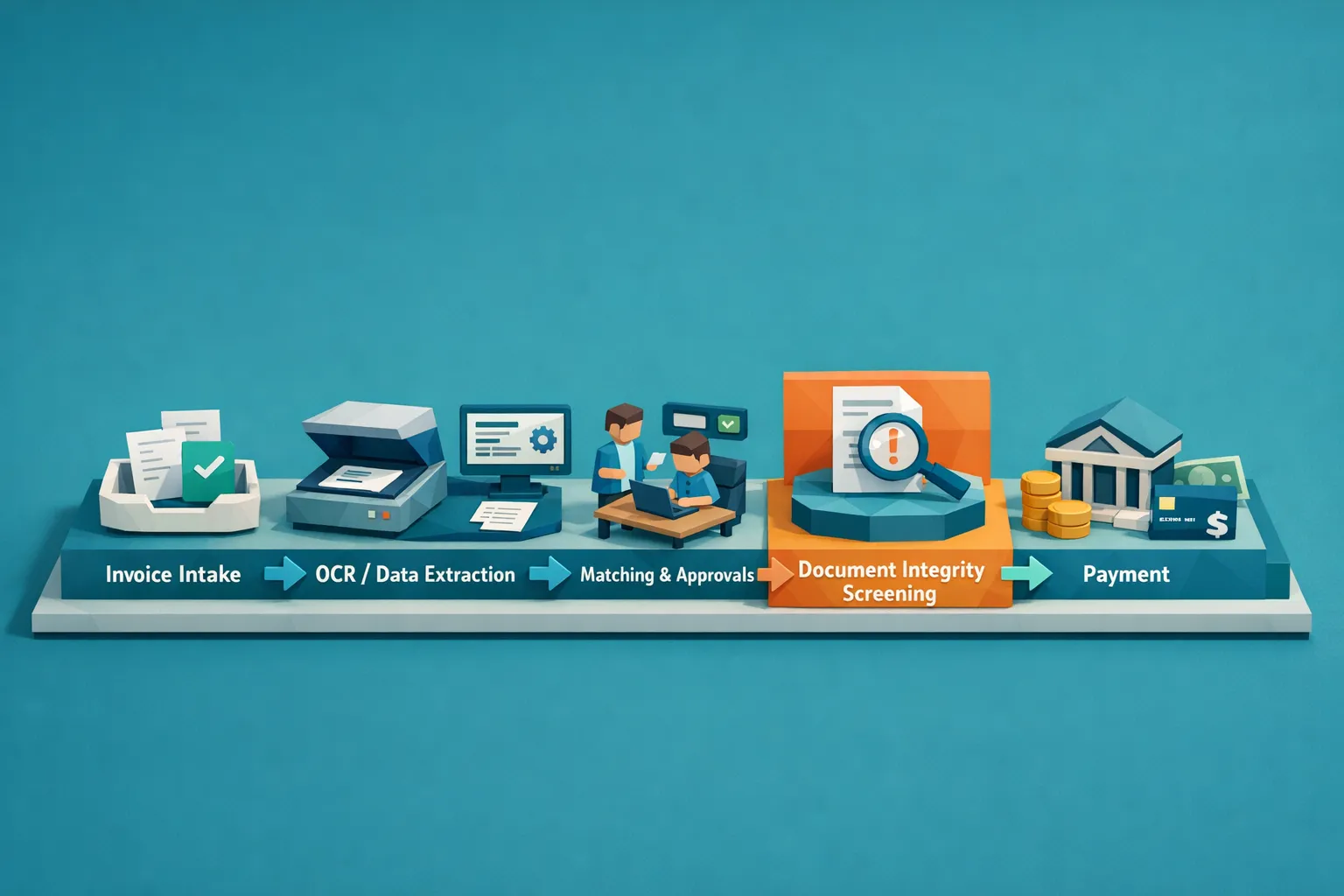
The core issue: AP automation optimizes for processing, not proof
A helpful way to think about this is:
- AP automation answers: “What does the invoice say?”
- Fraud prevention must also answer: “Is the invoice real, unaltered, and consistent with payment context?”
Here is a quick mapping of common AP automation controls to the fraud tactics that bypass them.
Typical AP automation control | What it validates                 | Fraud it can miss                             | Why it misses it
OCR + field validation        | Presence and format of fields     | Photoshopped totals, edited bank details      | OCR reads text even when the document was edited
2-way/3-way match             | Alignment with PO/receipt data    | Non-PO fake invoices, manipulated attachments | Matching does not prove the invoice document is authentic
Approval workflow             | Business sign-off                 | Synthetic invoices with plausible line items  | Humans approve intent, not forensic authenticity
Duplicate detection (exact)   | Same invoice number/vendor/amount | Near-duplicate resubmissions                  | Small changes bypass exact matching
Rules and thresholds          | Outliers in data                  | “Compliant” fraud within limits               | Attackers adapt to your rules
Vendor master checks | Vendor exists | Vendor impersonation, bank swap | A real vendor record can still be paid to the wrong accountTo catch manipulated, photoshopped, and AI-generated invoices, teams need a document-level screening layer that runs alongside AP automation.
A strong checkpoint typically combines multiple signals, because no single method is enough:
Visual and physical manipulation detection
Look for evidence of edits in images and PDFs:
- Pixel-level anomalies (copy-move, splice regions)
- Inconsistent fonts, kerning, or alignment after edits
- Compression signatures that do not match the rest of the page
- Signs of re-photographing or print-and-scan manipulation
Metadata forensics and provenance
When available, metadata can show:
- Editing software identifiers
- Creation vs modified timestamps that do not make sense
- Device and export pipeline inconsistencies
(And when metadata is missing, that can be a signal too, depending on your invoice mix.)
Mathematical and logical integrity checks
Fraud often creates subtle inconsistencies:
- Line items that do not sum to subtotal
- Rounding or tax that does not reconcile
- Unit price x quantity mismatches
- “Too-perfect” arithmetic combined with other anomalies (common in synthetic docs)
Duplicate and near-duplicate intelligence
Instead of only checking invoice number, compare the underlying document:
- Same template, layout, and visual structure
- Similarity even when text changes slightly
- Resubmissions across entities or business units (important for multi-entity orgs)
Payment context analysis (the part many stacks miss)
A document can look legitimate but still route funds to the wrong place.
A robust approach ties the invoice to payment context such as payee details and known patterns. Docklands AI, for example, emphasizes building a deeper fraud picture using payment information on a claim, expense, or payment, which can increase accuracy compared to tools that only answer “is this image real?”
This is where AP teams often find the highest leverage, because payment redirection and payee manipulation are common outcomes of invoice fraud.
Where to place fraud screening so it does not slow AP
You do not have to rebuild your AP workflow. The most practical deployments place screening at two points:
Before approval (triage)
Screen at intake so that:
- Clean invoices continue through normal automation
- Risky invoices are routed to an exception queue with evidence
Before payment release (last-mile control)
A second screen (or a “re-check”) before the payment run catches:
- Late-stage bank detail changes
- Resubmitted documents that appeared after initial intake
- Edge cases that only become obvious with more context
Docklands AI supports integration via API and webhooks, which is typically how teams embed screening into existing ERP/AP tools without changing user behavior for the majority of invoices.
How to evaluate AP automation software when invoice fraud is the priority
If you are comparing accounts payable automation software or reviewing your current stack, ask questions that force clarity on fraud coverage:
- Does it detect document manipulation, or only data anomalies? Ask for examples of photoshopped totals and edited bank details.
- Does it handle AI-generated invoices? Ask how detection is performed and what evidence is provided.
- Is duplicate detection exact-only, or does it find near-duplicates at the document level?
- What evidence does an alert provide? You want reviewer-ready findings, not a generic “high risk” label.
- Can it screen 100 percent of invoices in real time? Spot checks are easy to game at scale.
- How does it use payment context? Document authenticity plus payee intelligence is typically stronger than either alone.
If you want a more detailed set of controls, Docklands’ invoice fraud prevention checklist for accounts payable is a good companion to this article.
Frequently Asked Questions
Does accounts payable automation software prevent invoice fraud? It helps reduce manual errors and enforce process controls, but many platforms do not verify document authenticity. Fraud that involves edited, duplicated, or synthetic invoices can still pass.
Why does OCR-based AP automation miss photoshopped invoices? OCR extracts text accurately even when the underlying document was manipulated. Without visual, metadata, and integrity checks, edits to totals, dates, and bank details can look like normal data.
What types of invoice fraud are hardest for AP automation to catch? Near-duplicate resubmissions, payee detail manipulation, and AI-generated synthetic invoices are commonly missed because they can be made to look consistent at the field level.
Can you add fraud detection without replacing your AP system? Yes. Many teams add a document integrity checkpoint via API or workflow integration so invoices are screened at intake and exceptions are routed for review.
What should an invoice fraud alert include for reviewers? Evidence. For example, where manipulation is suspected, what metadata anomalies were found, how math failed to reconcile, or how the document matches a prior submission.
Add fraud detection where AP automation stops
If your AP automation rollout improved speed but you still worry about manipulated or AI-generated invoices, the missing piece is usually document integrity screening plus payment context.
Docklands AI helps organizations detect photoshopped, manipulated, and AI-generated invoices before payment, using multimodal forensics (visual analysis, metadata, mathematical checks, and duplication intelligence) and deeper signals from payment information.
Explore Docklands AI at docklands.ai or read more on supplier invoice fraud patterns to see how modern attacks bypass traditional controls.
Request a Demo Today!
Book your demo below.


