


Claims Fraud Signals That Appear Before Payout
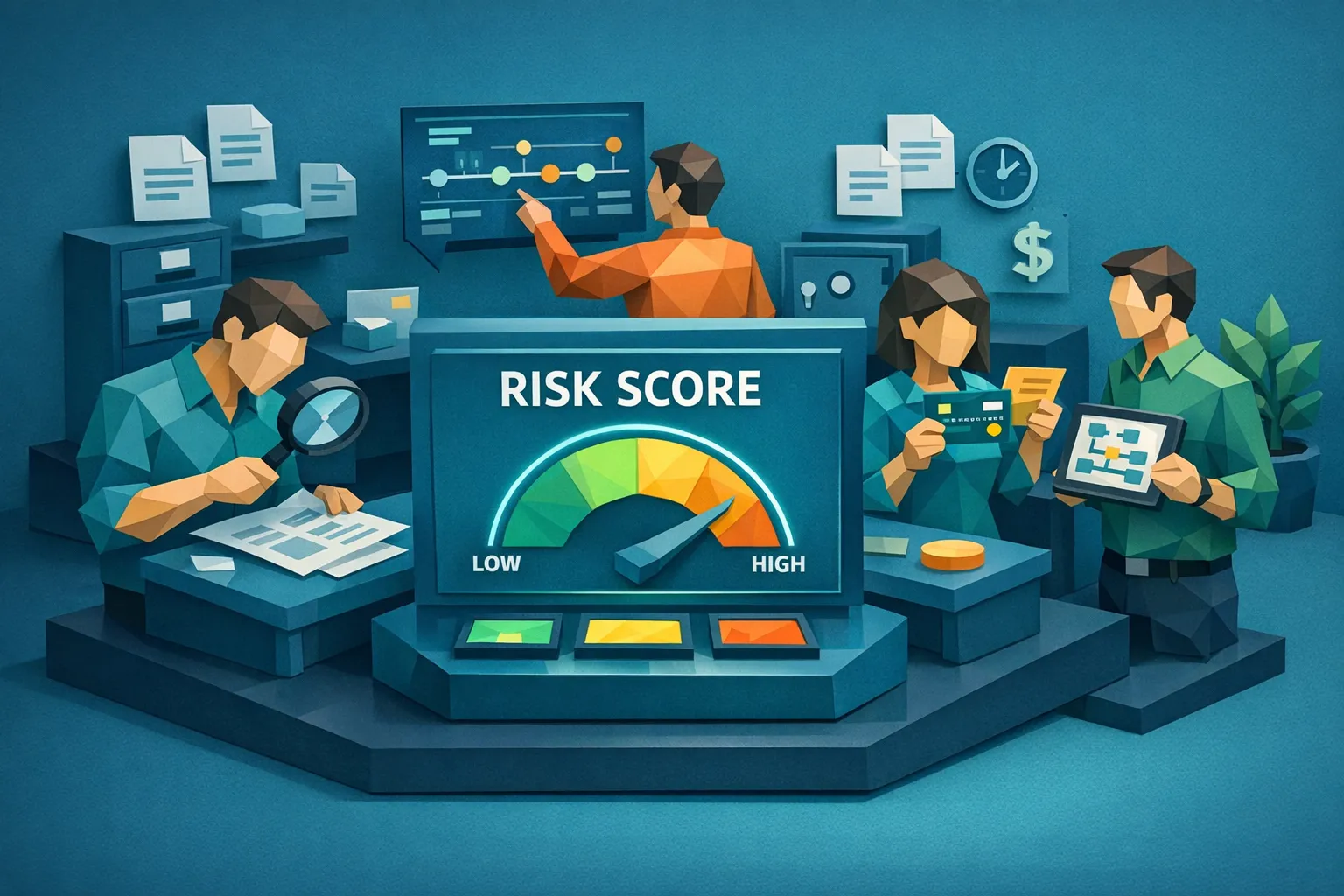

Fraud rarely starts at the moment of payout. In many operations, the strongest prevention leverage is earlier, when a claim is still being validated and supporting documents are still being submitted.
For claims leaders, that means building a repeatable habit: look for claims fraud signals that appear before payout, then route only the highest risk cases to deeper review. The goal is simple, keep clean claims moving while stopping manipulated invoices, synthetic receipts, and payment redirection attempts before money leaves your control.
Why pre-payout signals matter more than post-payout recovery
Once funds are disbursed, recovery depends on litigation, collections, subrogation leverage, and sometimes luck. Before payout, you still have:
- Control over the approval path
- Access to original evidence (photos, PDFs, email headers, metadata)
- Time to validate vendors, pricing, and payment details
This is also where modern fraud is concentrating. Document editing tools, AI image generation, and template-based invoice fabrication have made “legitimate-looking” paperwork easy to produce at scale.
A practical way to think about claims fraud signals
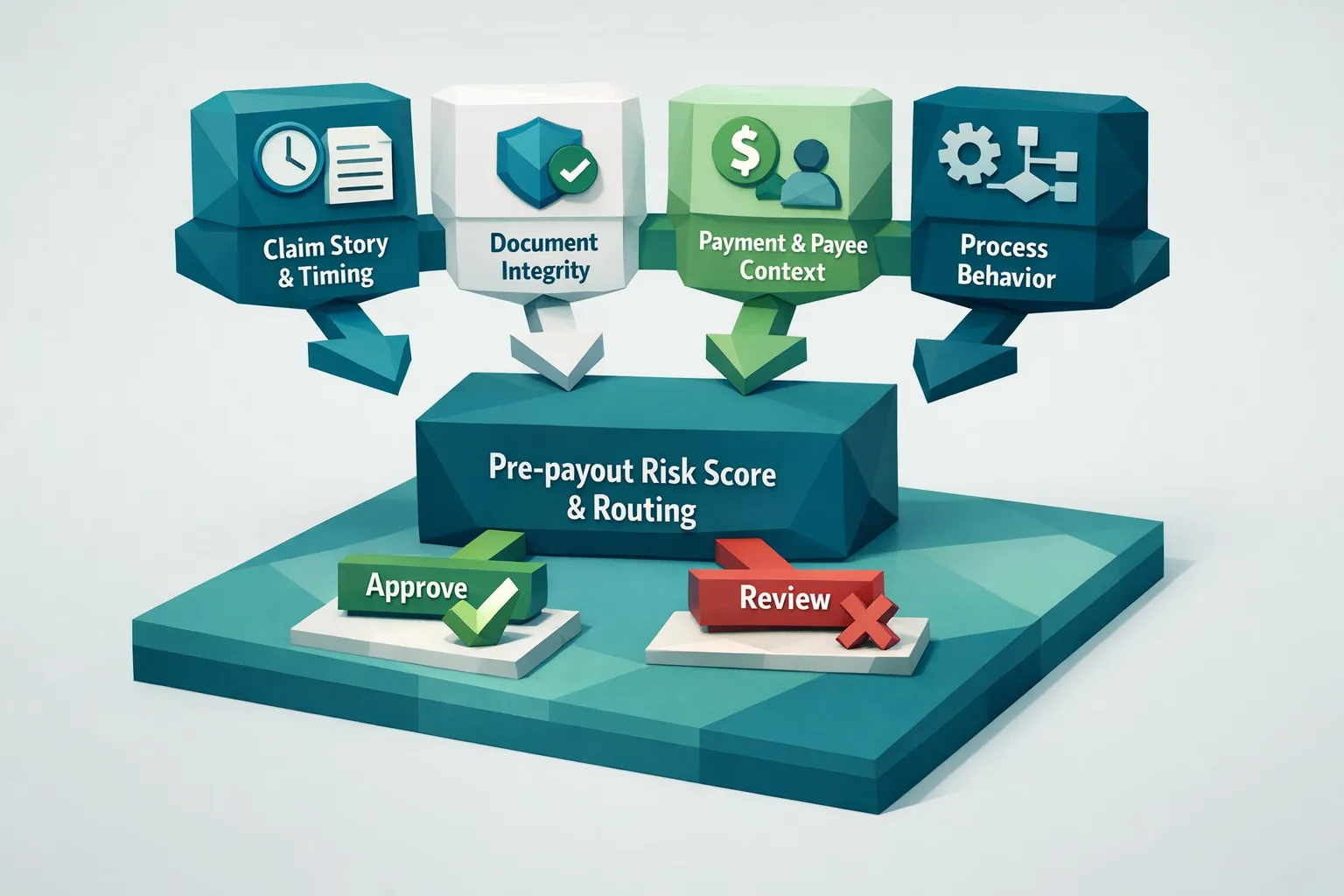
Most pre-payout signals fall into four buckets:
- Claim story and timing (what is being claimed, how fast, and how it changes)
- Document integrity (whether invoices, receipts, and estimates are authentic)
- Payment and payee context (where funds are going and whether that destination makes sense)
- Process behavior (how the claimant, vendor, or internal workflow behaves under light friction)
A single signal is rarely enough to deny a claim. Multiple signals across buckets are where risk becomes clearer, and where automation can reduce reviewer workload.
1) Claim story and timing signals that show up early
These signals are visible even before documents are reviewed in depth.
Unusual urgency and deadline pressure
Common phrasing patterns show up repeatedly in suspicious submissions: “needs to be paid today,” “contractor will cancel,” “family emergency,” or “I cannot resend the original.” Urgency alone is not fraud, but urgency paired with other inconsistencies is a strong pre-payout indicator.
Operational tip: track whether urgency correlates with later document resubmissions, payout method changes, or new payee requests.
Loss narrative that evolves in a convenient direction
Watch for:
- Scope creep (new damaged items appear after initial review)
- Shifting cause of loss (especially when it makes coverage more favorable)
- New parties added late (a new contractor, towing provider, restoration vendor)
Legitimate claims do evolve, but frequent narrative changes often correlate with documentation that is assembled after the fact.
Timing mismatches across reported events
When reported dates and times do not line up across the timeline, early risk increases. Examples:
- Service allegedly performed before the loss date
- Repair estimate issued before inspection is plausible
- Multiple documents created “too quickly” for the described work
These mismatches become more defensible when you can tie them to objective evidence such as document metadata or photo capture timestamps.
2) Document integrity signals in invoices, receipts, and estimates
Many teams rely on OCR field extraction and basic validations (totals, dates, vendor name). Those checks are necessary, but they do not answer the real question: is the document authentic?
Pre-payout signals that matter most tend to be document-level, not just data-level.
Visual and layout anomalies that appear in manipulated documents
Common patterns include inconsistent fonts, misaligned baselines, unnatural spacing, or copy-paste artifacts around totals and line items. In photos of documents, look for inconsistent lighting, warped edges, or areas that appear “sharper” than the rest of the image.
These are the kinds of signals that pixel-level analysis can catch reliably, even when OCR output looks normal.
Metadata contradictions
Metadata is not always present, and it can be stripped, but when it exists it is high signal. Examples:
- A PDF “created” in editing software inconsistent with the submission story
- Image timestamps that conflict with the claimed service date
- Evidence of multiple save steps or toolchains commonly used for manipulation
If you want a deeper view of how metadata supports claims review, Docklands AI covers this in detail in its guide to metadata forensics for receipts.
Mathematical and pricing inconsistencies
Fraudsters often focus on making a document look real, then miss the arithmetic. Red flags include:
- Tax that does not match jurisdiction norms
- Discounts applied inconsistently
- Line items that do not sum to subtotals
- Unit rates that are extreme for the geography or service type
Even when totals are correct, mismatched unit math is a common pre-payout signal because it indicates manual tampering.
Near-duplicate reuse across claims
Duplicate and near-duplicate documents are a major driver of leakage, especially when small edits are applied to evade simple duplicate checks.
Pre-payout signal examples:
- The same receipt reappears with a different date
- The same invoice layout reappears with a new vendor name
- The same estimate photo is reshot, cropped, or compressed
This is one reason teams increasingly add near-duplicate detection (visual similarity, not only identical text matching) to intake triage.
For a document-focused view of how manipulation typically shows up, see how fraudulent claims use altered invoices and receipts.
3) Payment and payee signals that appear before money moves
Many fraud programs over-index on whether an invoice image looks legitimate and under-index on where the money is going. In practice, payout routing is often where intent becomes visible.
New payee introduced late in the process
Late-stage payee changes can be legitimate, but they should increase friction. Examples:
- “My contractor changed bank accounts”
- “Please pay my friend/relative who fronted the cost”
- “Vendor asked to be paid at a new address or different entity name”
Track whether the payee is consistent with the vendor identity shown on documents and consistent with historical payments.
Payment instructions that do not match the document
Pre-payout mismatches that often matter:
- Bank details provided in an email, but not shown on the invoice
- Remit-to details that appear only in the newest version of an invoice
- Different beneficiary name versus vendor name
If your team is seeing more “version churn” (multiple PDFs sent back and forth), treat that as a risk signal in itself.
Vendor legitimacy checks fail basic scrutiny
When vendors are unfamiliar, validate that they exist and that their web presence and contact details make sense for the claim type and geography.
For example, in high-value property contexts, teams sometimes need to validate overseas counterparties quickly. Reviewing a company’s official site can help establish baseline legitimacy, such as Azimira Real Estate for UAE property-related counterparties.
Important: a website alone does not prove legitimacy, but a lack of any verifiable footprint should increase pre-payout scrutiny.
4) Process and behavioral signals in the workflow
Fraud shows up in how parties behave when you apply light verification steps.
Channel switching and avoidance of audited paths
Signals include:
- Submitting via email after being asked to use a portal
- Sending screenshots instead of originals
- Refusing to provide original PDFs or higher resolution photos
Healthy workflows encourage evidence preservation. If the claimant keeps pushing toward lower-integrity channels, risk rises.
Excessive resubmissions and “corrections”
Frequent changes often precede payout. Track:
- Number of document versions
- Whether totals consistently increase with each revision
- Whether changes align with prior reviewer questions or appear opportunistic
Unusual third-party involvement
If a new contractor, “public adjuster,” or intermediary suddenly becomes the primary communicator, review what changed and why.
This matters because third parties can industrialize document fabrication, especially in niches like restoration, auto repairs, or contents replacement.
A pre-payout triage workflow that does not slow clean claims
A practical operating model is a risk-based routing layer early, plus a re-check right before payment for any claims that changed.
Step 1: Preserve originals at intake
Require original file types when possible (original PDF, original image). Keep email headers and upload logs. If only a screenshot is available, treat it as lower-trust evidence.
Step 2: Screen every supporting document for integrity
This is where multimodal document checks matter:
- AI-generated document detection
- Photoshop and tampering detection
- Metadata forensics analysis
- Mathematical irregularity checks
- Physical manipulation detection
- Duplicate and near-duplicate identification
This can be run automatically without replacing your claims system.
Step 3: Link document findings to payment context
High-value pre-payout signals often emerge only when you connect document integrity with payment details:
- Is the payee new for this claimant or vendor?
- Does the beneficiary match the vendor identity?
- Are there repeated bank details across unrelated vendors?
Docklands AI is built around this concept, combining document forensics with payment context to build a clearer fraud picture than image-only authenticity checks.
Step 4: Route by confidence and evidence
Use three lanes:
- Low risk: straight-through processing
- Medium risk: request originals, validate vendor identity, confirm pricing
- High risk: SIU referral with preserved evidence bundle
The key is that routing should be explainable. Reviewers need to see what triggered the flag, not only a score.
Step 5: Re-screen before payout when anything changes
Many fraudulent attempts are iterative. If the invoice was resubmitted, payee details changed, or new documents were added late, re-run screening before funds move.
What to do when multiple signals show up (a practical playbook)
When a claim hits multiple categories, focus on actions that are both fast and defensible:
- Request the original invoice or receipt file (not a screenshot)
- Ask for supporting proof that is hard to fabricate (work order, appointment confirmation, itemized estimate, proof of delivery)
- Validate vendor contact details independently, then call using a verified number
- Freeze payee changes until vendor identity is confirmed
- Document every step so SIU has an evidence trail
If you want an implementation-oriented workflow for claims operations, see insurance claim fraud detection: screening invoices and receipts before you pay.
Frequently Asked Questions
What are the earliest claims fraud signals? The earliest signals often appear before documents are reviewed, such as unusual urgency, shifting loss narratives, timeline mismatches, and late-stage changes to vendors or payees.
Why do OCR and rules miss claims fraud before payout? OCR confirms what the document says, not whether the document is authentic. Modern fraud often uses edited, duplicated, or AI-generated invoices that pass field validation but fail document-integrity checks.
Which documents are highest risk in claims fraud? In many lines, the highest-risk items are invoices, receipts, repair estimates, and any document that introduces payment instructions or a new third-party vendor.
How can we reduce false positives when flagging suspicious claims? Use multiple signal types (document integrity, metadata, arithmetic, duplication, and payment context) and route by evidence and confidence. Avoid single-rule decisions like “new vendor equals fraud.”
Where should fraud screening happen in the claims workflow? For best results, screen at intake (to stop bad documents early) and re-screen before payout if documents or payment details changed.
Add document integrity screening before payout with Docklands AI
If your team is seeing more manipulated invoices, synthetic receipts, or suspicious payee changes, a pre-payout screening layer can reduce leakage without slowing clean claims.
Docklands AI helps insurers detect photoshopped, manipulated, and AI-generated invoices and receipts using multimodal forensics, then connects those findings to payment context so you can prioritize the right cases.
Learn how it works at Docklands AI.
Request a Demo Today!
Book your demo below.


