Photoshop Detection: How to Tell If a Photo Has Been Edited
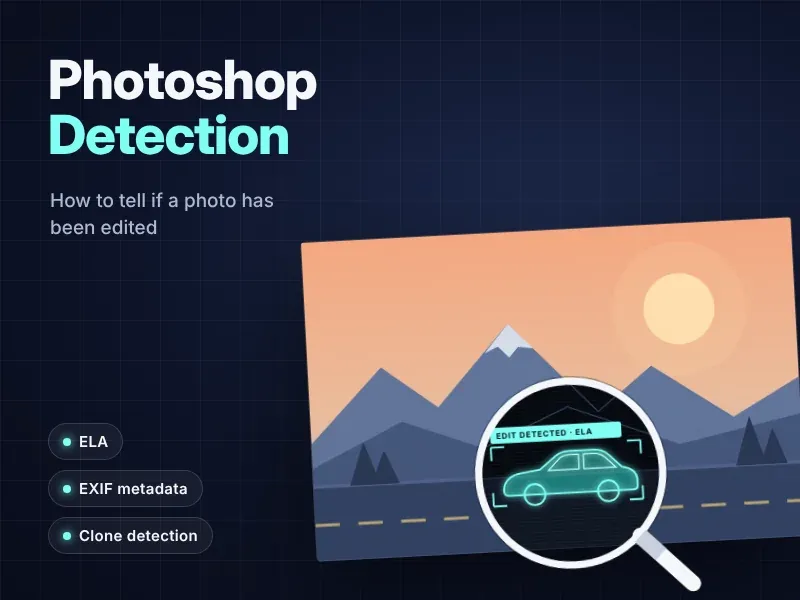
A photo of a used car with no dents. A dating profile that looks a little too perfect. A viral image of a flooded highway that seems almost cinematic. Every day, Americans make decisions based on pictures they can't fully trust.
Photoshop Detection is the practice of checking whether an image has been altered after it was taken. Some edits are harmless, like cropping or brightening. Others are designed to mislead you, sell you something or win an argument in court.
The good news? You don't need a forensic lab to spot most fake images. With a sharp eye, a few free tools and a simple routine, you can verify a photo in minutes. This guide walks you through the exact checks professionals use, in plain language.
What Is Photoshop Detection?
Photoshop Detection covers any method used to find out whether a photo was manipulated with editing software. The name comes from Adobe Photoshop, but the same techniques apply to edits made in GIMP, Lightroom, phone apps or online editors.
Detection works because editing leaves traces. When someone pastes, removes or reshapes part of an image, they usually disturb things like:
- The way the file was compressed
- The natural noise pattern from the camera sensor
- The direction and softness of light and shadow
- The metadata stored inside the file
No single check proves a photo is real or fake. Strong image verification comes from combining several signals and seeing whether they tell a consistent story.
Photoshopped vs. AI-Generated: Two Different Questions
It helps to separate two questions:
| Question | What it means | Best methods |
|---|---|---|
| Was this real photo edited? | A genuine camera image was altered | ELA, noise analysis, clone detection, metadata |
| Was this image created from scratch by software? | No camera ever captured it | AI image detector tools, content credentials, reverse image search |
Many tools now try to answer both. Keep in mind that an AI image detector trained on fully generated images may miss a careful Photoshop edit, and a classic forensic tool may miss a convincing AI-generated image.
Why Spotting a Doctored Photo Matters in the US
Edited photos aren't just an internet curiosity. In the US, they drive romance scams, inflate insurance claims, hide flaws in online listings and spread false stories during breaking news. Here's where Photoshop Detection makes the biggest difference.
Dating Profiles and Romance Scams
Romance scams are one of the costliest frauds in the country. The Federal Trade Commission reported that consumers lost $547 million to romance scammers in 2021 alone, with total reported losses over five years reaching $1.3 billion. The FTC has also noted that scammers often build fake profiles using photos of strangers found online. A quick check of profile pictures can stop a scam before it starts.
Insurance Claims and Online Marketplaces
Insurers increasingly accept photos as part of a claim. A doctored image of hail damage or a dented bumper can turn into real money. The same goes for marketplaces like Facebook Marketplace, Craigslist, eBay and short-term rental sites, where a retouched listing can hide wear, damage or a property that doesn't exist.
The same tricks show up in the receipts, invoices and repair estimates attached to claims and expense reports. That's why insurers and finance teams use document fraud detection platforms like Docklands AI to catch altered, photoshopped and AI-generated paperwork before a claim is paid.
News, Social Media and Legal Evidence
During hurricanes, elections and breaking news, manipulated images spread on social media within minutes. Journalists, fact-checkers and attorneys all need a dependable way to verify images before publishing them or presenting them as evidence. Courts expect photo evidence to be authentic, and a single altered exhibit can undermine an entire case.
Manual Photoshop Detection: What to Look For With Your Own Eyes
Start with a careful visual inspection. Zoom in to 200% or more and look at the image section by section.
Light Source and Shadows
Every object in a real photo shares the same light source. Ask yourself:
- Do all the shadows point in the same direction?
- Are shadows equally sharp or soft across the scene?
- Does a pasted-in person have light hitting their face from a different side than everyone else?
Mismatched lighting is one of the most common giveaways of a composite image.
Edges, Warping and Repeated Patterns
Look closely at outlines and backgrounds:
- Halos or blurry outlines around a person or object that was cut and pasted
- Bent lines in doorframes, tiles or walls near a body, a classic sign of the Liquify tool
- Repeated textures like identical clouds, bricks or crowd faces, which suggest the clone tool was used
- Overly smooth skin that has lost pores and natural texture
Reflections, Text and Fine Detail
Check mirrors, windows, sunglasses and water. Reflections are hard to fake correctly. Also read any visible text, such as signs, license plates and labels. Distorted or inconsistent lettering is a strong red flag.
Here's a sobering reminder of how hard this can be: in research by Adobe and UC Berkeley on faces edited with Photoshop's Face Aware Liquify feature, people picked the altered face only 53% of the time, barely better than a coin flip. That's why forensic tools matter.
Forensic Methods That Reveal Hidden Edits
When your eyes can't settle the question, forensic analysis can. These methods look beneath the visible image at its metadata, compression, noise and pixel patterns to find traces that editing software leaves behind.
EXIF Metadata
Most photos carry EXIF data: hidden details like camera model, date, time, lens settings and sometimes GPS location. EXIF metadata can reveal clues such as:
- A "Software" field listing Adobe Photoshop or another editor
- A modification date that doesn't match the capture date
- Missing camera information on a photo that supposedly came straight from a phone
Be careful, though. Social media platforms usually strip metadata on upload, so missing EXIF data doesn't automatically mean the file is fake. And metadata is easy to edit, so it should never be your only evidence.
Error Level Analysis (ELA)
Error level analysis (ELA) is one of the best-known Photoshop Detection techniques. It was introduced by digital forensics researcher Neal Krawetz in 2007 and is now built into many detection tools.
Here's the idea in plain English. Each time a JPEG file is saved, it loses a little quality through compression. If someone pastes in a new element and saves the image again, that area may have a different compression history from the rest of the picture. ELA resaves the image at a known quality level and highlights how much each area changes.
How to Read an ELA Result
- Similar surfaces and edges should look similar in the ELA view.
- An area that glows much brighter than comparable areas deserves a closer look.
- Bright does not automatically mean edited. Forensic experts warn that high-contrast edges and resaved or resized files can produce bright spots on authentic photos.
- ELA works on lossy formats like JPEG. A PNG file, which uses lossless compression, won't give a meaningful ELA result.
Treat ELA as a pointer that tells you where to look, not a verdict.
Noise Analysis
Every camera sensor leaves a faint, grainy noise pattern across the whole image. Noise analysis tools strip away the visible picture and show only that grain. When an object comes from a different camera or has been smoothed in editing software, its noise often looks noticeably different from its surroundings.
Clone Detection
The clone tool is a favorite for removing unwanted objects, like a power line, a scratch on a car or a person in the background. Clone detection software scans for regions that are copies of each other and draws lines between matching areas. Many clone detection tools build on well-known academic research on copy-move forgery by Jessica Fridrich and colleagues.
Content Credentials (C2PA)
A newer approach works from the other direction. Instead of hunting for edits after the fact, Content Credentials attach a signed record of how an image was made and changed. They're built on the C2PA standard from the Coalition for Content Provenance and Authenticity, which uses cryptographically verifiable data. When a photo has valid credentials, you can view its capture and editing history. When credentials are missing, that tells you nothing either way, since most images online still don't carry them.
Free Photoshop Detection Tools Compared
You don't need a forensic lab to check an image. The options below cover the most common Photoshop Detection methods, and each one is strongest at a different job, so using them together gives the clearest picture.
| Tool | Best for | Key features | Notes |
|---|---|---|---|
| Docklands AI | Invoices, receipts and claim documents | Digital edit detection, metadata forensics, AI-generated document detection, physical tampering checks, math checks on totals | Built for insurance claims, accounts payable and employee expenses; book a call to see it on your documents |
| Reverse image search (Google Lens, TinEye, Bing) | Finding the original image | Shows older or uncropped versions online | Often the fastest way to catch a fake |
| Built-in metadata viewers (Windows File Properties, macOS Preview, iPhone Photos info) | Quick EXIF data checks | Camera model, date, time, software and location | Free and already on your device |
| Content Credentials verify tools | Provenance | Reads C2PA data | Only works when credentials are present |
A quick tip: always upload the highest-quality, earliest version of the file you can find. Every round of screenshots, resizing and reposting on social media strips away the evidence these tools rely on.
A 5-Step Image Verification Workflow
Use this routine whenever a photo really matters, whether it's a listing, a claim or a news tip.
- Find the original image: Run a reverse image search. If the same photo appeared years earlier in a different context, you have your answer in seconds.
- Check the source: Who posted it first? Can you contact them or request the original file?
- Inspect it visually: Zoom in on lighting, shadows, edges, reflections and text.
- Run forensic checks: Review EXIF metadata, then run ELA, noise analysis and clone detection. Look for results that agree with each other.
- Document your findings: Save screenshots of each result with dates and URLs. This matters for insurance disputes, platform reports or legal evidence.
If the photo will be used in court or a major financial decision, hire a certified forensic examiner. Free tools are excellent for screening, but professional analysis carries more weight.
What Photoshop Detection Can't Catch
Being honest about limits makes you a better investigator:
- Heavily compressed images: Screenshots and reposts wipe out compression and noise clues.
- Professional edits: Skilled retouchers can match lighting, noise and grain closely.
- Real photos used in a false context: An unedited photo from 2015 shared as "today's flood" will pass every forensic check. Context still matters.
- False positives: Normal phone processing, like HDR and portrait mode, can make authentic photos look suspicious.
The research community takes these challenges seriously. The National Institute of Standards and Technology (NIST) runs the Open Media Forensics Challenge to measure how well detection systems perform, building on earlier work for DARPA's Media Forensics program. Even the best systems are still improving.
Frequently Asked Questions
Is there an app that can detect Photoshop?
No single app catches every edit. For everyday photos, start with reverse image search in Google Lens and your device's built-in metadata viewer. For business documents like invoices, receipts and claim paperwork, Docklands AI automatically checks for photoshopped edits, metadata changes and AI-generated content.
How can I detect a photoshopped image for free?
Start with a reverse image search, then upload the file to a free tool for error level analysis, noise analysis and EXIF data review. Finish with a careful visual check of light, shadows and edges.
Can photoshopped documents be detected?
Often, yes. Edited IDs, bank statements, receipts and invoices may show mismatched fonts, uneven text alignment, inconsistent compression, totals that don't add up or editing software in the metadata. Teams that review documents at volume, such as accounts payable and expense reviewers, use Docklands AI to flag these signals automatically. For anything legal, confirm with the issuing organization.
Can these tools detect AI-generated images?
Classic Photoshop Detection methods aren't designed for fully synthetic images. Use an AI image detector alongside content credentials and reverse image search, and treat any confidence score as a clue, not proof.
Does editing always mean a photo is fake?
No. Cropping, color correction and exposure fixes are normal. What matters is whether the edits change what the image claims to show.
Is it safe to upload my images to a detection tool?
It depends on the service. Some tools process the image in your browser, while others store uploads on their servers. Read the privacy policy before uploading sensitive photos.
Final Thoughts
Photoshop Detection isn't about one magic button. It's a habit: pause before you trust a photo, find where it came from, inspect it closely and back up your instincts with free forensic tools.
Whether you're checking a dating match, reviewing an insurance claim, buying something online or fact-checking a viral post, the same five-step workflow applies. Start with the original image, look for consistent light and shadow, and let ELA, noise analysis and metadata point you to the details that matter. When the stakes are high, bring in a professional.
If your business reviews receipts, invoices or claim documents, Docklands AI can automate these checks so altered or AI-generated files are flagged before you pay them.
The next time an image looks convincing, you'll know exactly how to check.
References
- Adobe: Adobe Research and UC Berkeley, Detecting Facial Manipulations in Adobe Photoshop.
- Federal Trade Commission: FTC Data Show Romance Scams Hit Record High; $547 Million Reported Lost in 2021.
- Federal Trade Commission: Romance scams and consumer tips.
- NIST: Open Media Forensics Challenge (OpenMFC) 2020-2021, NISTIR 8396.
- C2PA: Content Credentials Technical Specification.
- Wikipedia: Error level analysis (background and limitations).